

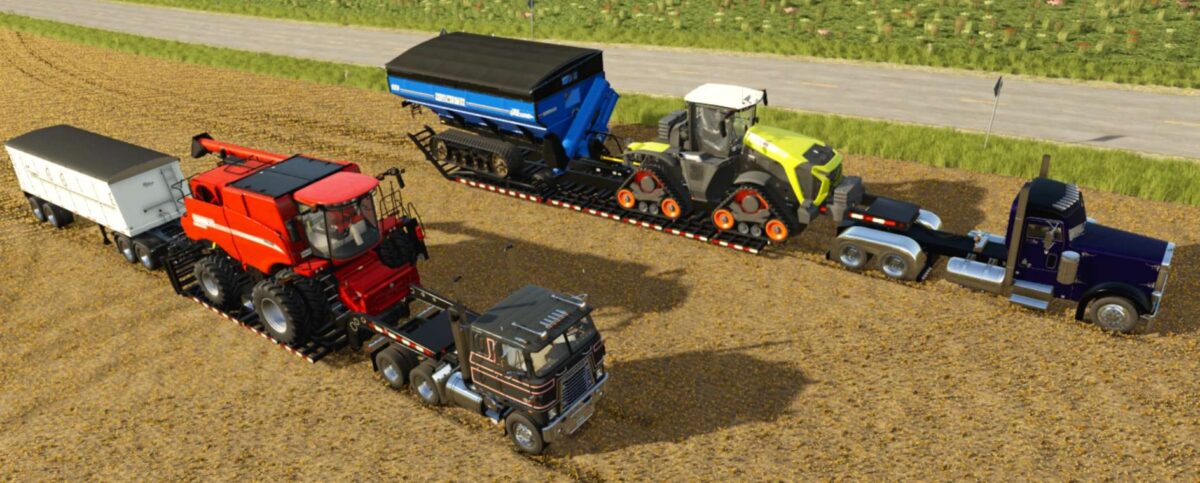
Trailtech Low Loader Trailers Pack v 1.1


The Trailtech Low Loader Trailers Pack v 1.1 has been converted for Farming Simulator 25 and is designed to enhance your farming and transportation experience. Each trailer in this pack features fully updated FS25 materials ensuring compatibility and improved visual quality within the game. A notable feature of this release is the combination of ramp controls, allowing for easier loading and unloading of equipment.
As this is the beta release, feedback is encouraged to address any issues players may encounter. Future updates may include additional features such as a bumper pull option and connection hoses for trailers, expanding functionality and usability.
– Converted to Farming Simulator 25
– Compatible with FS25 materials
– Combined ramp control for ease of use
– BETA release with plans for future updates
– Upcoming features: bumper pull and connection hoses
Version 1.1:
* Fixed missing DDS error in log
Credits:
Peterson Modding


