
FS25 Misc

Shaders v 1.0

Shaders v 1.0

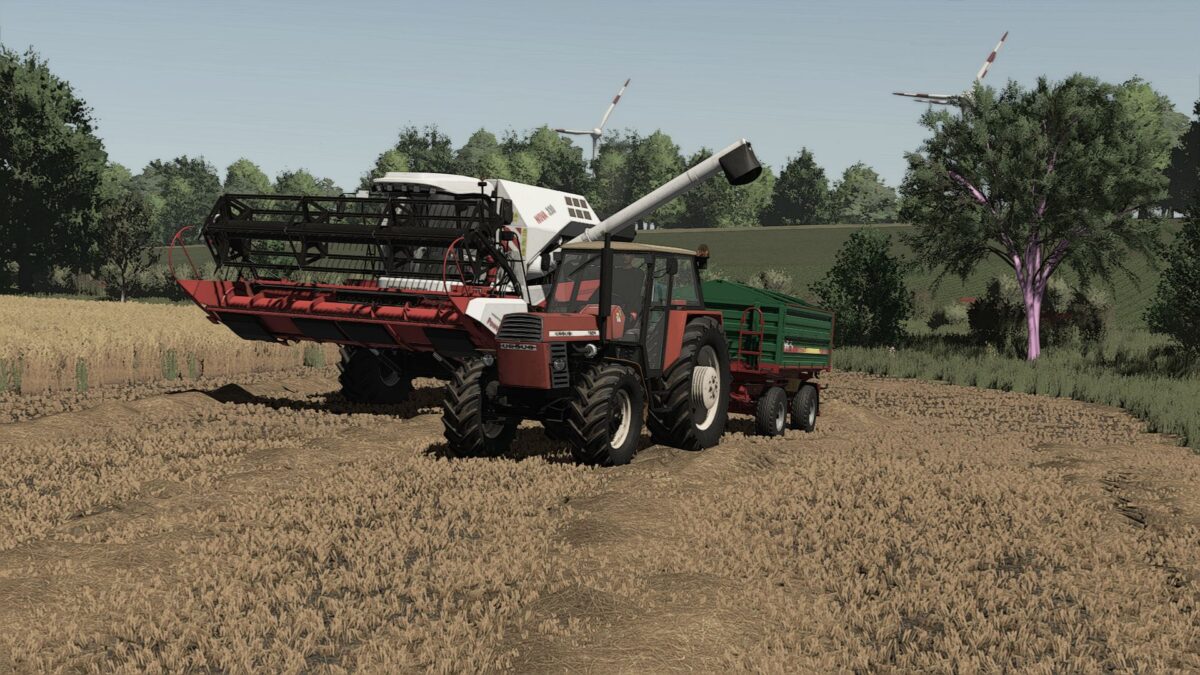
Shaders v 1.0 enhances the graphical experience in Farming Simulator 25 by implementing new visual effects and improved lighting dynamics. These shaders aim to provide a more realistic and immersive environment while playing the game. Players will notice better shading, reflections, and overall visual fidelity that make the landscapes and machinery look more lifelike. Additionally, the mod incorporates lighting adjustments from black, offering deeper contrasts and enhancing the overall ambiance during different times of day.

– Enhanced graphical effects
– Improved lighting dynamics
– Realistic shading and reflections
– Deeper contrasts for better ambiance
– Compatible with Farming Simulator 25

Credits:

Mafiozow

How to install FS25 Misc?
Firstly find a mod which you like and want to download. Then download a mod to your PC. Mods are usually in .zip format file. But sometimes it can be in .rar. If a mod file is a .zip format no needed additional actions. If a file is in .rar, then you must unarchive mod with software like WinRar or Zip7. Windows 10 users no need to use software for archives, Win10 itself has a feature to unarchive files.
The next step is to find mods folder in your PC. Usually, it is in Documents/My Games/Farming Simulator 25/2025. Open the "mods" folder and put downloaded .zip archive or unarchived .rar file to this folder.
Last step. Enjoy of FS25 mods!

Leave a Reply

Your email address will not be published. Required fields are marked *