

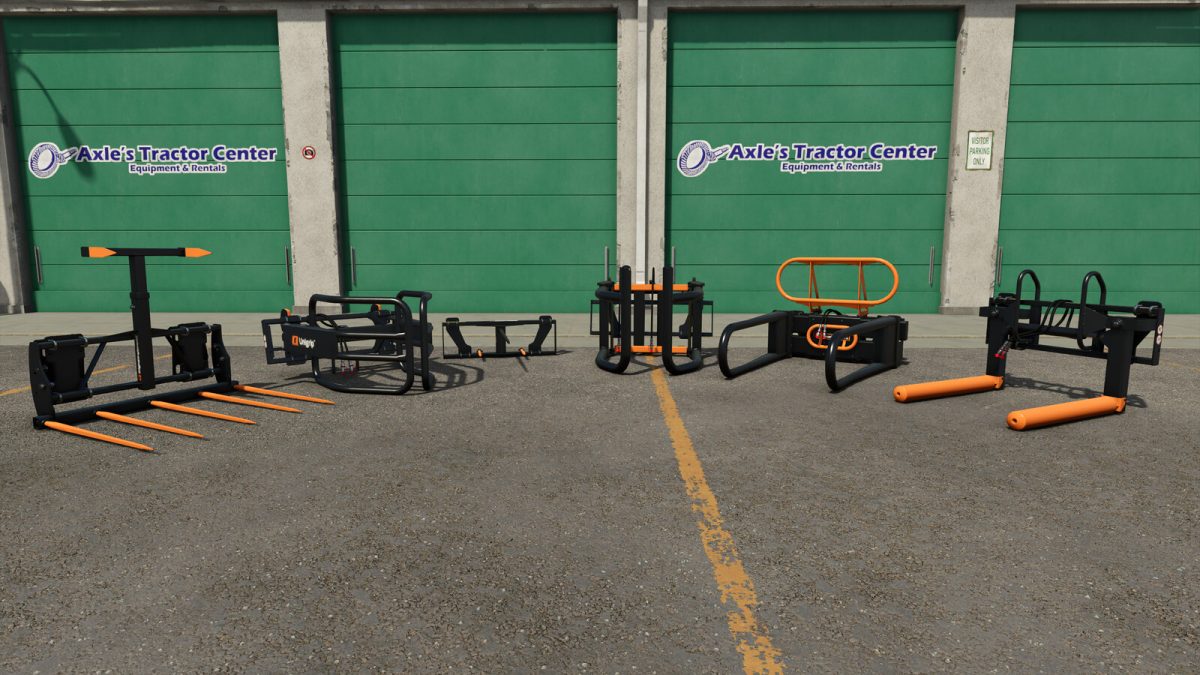
Quicke Bale Tools v 1.0


Quicke bale tools designed in Sweden provide efficiency in handling both square and round bales.
– Square bale fork – Safety:
Designed for handling large square bales
Price: 950 $
Category: Frontloader, telehandler, wheel loader and skid steer loader tools
Foldable tines, big bag lifter configuration and tine amount configuration
Tine color configuration
– Bale Spike MK2:
Designed for handling round one round bale or square bales
Price: 650 $
Category: Frontloader, telehandler, wheel loader and skid steer loader tools
– Unigrip 160:
Designed for handling round bales with diameter up to 160 cm.
Price: 1700 $
Category: Frontloader tools
– Flexigrip 160 & 200:
160: Designed for handling round bales with diameter from 120 cm up to 160 cm.
200: Designed for handling round bales with diameter from 150 cm up to 200 cm.
Price: 1500 $
Category: Frontloader, telehandler, wheel loader and skid steer loader tools
Tip guard configuration, grabber arm length configuration
– Flexibal:
Designed for handling both round and square bales. With bale spike configuration it can handle two round bales at a time!
Price: 1600 $
Category: Frontloader, telehandler, wheel loader and skid steer loader tools
127 mm and 89 mm rollers configurations, bale spike configuration, roller color configuration
– Quadrogrip TS:
Designed for handling square bales up to 200 cm. Round bales can be handled too.
Price: 3500 $
Category: Frontloader, telehandler, wheel loader and skid steer loader tools
Tip guard configuration, grabber arm length configuration
Credits:
AEN Design


