

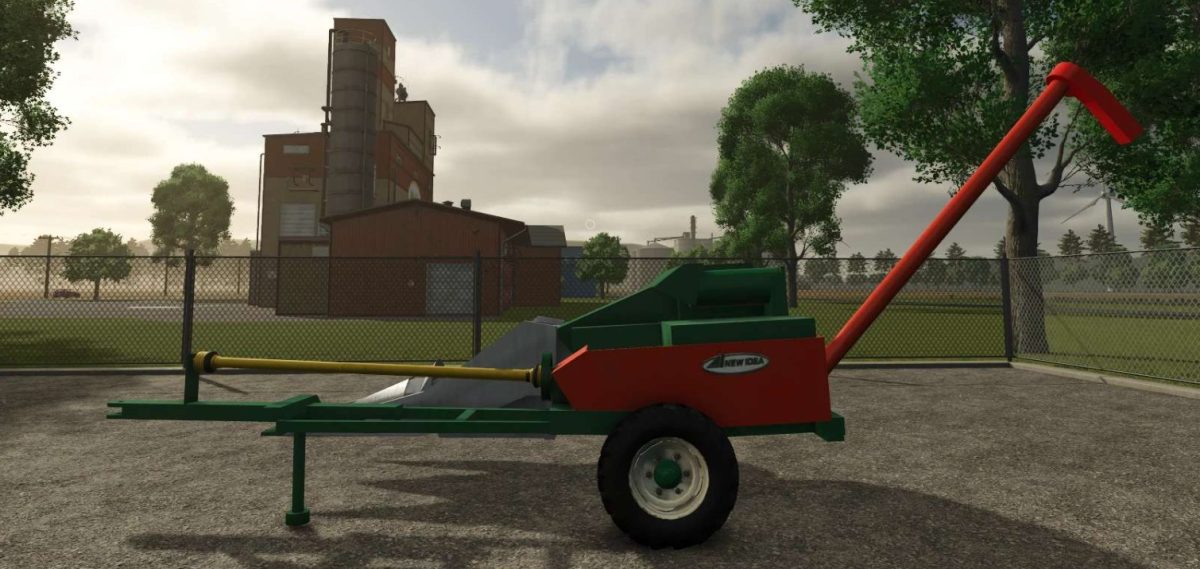
New Idea 325 Super Sheller v 1.0


The New Idea 325 Super Sheller is a versatile piece of equipment designed for Farming Simulator 25, intended to enhance your farming experience.
This mod replicates the functionality of the original sheller, allowing players to process corn and other crops efficiently.
The design features a realistic model with detailed textures, providing an authentic appearance while operating in the field.
The Super Sheller supports various configurations and offers several customization options, ensuring that it can suit different farming styles and preferences.
Players can expect a user-friendly interface, making it accessible for both new and experienced players.
Additionally, it incorporates accurate animations and sound effects that contribute to a more immersive gameplay experience.
– Realistic model and textures
– Versatile crop processing capabilities
– Multiple configuration options
– User-friendly interface
– Accurate animations and sound effects
Credits:
MrFarmTastic13


