

Milk Contract v1.0.0.0


Have you ever wondered what actually happens to all the milk your cows give, day after day? Normally it just goes to the selling point at the daily price – sometimes you get more for it, sometimes less. But there is another way. And let’s take a calm, close look at how it works.
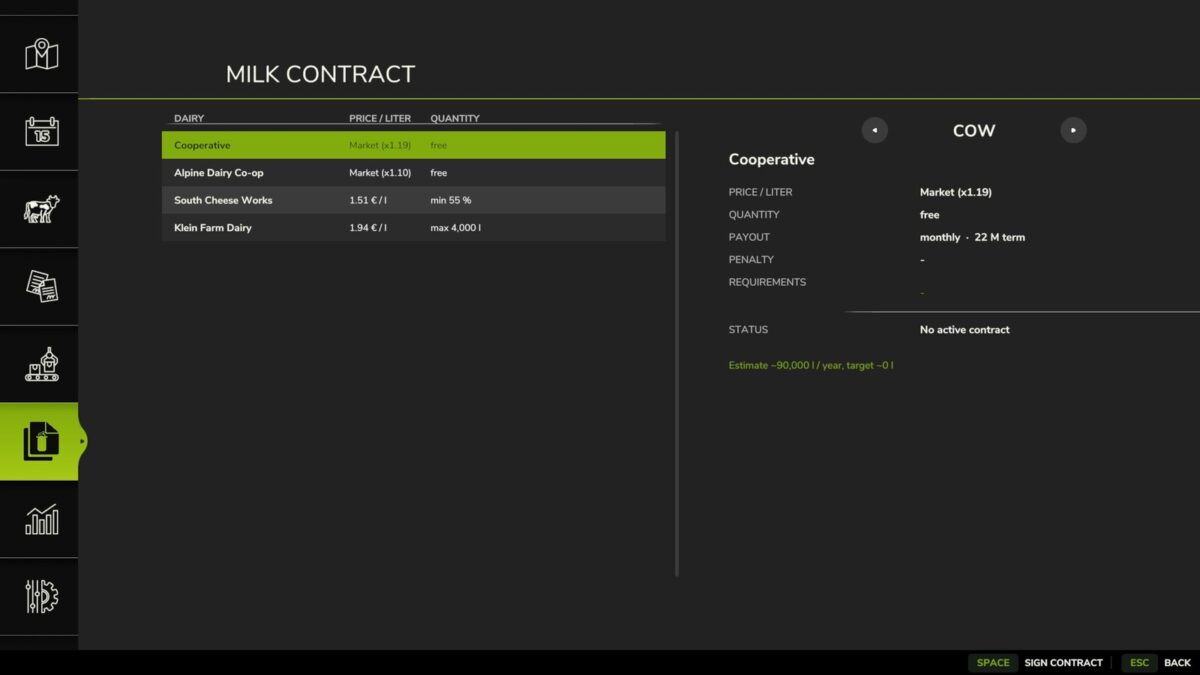
Imagine you walk up to a dairy and sign a proper contract. You say: “I’ll deliver my milk to you,” and the dairy says: “Good – in return you’ll get a fixed price from us.” And because there are many different dairies, each one has its own ideas. One pays every month, another only once a year – but generously. One simply takes everything you have. The next wants a minimum amount. And the fine organic dairy? It pays the most, but looks very carefully at whether your cows are truly doing well.
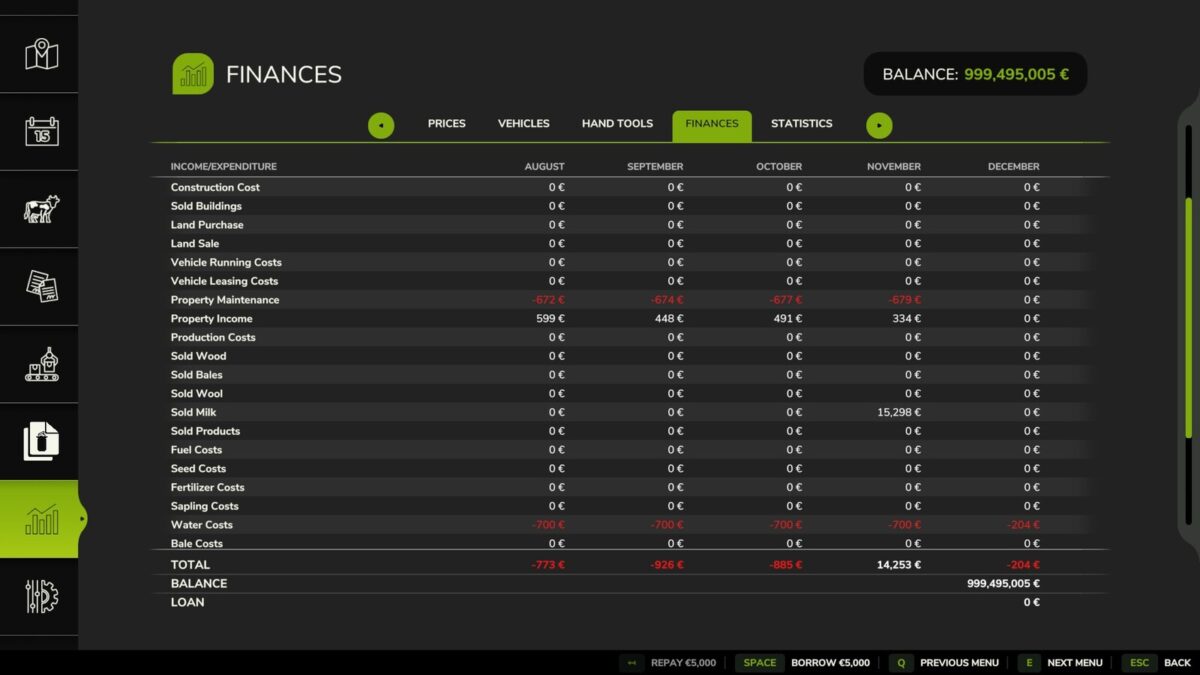
And here’s the lovely part: once you’ve signed, the dairy collects the milk from your barn every day, all by itself. No more driving. Whatever the dairy doesn’t need simply stays in storage – you can still sell that yourself. And when a payout is due, the register rings and a little message lets you know.
But do you know what’s especially clever? The offers change. Every year different dairies are on the table, some with short terms, some with long ones. And the longer you commit, the better the price. When your contract is about to end, you’re told in good time – and you may renew on your old terms, with a small loyalty bonus on top. Quite handy, isn’t it?
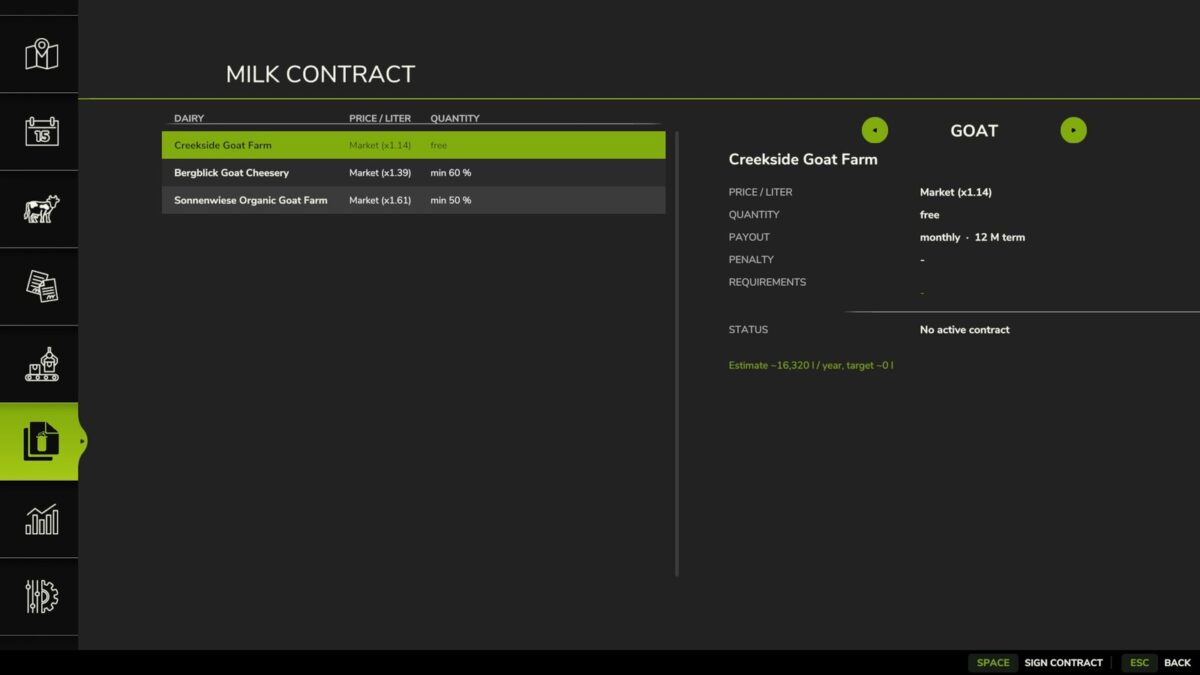
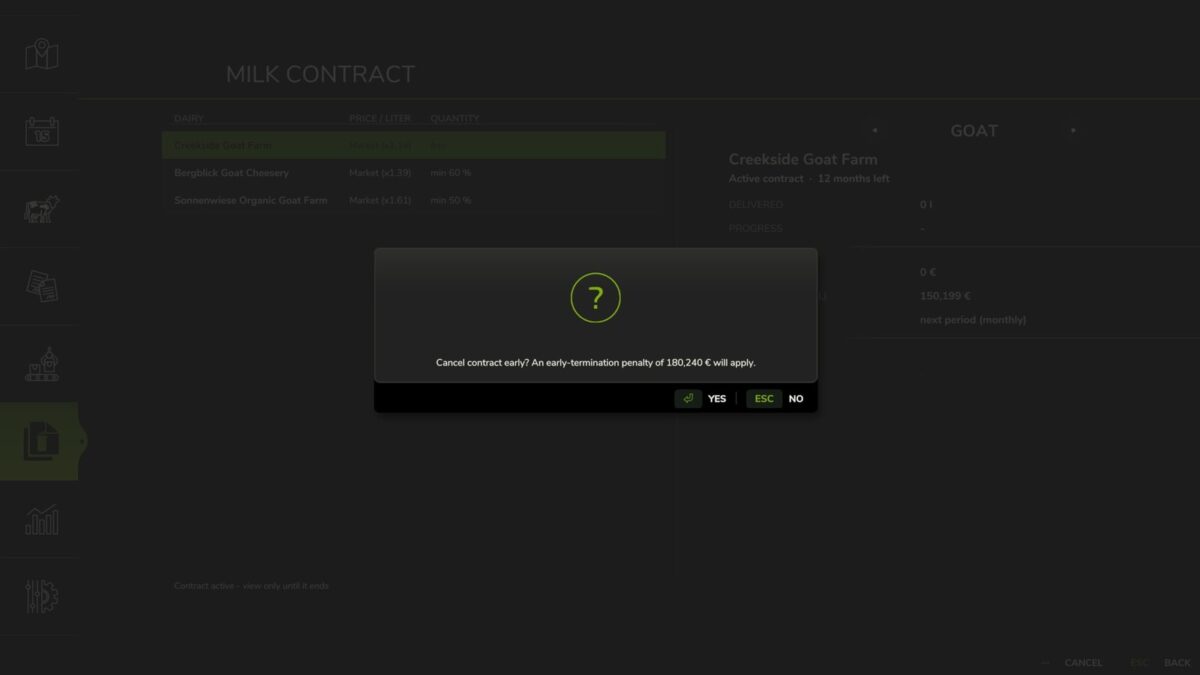
And not just cows: goat milk gets a whole line-up of its own dairies, too – from a soap workshop and a fine cheesery to natural cosmetics. Goat milk leaves the barn as a pallet – the dairy still picks it up automatically. In the menu you simply switch between cow and goat at the top, and you can even run a contract of each at the same time. And it does not stop at two types: buffalo milk has its own dairies too – from a mozzarella workshop to a delicatessen dairy. Buffalo milk comes from the tank like cow milk. In the menu you page between cow, goat and buffalo at the top, and you can run a contract of each at once. But careful: a contract is a contract. Promise a minimum amount and fail to deliver, and you’ll pay a penalty on the shortfall – shown clearly right when you sign. And if you really need to bail out early? You can, but it costs a termination fee, and the game asks you to confirm before it happens.
That’s how simple milk selling becomes a proper little business, where you decide: fast and flexible, or long and lucrative?
Features:
– Milk contract system with many different dairies
– Fixed prices, minimum or maximum quotas, various payout intervals
– Daily automatic pickup straight from the barn storage
– Rotating offers, freshly assembled every year
– Random contract durations with a price bonus for longer commitment
– Timely notice before a contract ends, plus renewal with a loyalty bonus
– Info-system messages on payout, expiry and renewal
– Animal-welfare requirements (herd health) at the premium dairies
– Support for cow, goat AND buffalo milk (tank or pallet pickup)
– Cow/goat/buffalo switch in the menu; one contract per milk type at a time
– Shortfall penalty on unmet minimum quotas (shown up front at signing)
– Early cancellation possible – for a termination fee, with a confirmation prompt
– Saveable and multiplayer-ready (server-authoritative)
Credits:
Shin_Jin_Jin


