

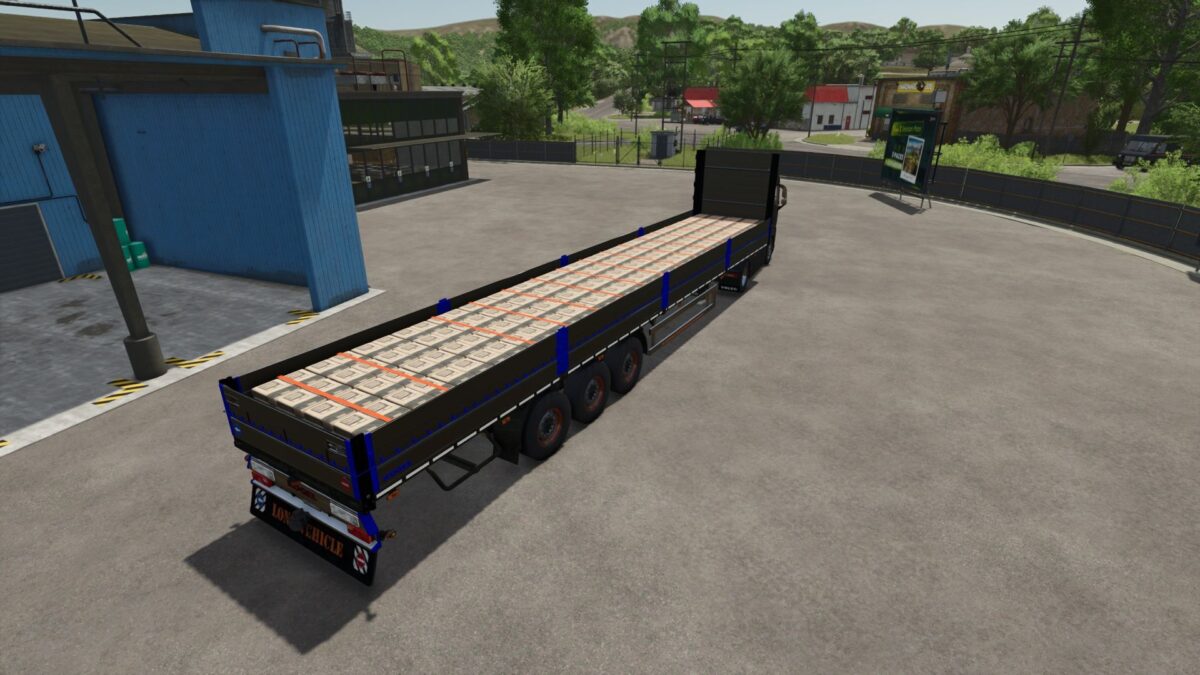
Koegel Flatbed Trailer v 1.1.0.1


The Koegel Flatbed Trailer v 1.1.0.1 is designed for transporting goods efficiently with its 16.5-meter length and functionality for pallet autoloading. This trailer provides ample loading space, making it suitable for carrying a substantial quantity of pallets or bales, enhancing your farming operation’s logistics.
With a price tag of $25,000, this trailer presents a practical solution for those looking to optimize their load capacity. The trailer’s design emphasizes durability and ease of use, ensuring that it integrates well with various vehicles and simplifies the loading process. Its features make it a useful addition to any player’s fleet, supporting a range of farming activities from logistics to storage.
Version 1.1.0.1:
* Fixing error message:
* Error: Failed to open xml file ‘D:/Farming Simulator 2025/mods/FS25_Kogel_Trailer/wheels/c385_65R22_5.xml’
* Error: Index not found: 0>0|9|3|7
* Error: Index not found: 0>0|9|3|8
* Error: Index not found: 0>0|9|3|9
Credits:
Edwards_Modding, PBSMods


