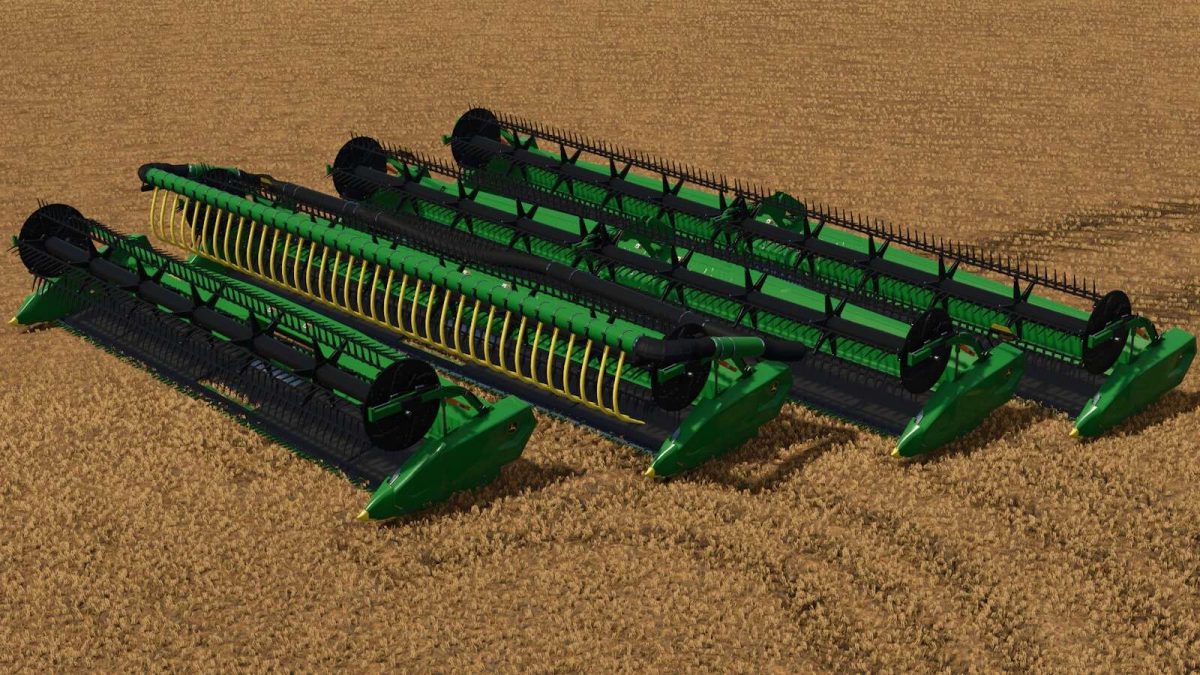
John Deere RDF 30/35/40/45 Headers v 1.0


Boost your harvesting performance with the John Deere RDF30, RDF35, RDF40, and RDF45 headers. Designed to deliver a close cut and uniform feeding, the RDF headers ensure greater efficiency and reduced losses in the field.
Model Specifications
RDF30:
– Working width: 9.2 meters
– Price: $90,000
– Category: Grain cutter bars
– Working speed: 10 km/h
RDF35:
– Working width: 10.7 meters
– Price: $105,000
– Category: Grain cutter bars
– Working speed: 10 km/h
RDF40:
– Working width: 12.6 meters
– Price: $110,000
– Category: Grain cutter bars
– Working speed: 10 km/h
RDF45:
– Working width: 14 meters
– Price: $130,000
– Category: Grain cutter bars
– Working speed: 10 km/h
General Model Specifications
– Optional Air bar with turbine sound when the option is active
– Optional side nozzles and free canola knives
– Optional color options for the air bars
– Includes animations for reel height and distance control
Credits:
Agro Tonho