

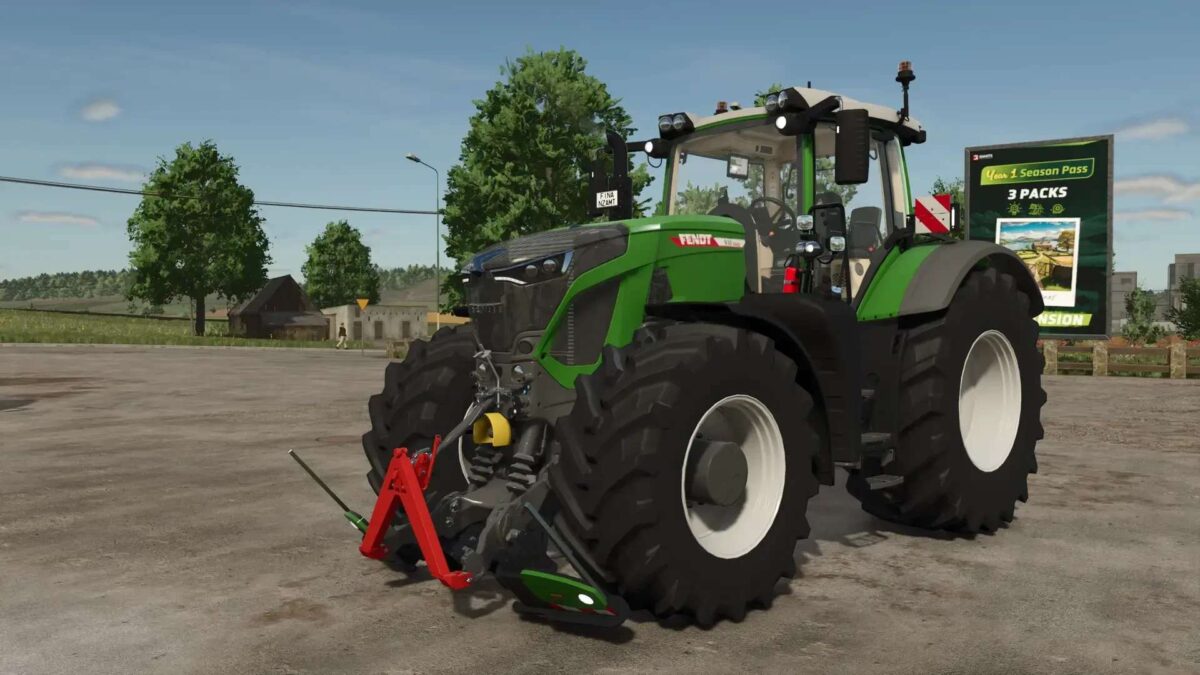
Fendt 900 with Agribumper v 1.0.4.0


– Agribumper weight can be configured 400 – 1800 kg
– Main color can be configured Fendt + Agribumper
– Rim color can be configured
– Front axle can be lowered with mouse control
– Agribumper: Speed camera can be configured
– Agribumper: Driving light can be configured
– Agribumper: Side light can be configured
– Agribumper: Original prices
– Beacon can be configured between rotating light and speed camera
– Daytime running light color can be configured
– CCI200 terminal: Lemken/Zunhammer/Kuhn/Krone/Amazone
– Decorative light can be configured
– CB radio can be configured with lighting
– Animated antenna and cable for CB radio
– Display start images
– Display dark mode when light is switched on
Version 1.0.4.0:
* Added 900 sound with turbo
* Added Daytime running lights, more colors
* Added CCI terminal start screens
* CCI terminal screens revised (Krone/Zunhammer/Amazone)
* Added CCI terminal Poettinger screen
* Cell phone can be configured with start screen and dark mode when the lights are on
* Fendt stickers on the windshield can be configured at the front and back
* Fixed CCI terminal DBL symbols no longer light up permanently
Credits:
Finanzamt31er


