
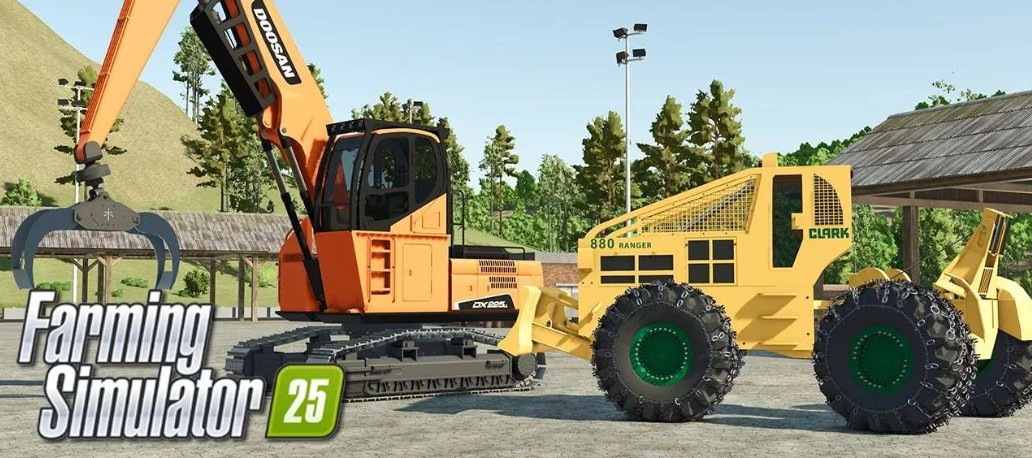
FS25 Logging

FDR Logging Mods Pack v5.0

FDR Logging Mods Pack v5.0

Version 5.0:
* BUG FIX – FIXED JUMPING HOPPING ISSUE WHILE CAB SWINGING THAT HAS STARTED WITH GIANTS FS 1.9 UPDATE
* ALL MACHINES/LOGS – ALL MACHINES/LOGS WEIGHTS ARE NOW COMPATIBLE WITH IN-GAME WEIGHTS
* ALL GRAPPLES – REBALANCE ON CLAW GRIPS TO SUPPORT NEW LOGS/WEIGHTS
* DANGLE HEAD CLAM – INCREASED SIZE AND WIDTH
* DANGLE HEAD CLAM E – INCREASED GRAPPLE SIZE
* ALL BUNCHER HEADS – BIG REDESIGN ON CUTNODES + NEW PHYSICS BOOSTER PLATE
* ALL BUNCHER HEADS – FIXED ISSUE WHERE CUT TREES WOULD LEAVE BEHIND BIG PILES OF “COOKIES”
* ALL SKIDDERS – CAN NOW DRIVE OVER FALLEN TREES DUE TO NEW LIGHTER WEIGHTS AND NEW SUSPENSIONS

Credits:

FDR Logging

How to install FS25 Logging?
Firstly find a mod which you like and want to download. Then download a mod to your PC. Mods are usually in .zip format file. But sometimes it can be in .rar. If a mod file is a .zip format no needed additional actions. If a file is in .rar, then you must unarchive mod with software like WinRar or Zip7. Windows 10 users no need to use software for archives, Win10 itself has a feature to unarchive files.
The next step is to find mods folder in your PC. Usually, it is in Documents/My Games/Farming Simulator 25/2025. Open the "mods" folder and put downloaded .zip archive or unarchived .rar file to this folder.
Last step. Enjoy of FS25 mods!

Leave a Reply

Your email address will not be published. Required fields are marked *