


FS25 Buildings

Country Flags for Wall v 1.0

Country Flags for Wall v 1.0

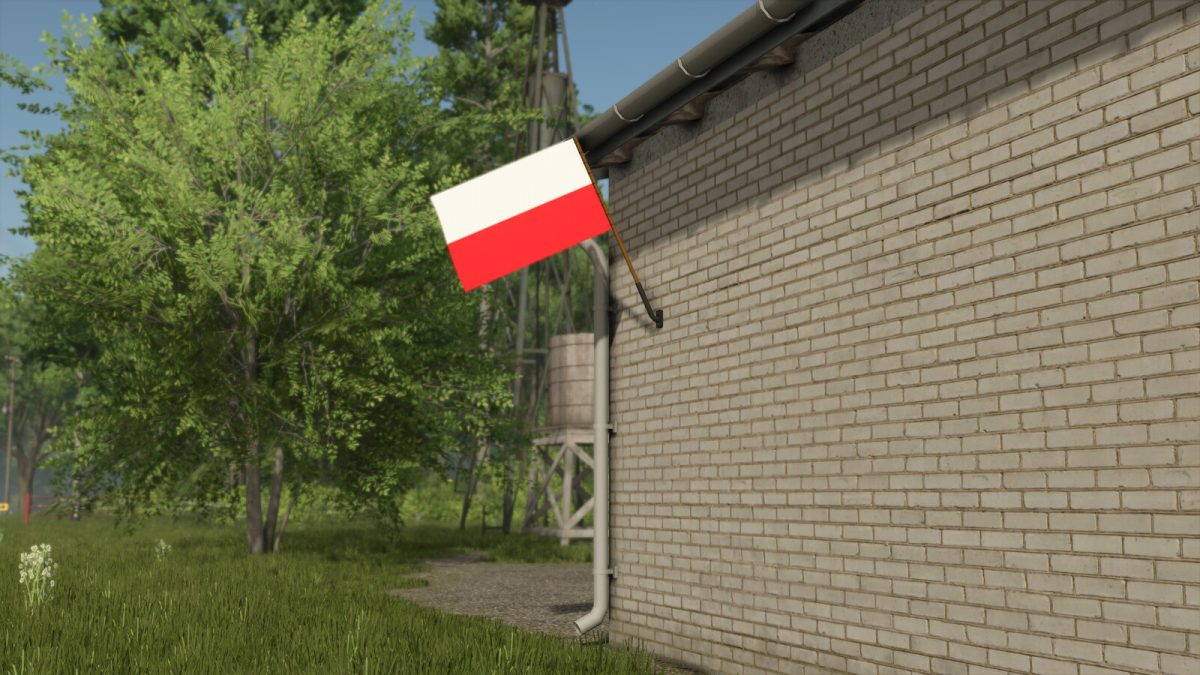
This mod features a collection of six country flags designed for wall placement within Farming Simulator 25. Each flag allows players to add a personal touch to their game environment and can be utilized in various settings, such as farms, barns, or community areas. The flags are available at a price of $50 each.

For optimal placement, it is recommended to use the free mode option, activated by pressing the default button B. This will enable more precise positioning of the flags to enhance your in-game aesthetic.

– Collection of 6 country flags
– Price: 50$ per flag
– Free mode recommended for placement
– Adjustable positioning for customization

Credits:

JMZ

How to install FS25 Buildings?
Firstly find a mod which you like and want to download. Then download a mod to your PC. Mods are usually in .zip format file. But sometimes it can be in .rar. If a mod file is a .zip format no needed additional actions. If a file is in .rar, then you must unarchive mod with software like WinRar or Zip7. Windows 10 users no need to use software for archives, Win10 itself has a feature to unarchive files.
The next step is to find mods folder in your PC. Usually, it is in Documents/My Games/Farming Simulator 25/2025. Open the "mods" folder and put downloaded .zip archive or unarchived .rar file to this folder.
Last step. Enjoy of FS25 mods!

Leave a Reply

Your email address will not be published. Required fields are marked *