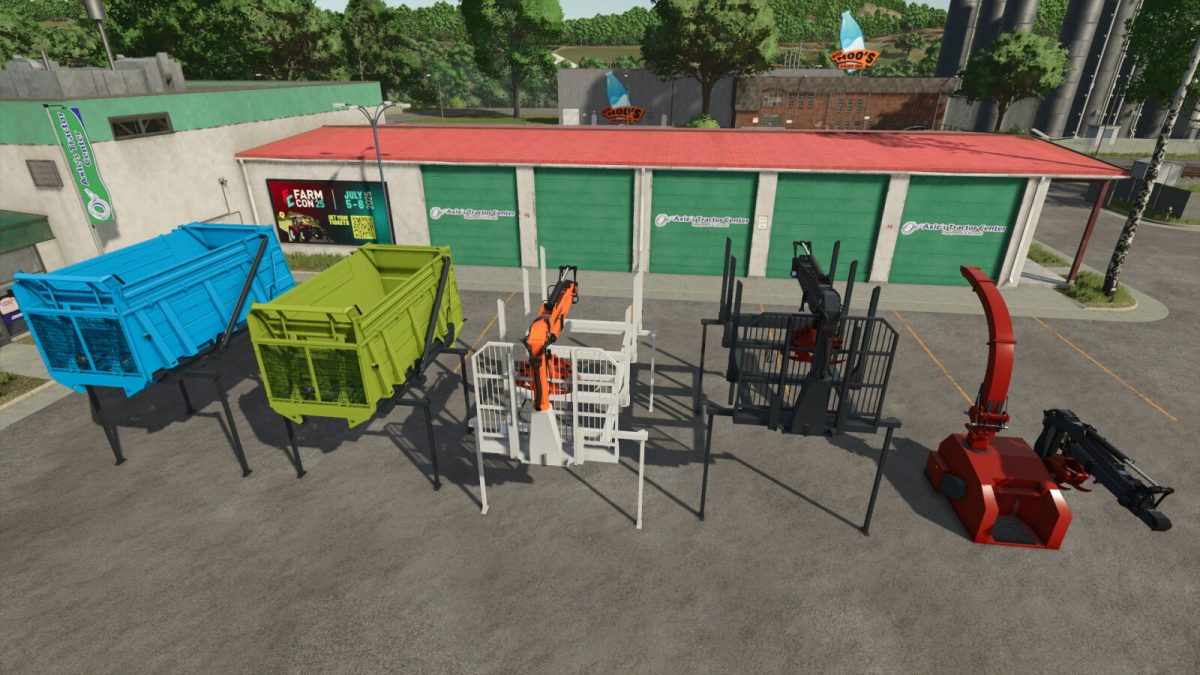
Claas Xerion Attachments v 1.0


This is a pack of tools for CLAAS Xerion and Xerion Saddle Trac tractors (mods from Giants). Wood chipper works best with included attachments. It allows you to quickly clean up your forest from fallen trees.
When you reach the capacity you can unload woodchips on the ground or to some bigger trailer for transport.
Wood Chipper
Shop category: Wood chipers
Price: 45000 $
Neede power: 120 HP
Configurations:
– Main color
– Crane color
– Grapple color
– Can be attached to all tractors with 3-point attacher as well
Xerion dump body / Xerion Saddle Trac dump body
Shop category: Miscellaneous
Price: 25000 $
Capacity: 30000 l
Configurations:
– Main color
– Chasis color
Xerion Wood Structure / Xerion Saddle Trac Wood Structure
Shop category: Wod Transport
Price: 30000 / 35000 $
Configurations:
– Design: with or without crane
– Main color
– Crane color
– Grapple color
Credits:
kenny456