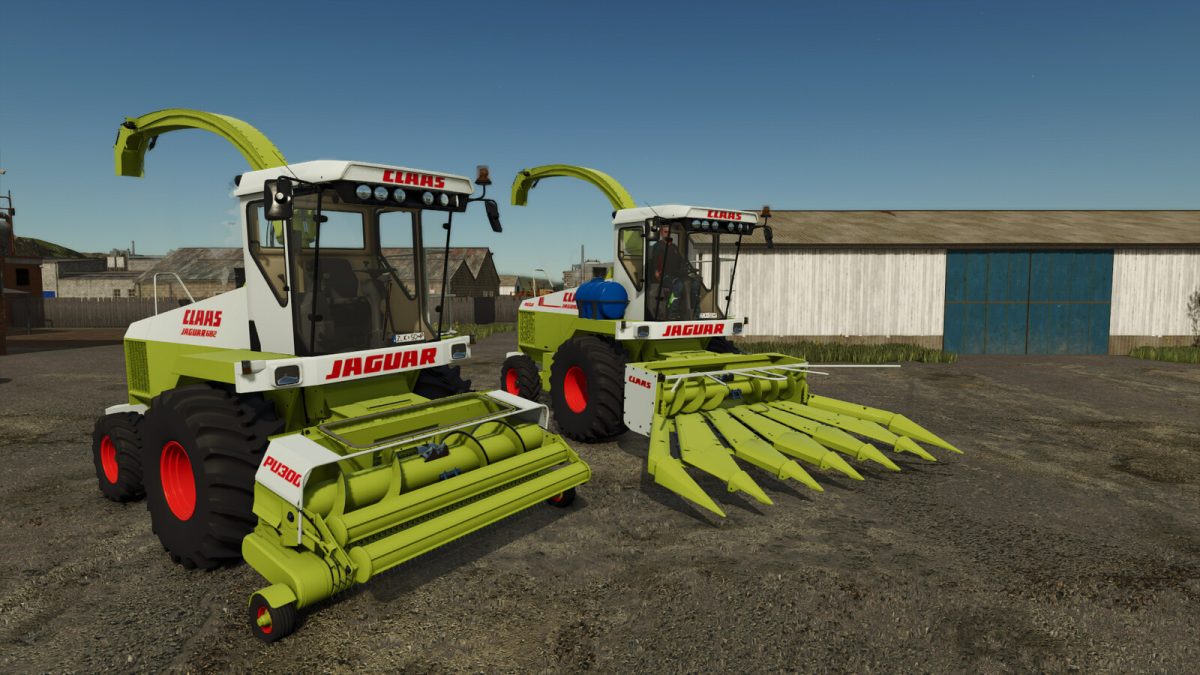
Claas Jaguar 695 v 1.0


For the 1987/88 season,
Claas introduced the JAGUAR 695 SL and MEGA series, self-propelled machines, as a new generation of high-performing forage harvesters.
The most striking feature of the new SL family was the cab, which offered an even more user-friendly environment for the driver.
The engines ranged from 235 kW (316 hp) to 305 kW (410 hp).
The new V cutting cylinders with their staggered bisected knives provided a more uniform forage crop flow and lower clamping forces in the accelerator.
To boost crop flow, the cylinder rotation speed and number of V cylinder knives were increased.
Other new features included harvesting attachments for whole plant silage and ground ear maize.
Claas Jaguar 695
Category: Harvesters
Price: $60,000
Power: 340 hp
Max. speed: 25 kph
Capacity: 550 L
Capacity: 80 L
Claas PU300 Grass pickup
Category: Headers
Price: $12,000
Working width: 3.0m
Working speed: 14 kph
Claas 6 Row Corn Header
Category: Headers
Price: $16,000
Working width: 5.3m
Working speed: 10 kph
Credits:
EED123