

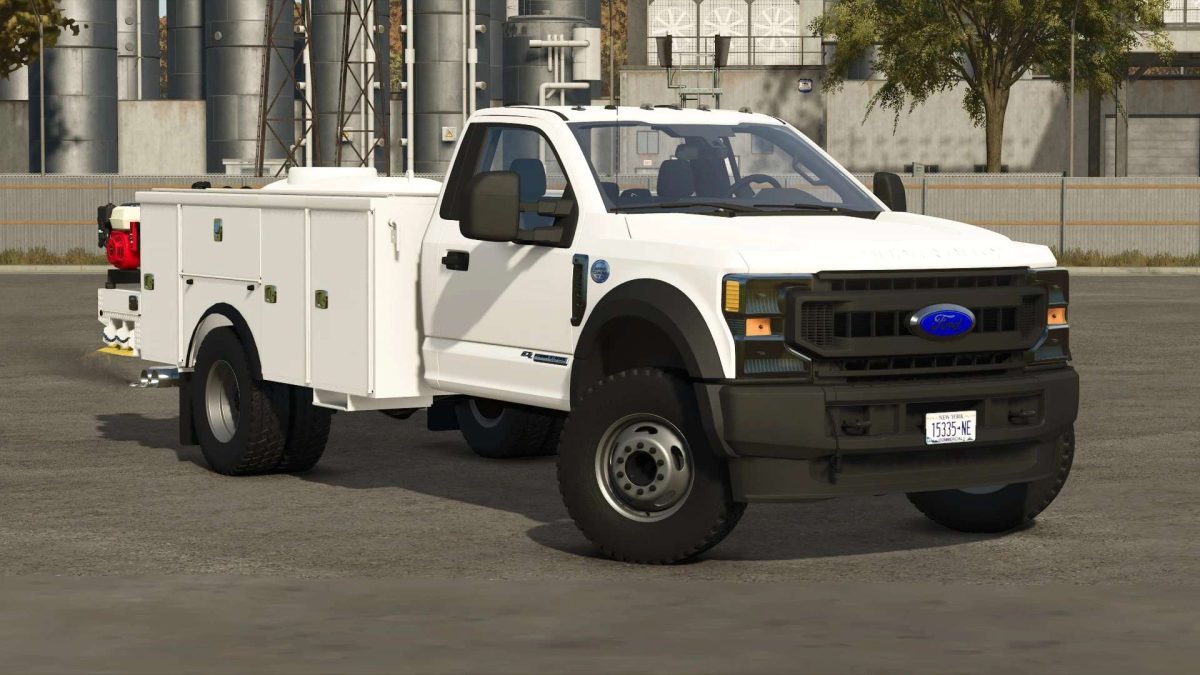
2022 Ford F600 Service/Bucket Truck v 1.0


This truck uses the Interactive Control Mod for you to open the doors on the bed.
You will need to download it and activate it in your savegame when using this truck in order to ensure everything functions on the bed.
This truck has tons of options for trim levels, attachers, accessories, add ons, there are way too many to list.
This truck has an optional Warn Trans4mer winch mount with Warn Zeon 12 Platinum winch.
This winch only works with logs.
This truck works with the Western Wide Out plow.
There is a laptop in the toolbox above the driver side rear wheel.
Press M to open the laptop and activate the service function.
You can repair and customize your vehicles here.
In order to use the bucket, you first need to lower the outriggers.
This truck has a 4000 PSI pressure washer on the rear right corner of the service body, along with a water tank in the bed.
This pressure washer has a Honda GX390 with electric start.
You can use it by selecting the option in the store to add the pressure washer, filling the truck with water, walking up to the hose reel at the back of the truck, and press R to turn on the pressure washer.
You can also adjust the pressure to your liking.
Bed Configurations include:
– Bucket
– No bucket with side steps
– No bucket with side steps and cab protector
– No bucket without side steps
– No bucket without side steps, with cab protector
– Enclosed Service Body
Credits:
Lance, Destin, RMC, Cunningham Modding, Big D Modding, Richwoodrocket


