
FS25 Cars

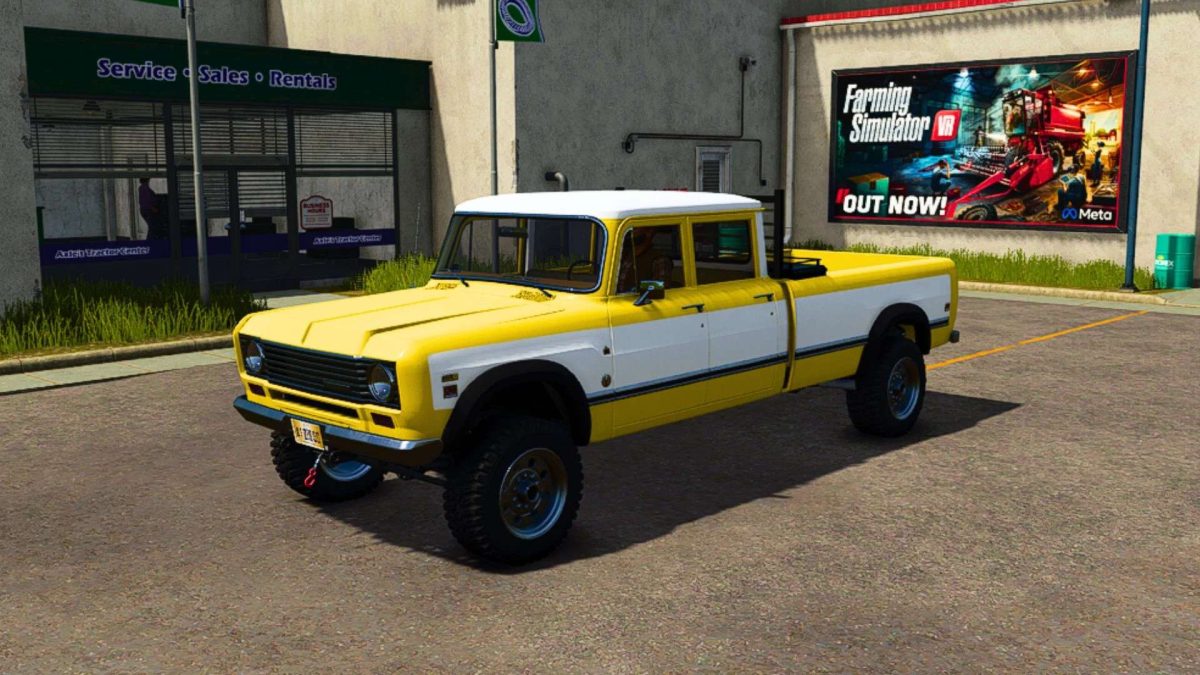
1975 International 200 Travelette v 1.0.0.5

1975 International 200 Travelette v 1.0.0.5

Added chainsaw truck bed storage
Added our style toolbox (Camlocker) / Fuel transfer tank option
Added a subwoofer option
Added a custom backrack option
Deleted the bed tonneau cover
Added a front sun visor option
Added a rollbar option
Added a camper shell option
Added a working winch
Added a snow plow mount option
Added fuel transfer and refueling ability by selecting capacity 2 option
Added field vehicle repair by lowering the tailgate then drive a vehicle that needs repaired behind the truck by its tail gate. A prompt for money deducted should appear if done correctly in the upper right hand corner of the screen.

Version 1.0.0.5:
* Fixed bed collisions.
* Fixed the rollbar lights

Credits:

FSMR, Agro Tonho

How to install FS25 Cars?
Firstly find a mod which you like and want to download. Then download a mod to your PC. Mods are usually in .zip format file. But sometimes it can be in .rar. If a mod file is a .zip format no needed additional actions. If a file is in .rar, then you must unarchive mod with software like WinRar or Zip7. Windows 10 users no need to use software for archives, Win10 itself has a feature to unarchive files.
The next step is to find mods folder in your PC. Usually, it is in Documents/My Games/Farming Simulator 25/2025. Open the "mods" folder and put downloaded .zip archive or unarchived .rar file to this folder.
Last step. Enjoy of FS25 mods!

Leave a Reply

Your email address will not be published. Required fields are marked *