Zasty HUD v 1.0


This mod was made as a ecossystem, to work with my mods, so use it with caution with any other mods, compatibility out my ecossystem not tested
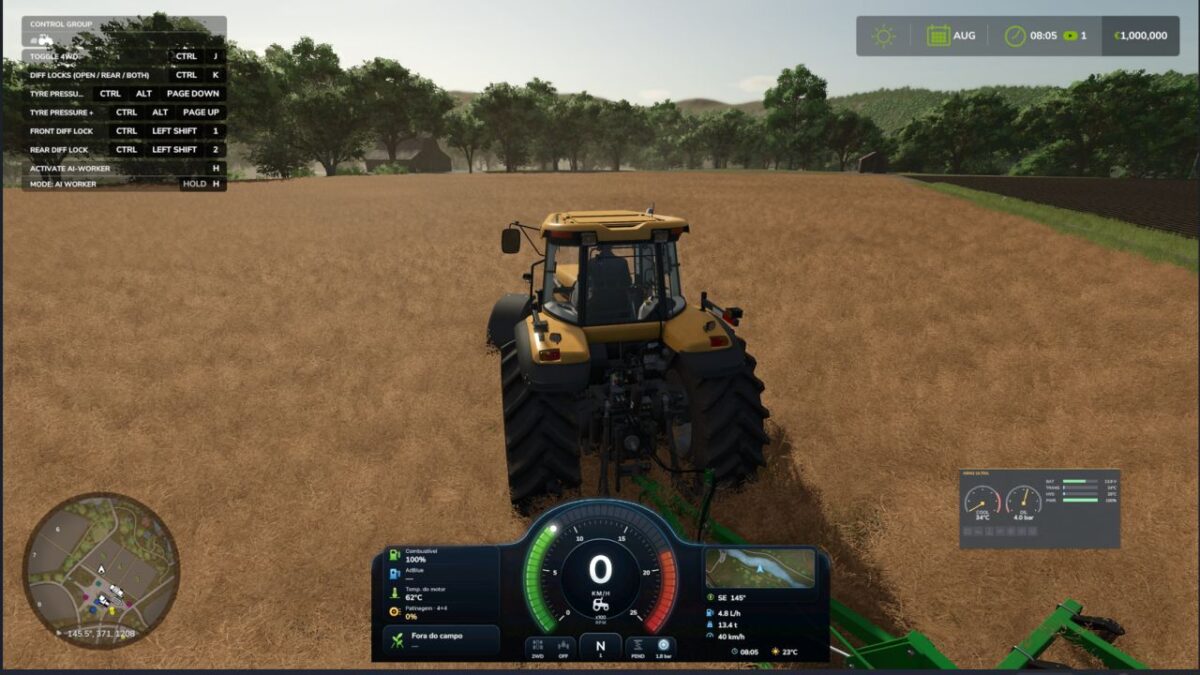
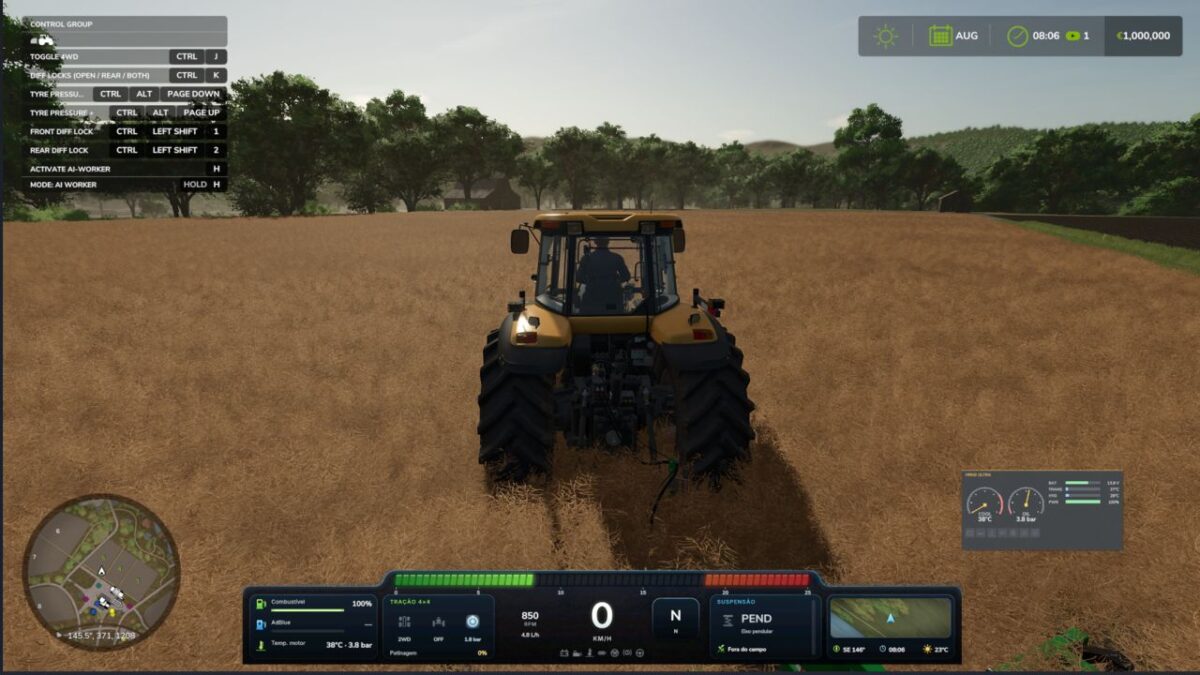
Premium tractor HUD in two styles (horizontal bar or round tachometer) that replaces the original speedometer.
Speed, rpm, gear, fuel, DEF, engine temperature, hour meter, field and crop, minimap with heading.
Attached implement: state, fill level in tonnes or litres, working width and worked hectares.
Top bar with weather, date, game time, time speed, real clock and money.
Shows live data of the Zasty Chalk mods (4×4 Traction System, Hydraulic Suspension System, Real Powertrain, HRM2: warning lamps, coolant, oil pressure) and hides their own panels.
Settings window with the mouse (Left Alt + H): style, size, position, top bar, units, minimap and which modules to show.
Hides the original speedometer, minimap and fill level bar, and the “engine starting” message (each one optional).
Works on its own with any tractor. English, German, Portuguese.
KEYS (default)
Left Alt + H: Zasty HUD settings window
These are the default keys. If one of them is already used by the game or by another mod, go to Options > Controls and set the key you prefer, to avoid conflicts.
Credits:
zasty chalk