

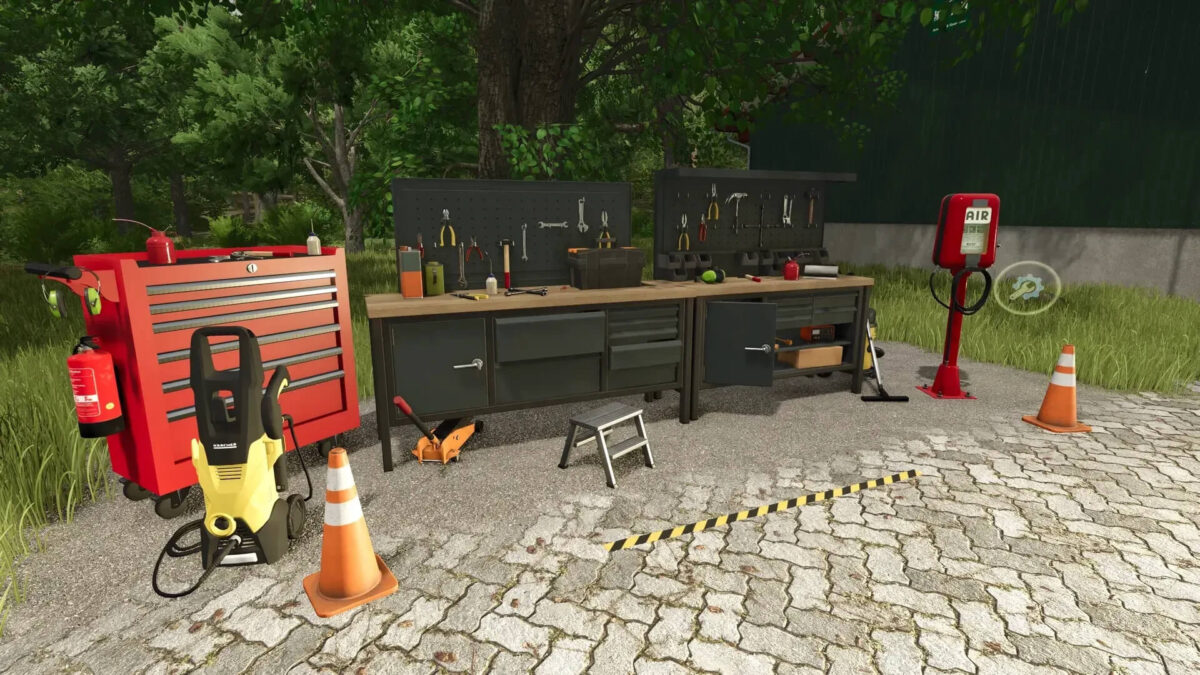
Workshop v 1.0


Fully automated workshop – repair, washing, painting and refueling in one.
With this fully automated workshop you have everything you need to care for and maintain your vehicles.
Functions:
Automated repair: The workshop carries out repairs on vehicles independently so that your machines always remain in top shape
Washing and painting: Your vehicles are not only serviced, but also thoroughly washed and professionally painted – all automatically
Integrated refueling station: The workshop is equipped with an integrated refueling system so that you can refuel your vehicles quickly and easily at any time
Customization:
You can use the Z key to show or hide the warning stripes and icons as long as you are in the right trigger area
The lighting on the workbench can be switched on and off using the R key
Costs and maintenance:
Purchase price: €15,000
Monthly maintenance costs: €10,000
This workshop is the perfect solution to make your work easier and keep your fleet efficient and in top condition
Credits:
MR Modding


