

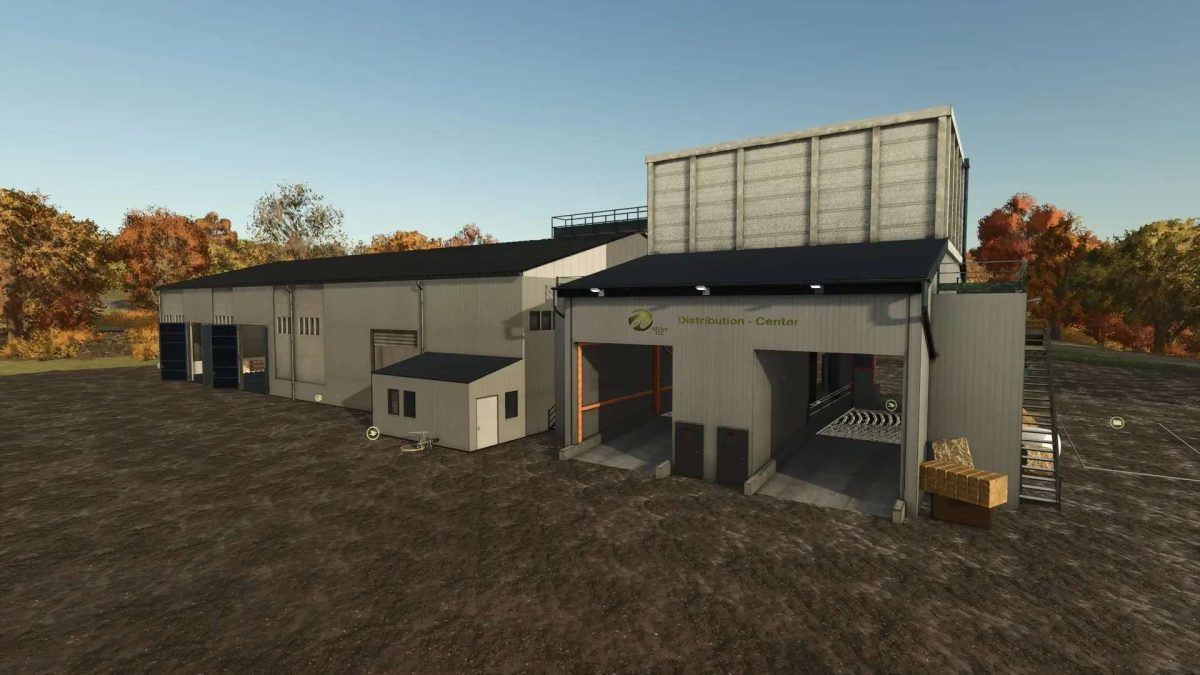
WobbyTec Drive-In Pack v 1.0.0.3


2 buildings as a Pack: Drive-in distribution center as a central unloading point for the harvest with distribution to production facilities, a silo for storage, bale and pallet unloading, and a fuel pump.
Distribution Center (in the shop under “Production > Factories”):
– THE CENTRAL COLLECTION POINT FOR HARVEST AND PRODUCTION –
2 unloading ramps for bulk goods
Pallet storage for up to 350 pallets including retrieval function
Fuel pump for silage additives, diesel, AdBlue vehicle refueling
Storage, sale, and distribution of raw materials from harvest and production to production – DISTRIBUTION CENTER –
Liquids are also supported
Bale trigger for round and square bales, including cotton
Direct sales can be configured!
– Silo (in the shop under “Silos”):
Pallet storage for up to 350 pallets including retrieval function
MultiFruit (bulk)
2 covered unloading points, unloading also possible with Meiller tippers
Bale unloading point for round and square bales
Liquid unloading point
Loading point in the hall (indoor)
Version 1.0.0.3:
* Leveling adjusted, ground adjustments optimized
* Missing collisions created
* Downpipes at the drive-in optimized, material adjusted
* LOG error after the last GIANTS update fixed (distance texture)
* Goat milk correctly implemented
* Area in which buildings can be sold/demolished optimized
* Description expanded
Credits:
Wobby_


