
FS25 Buildings

White Roof Buildings Pack v 1.0.0.1

White Roof Buildings Pack v 1.0.0.1

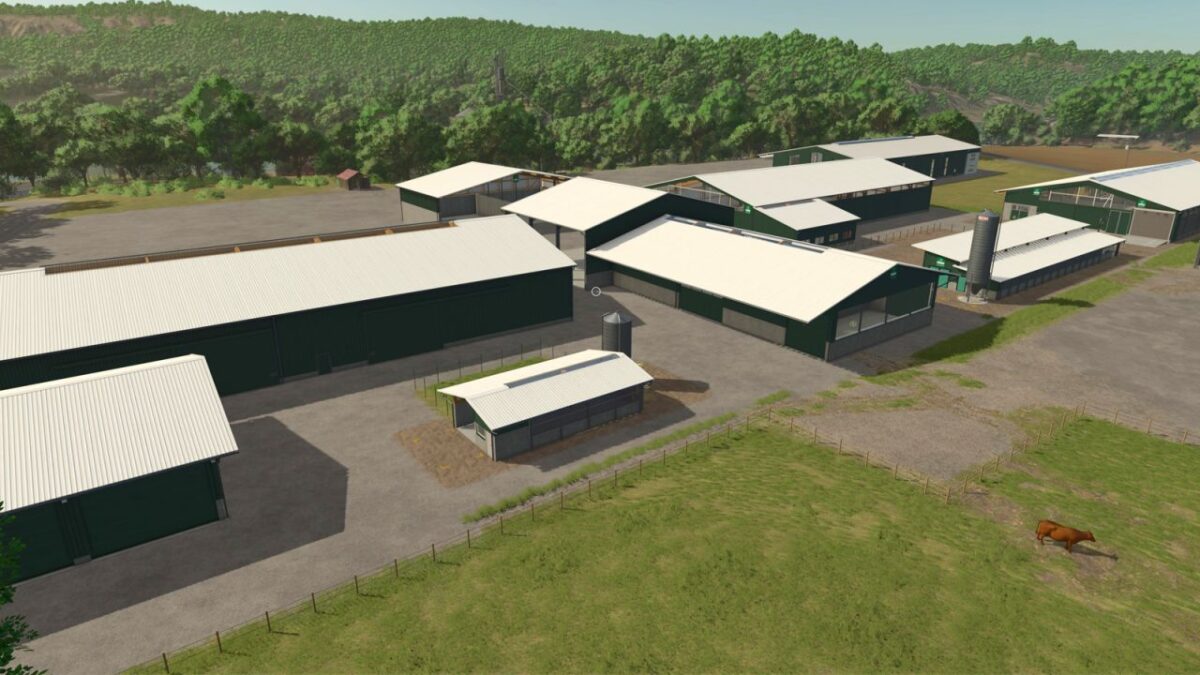
The White Roof Pack updates 10 in-game buildings by replacing their classic red roofs with sleek white ones while retaining all original features, such as solar panels, color options, and dynamic fencing.

Buildings included in this pack:
– Large Service Garage
– Large Storage Garage
– Contractor Garage
– Small Garage
– Workshop Hangar
– Large Chicken Barn
– Large Cow Barn
– Large Cow Barn with Feeder
– Large Garage
– Pig Barn

Version 1.0.0.1:
* Added Store icon for missing Large Cow Shed with Feeder
* Removed brand name text from description

Credits:

MonsterModding

How to install FS25 Buildings?
Firstly find a mod which you like and want to download. Then download a mod to your PC. Mods are usually in .zip format file. But sometimes it can be in .rar. If a mod file is a .zip format no needed additional actions. If a file is in .rar, then you must unarchive mod with software like WinRar or Zip7. Windows 10 users no need to use software for archives, Win10 itself has a feature to unarchive files.
The next step is to find mods folder in your PC. Usually, it is in Documents/My Games/Farming Simulator 25/2025. Open the "mods" folder and put downloaded .zip archive or unarchived .rar file to this folder.
Last step. Enjoy of FS25 mods!

Leave a Reply

Your email address will not be published. Required fields are marked *