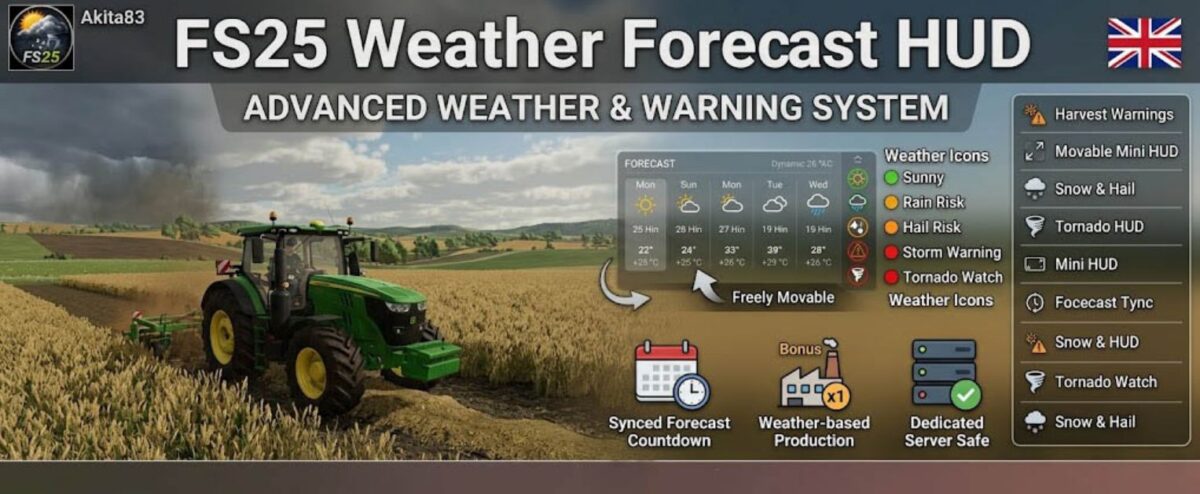
Weather Forecast HUD v 1.0


The FS25 Weather Forecast HUD adds a modern dynamic weather and warning system to Farming Simulator 25 with a strong focus on immersion, readability, performance and production planning.
The mod displays upcoming weather changes, storm warnings, harvest risks and weather-based production bonuses directly inside the HUD for both singleplayer and dedicated servers.
Main focus during development:
– stable dedicated server support
– optimized HUD performance
– synchronized weather timing
– clean and readable UI
– optional mini HUD
– ingame configuration support
The mod works standalone and is also compatible with our production/week schedule system.
Description:
Displays current weather directly in the HUD
Upcoming weather changes with synchronized timer
Rain, storm, hail, snow and tornado warnings
Detects dangerous weather for harvesting
Productions react to weather conditions
Adjustable: Off / Weak / Normal / Strong / Extreme
Left / Center / Right selection
Freely move the HUD
Reset HUD position directly ingame
Small event/warning display
Green / Orange / Red based on conditions
Dedicated warnings and harvest danger
Supports tornado/storm events
Displays only relevant information
Configure directly ingame
Weather timing synchronized with LS25 system
Tested in SP & Dedi
No heavy permanent loops
Compatible with our production week schedule mod
Works without additional mods
Features:
Current Weather
Weather Countdown
Storm Warnings
Harvest Warnings
HUD Position
Movable HUD
Mini HUD
Dynamic Colors
Snow & Hail Support
Tornado Warning
Smart HUD
Ingame Settings
Forecast Sync Timer
Dedicated Server Safe
Performance Optimized
Standalone Usable
Credits:
Akita83