
FS22 Buildings

Washhouse v 1.0

Washhouse v 1.0

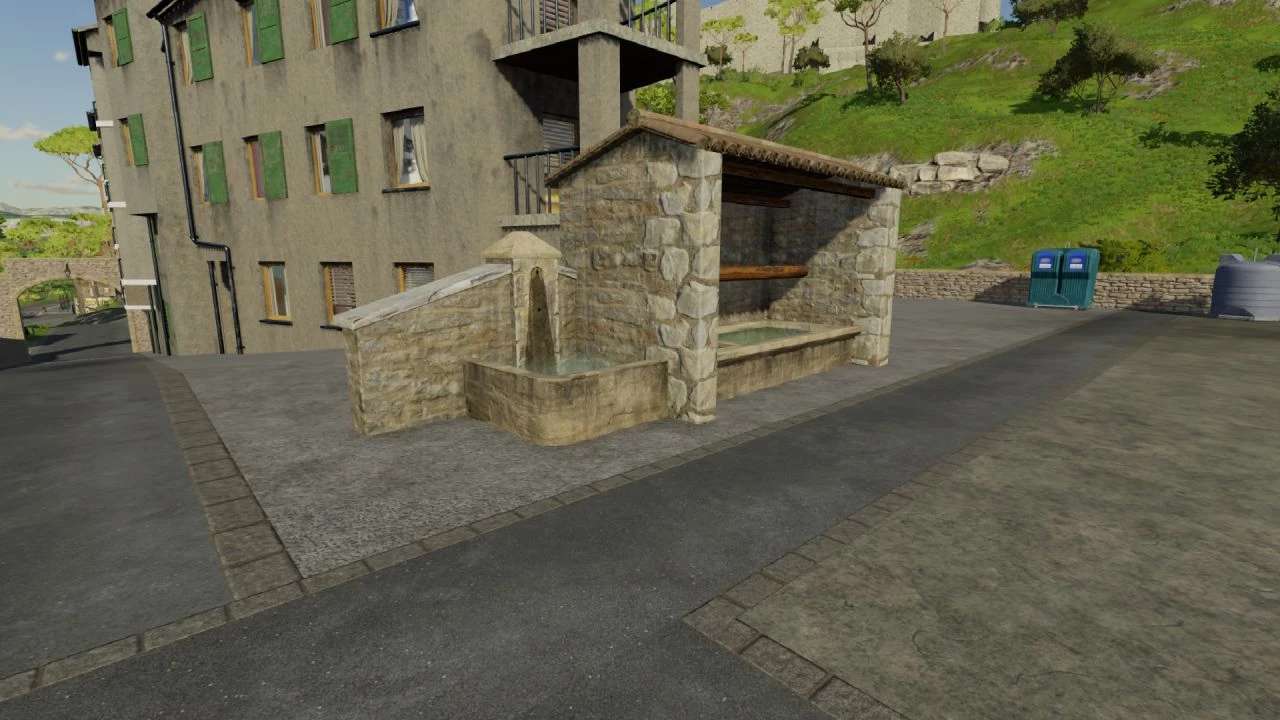
The Washhouse v1.0 is a decorative addition designed for your Farming Simulator map. It features a functional wash area that can enhance the visual appeal of your farm environment. The design incorporates realistic elements commonly found in agricultural settings, providing an authentic touch to your gameplay. You can place the washhouse strategically around your farm to improve aesthetics or create a designated area for vehicle maintenance. The mod is suitable for various maps, offering flexibility in how you choose to integrate it into your farming experience. Its simple design makes it easy to use and adds a nice detail to your virtual landscape.

Credits:

Lolo39

How to install FS22 Buildings?
Firstly find a mod which you like and want to download. Then download a mod to your PC. Mods are usually in .zip format file. But sometimes it can be in .rar. If a mod file is a .zip format no needed additional actions. If a file is in .rar, then you must unarchive mod with software like WinRar or Zip7. Windows 10 users no need to use software for archives, Win10 itself has a feature to unarchive files.
The next step is to find mods folder in your PC. Usually, it is in Documents/My Games/Farming Simulator 25/2025. Open the "mods" folder and put downloaded .zip archive or unarchived .rar file to this folder.
Last step. Enjoy of FS25 mods!

Leave a Reply

Your email address will not be published. Required fields are marked *