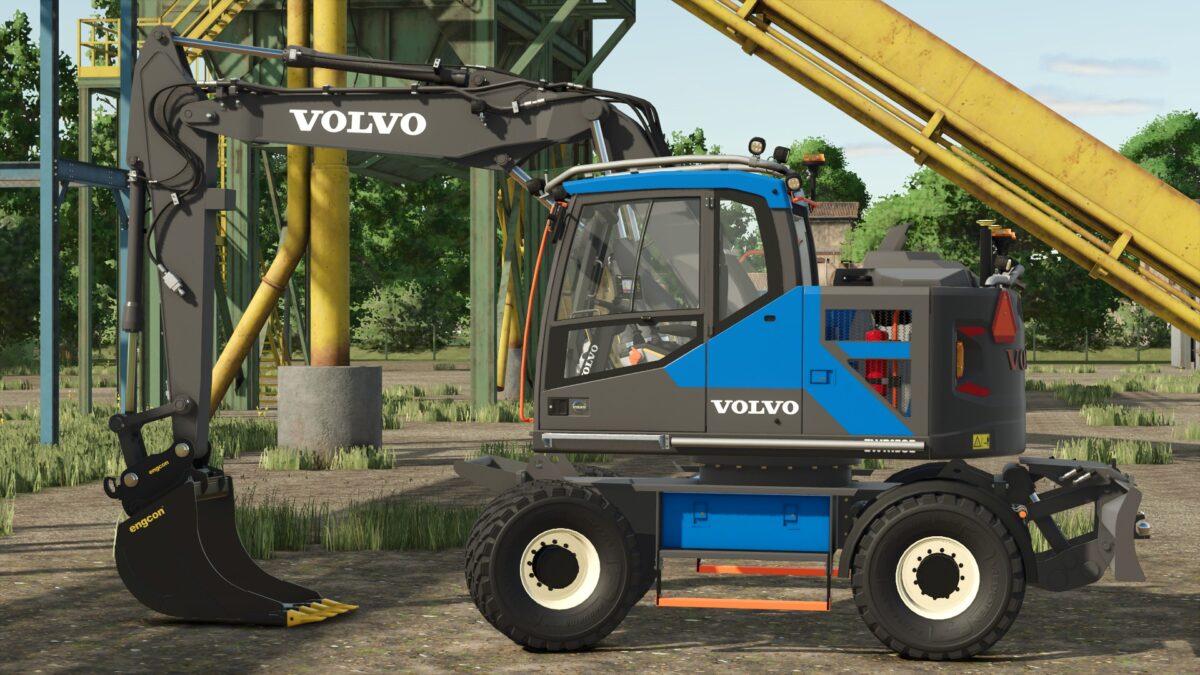
Volvo EWR150E v 1.0


– Power 200 hp
– Wheels Configuration Options
– Mittx Roof Configuration Options
– Mittx Counterweight Configuration Options
– Mittx Sidebar Configuration Options
– Side Step Configuration Options
– Leica GPS System Configuration Options
– Beacon Light Configuration Options
– Fenders Configuration Options
– LGF Triangle Configuration Options
– Front Bar Configuration Options
– Trailer Hitch Configuration Options
– Main Color Configuration Options
– Rear Volvo Logo Configuration Options
Included Tools:
– Engcon S60 Cable Bucket: capacity 500 liters
– Engcon S60 Digging Bucket: capacity 1300 liters
– Engcon S60 Rock Bucket: capacity 1300 liters
– Engcon S60 Grading Bucket: capacity 1500 liters
– Engcon S60 Leveling Beam
– Engcon S60 Pallet Fork
– Steelwrist X20 Tiltrotator
Credits:
KingNo, Virion(fmods), FippeM123(Fippe3DModding)