

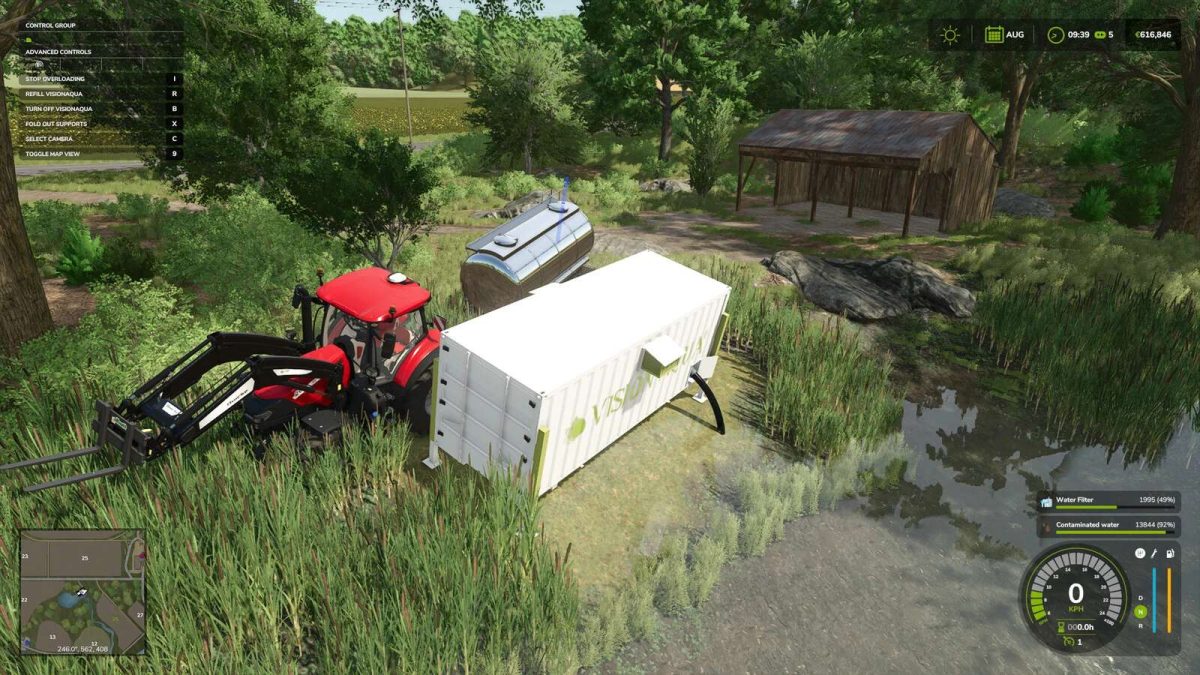
Visionaqua Water Purification System v 1.0


Container with Water purification system made by VisionAqua
Placeable Container
Category: Tools
Price: $ 90.000
Fuel: Diesel and Waterfilter
Waterfilter 2000 Liter
Category: Pallets
Price: $ 4.000
All water from streams, rivers, lakes and rice fields becomes unusable.
The contaminated water must first be purified with the Vision Aqua container before it can be used in greenhouses/production facilities (which require water) or stables.
To do this, the container must be placed next to the water (also possible in small rice fields) and fitted with water filters.
The container must be unfolded, switched on and ‘dirty’ water must be ‘dirty’ water must be pumped in, which is then specially purified.
The purified water can be taken from the marker with any water barrel at the marker.
Attention: The mod changes the water in all streams, rivers, lakes and rice fields.
It is now polluted and must be cleaned. You can no longer use water barrels to collect water directly from streams, rivers, lakes and rice fields.
Credits:
HoT online Team


