

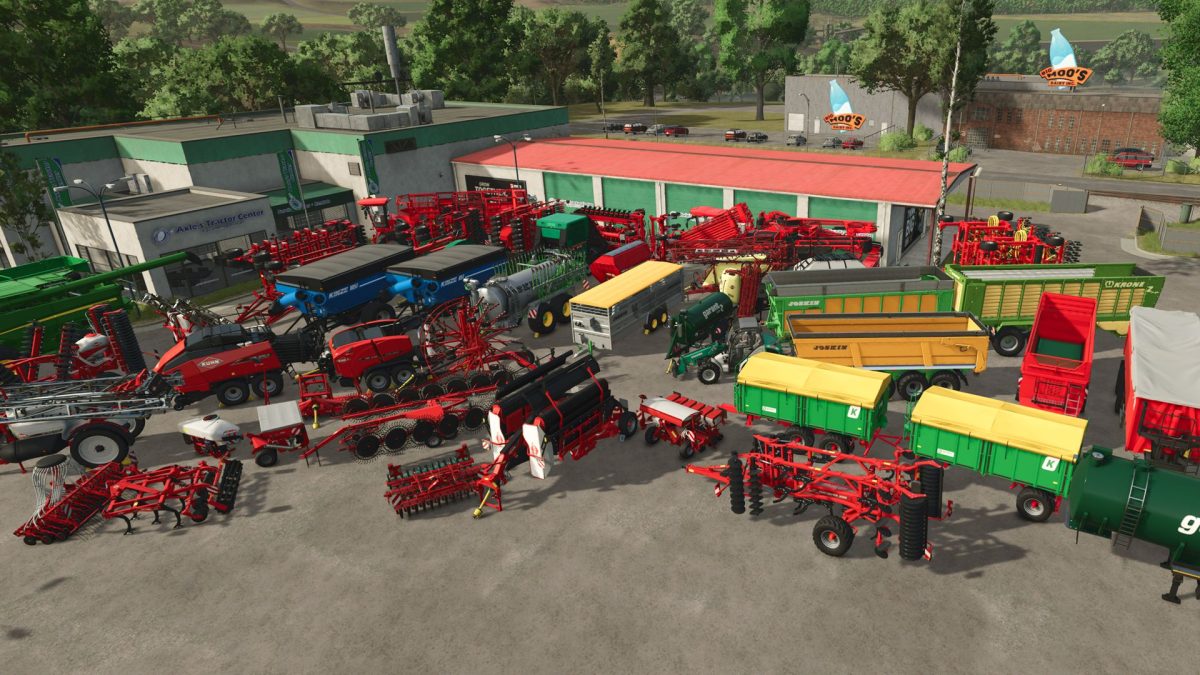
Vehicles and Tools Pack v 1.0


Vehicles and Tools Pack from FS19 rewritten to FS25.
Machines from companies starting with letters H-K:
Hardi – mega2200, navigator6000
Hatzenbichler – terminator18, th1400
Holmer – holmerHR12, holmerHR12Trailer, terraDosT4_40, terraFelis2
Horsch – cruiser12XL, joker12RT, maestro12SW, pronto9DC, tiger6DT
Jenz – HEM583Z, jenzBA725
JohnDeere – 645FD, header618C, S790
Joskin – drakkar8600, joskinBetimaxRDS7500, modulo, transSpace8000
Kinze – wagon851, wagon1051
Kotte – tsa, ve8000
Kramer – t308
Krampe – bandit750, KS950, SB3060
Kroeger – HKD302, TAW30, TKD302
Krone – TX560D, zx560GD
Kuhn – Axis402, BTF4000, CultimerL300, Deltis1302, DiscolanderXM, FBP3135, GA9531
Kuhn – HR4004, LSB1290D, MergeMaxx902, Metris4102, Performer4000, PF1500, SR314, TF1500
Kverneland – optimaV, qualidisc
Credits:
Wrobelmen


