

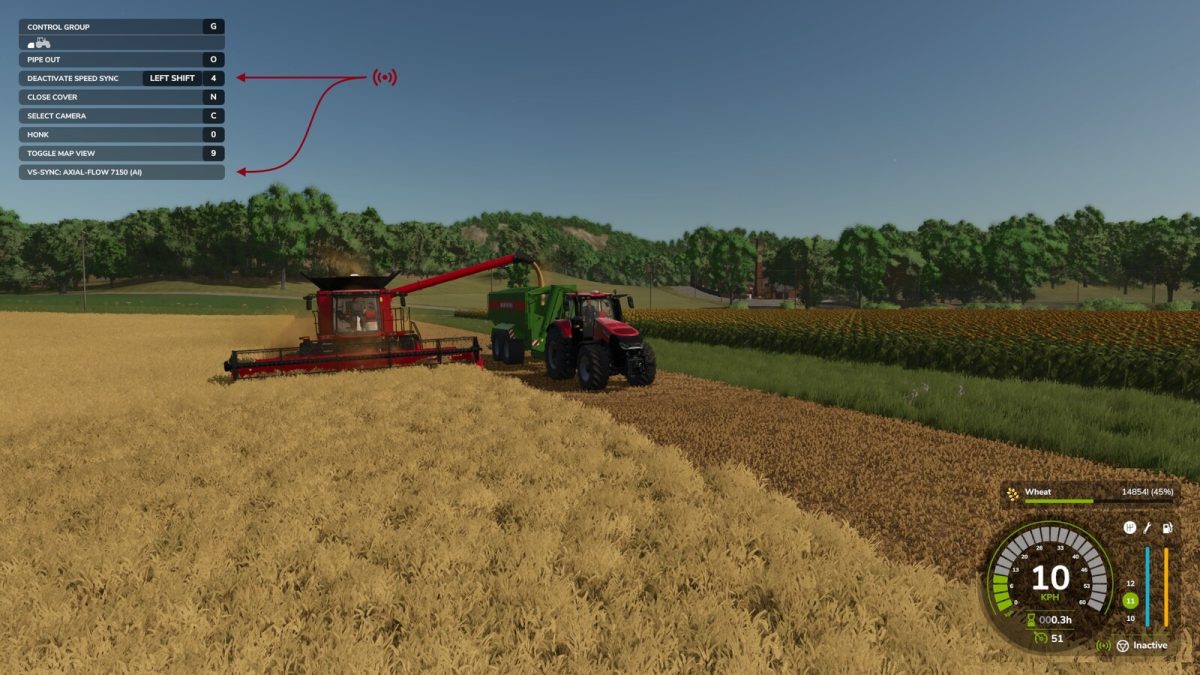
Vehicle Speed Sync v 1.0.1.0


The Farming Innovations – Speed Sync Module allows the vehicle operator to synchronise their speed with the closest moving vehicle within a 25 meter / 82 foot radius.
While the vehicles speed is synchronised tasks such as unloading of a harvester while in motion are simplified by adjusting the speed as required, even on large hills or when connected to performance reduced equipment.
The option to also copy the speed of the closest vehicle in range directly to the your cruise control is also available.
Hotkeys:
– Sync Cruise Control: Left Shift + 3
– Sync Vehicle Speed: Left Shift + 4
General Settings: Mod settings can be accessed via the in game menu, these settings will be saved for all games including multiplayer.
Note: It is possible to connect to a vehicle before it starts moving however the connection will be lost once the synced vehicle stops for the users safety.
Version 1.0.1.0:
* Add support for vehicles using reverse driving
Credits:
GtX


