

Variable Pickup Width v 1.0


Have you ever wished that the pickup area was just a bit wider? Variable Pickup Width (VPW) is the solution for you!
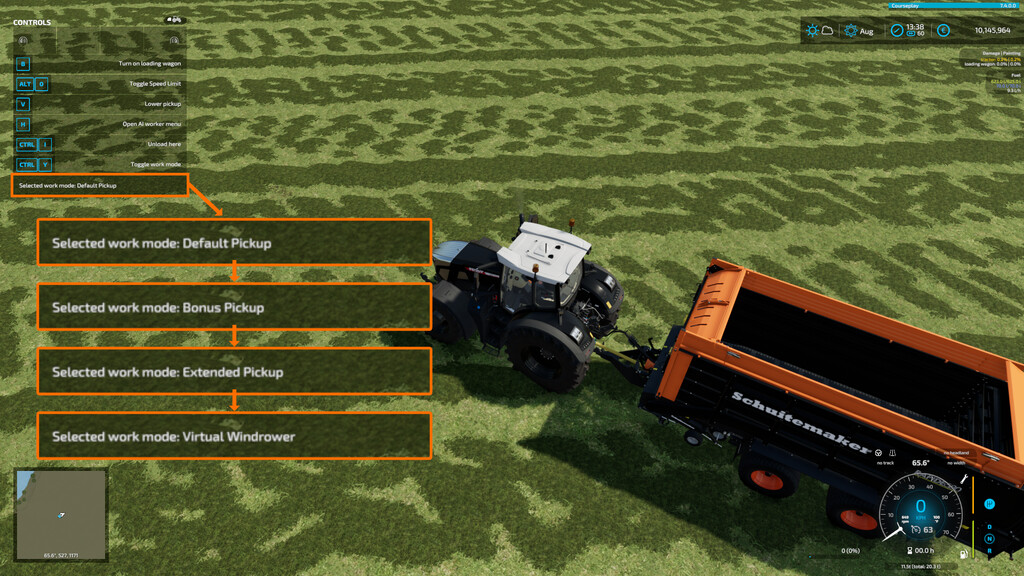
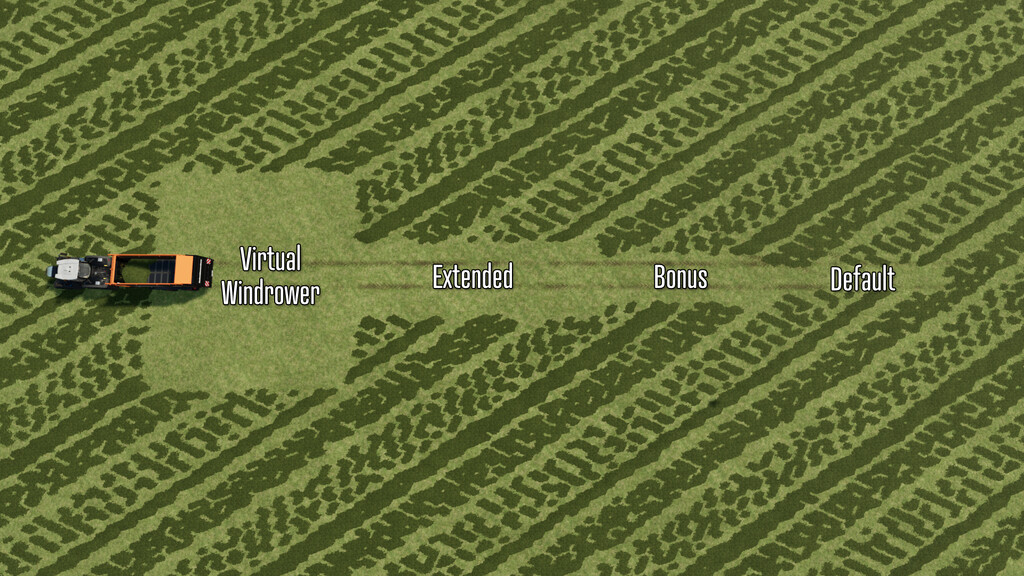
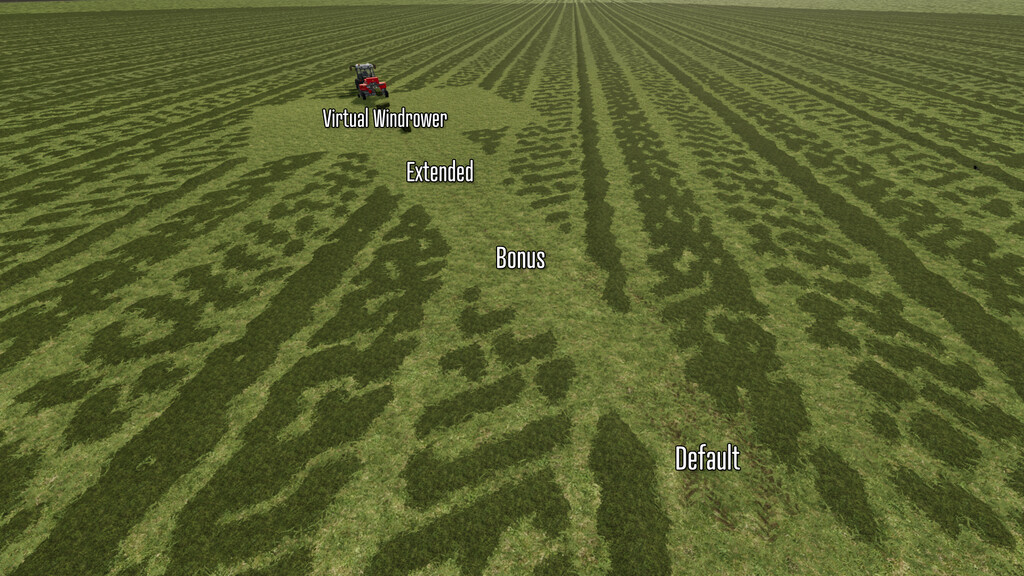
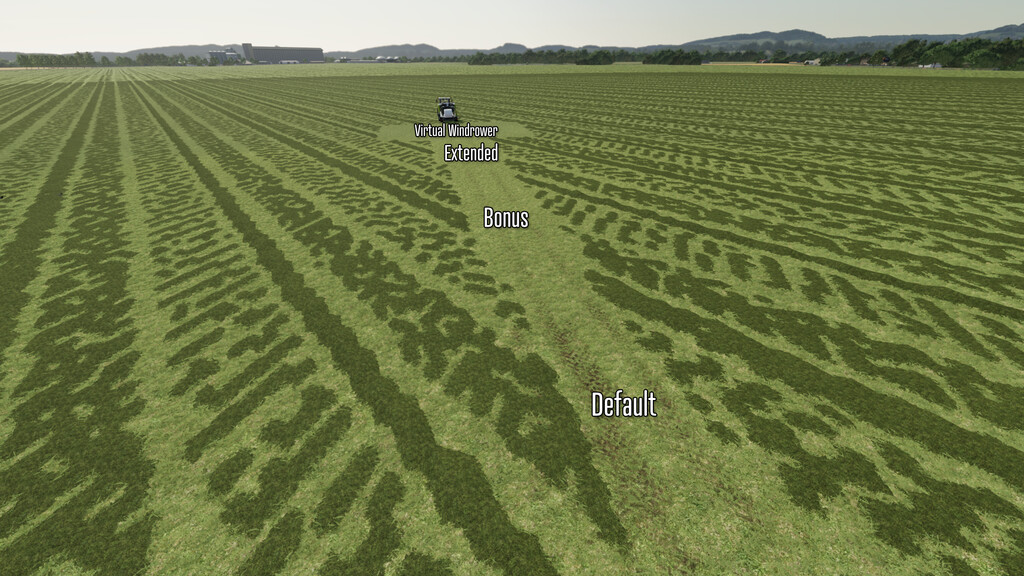
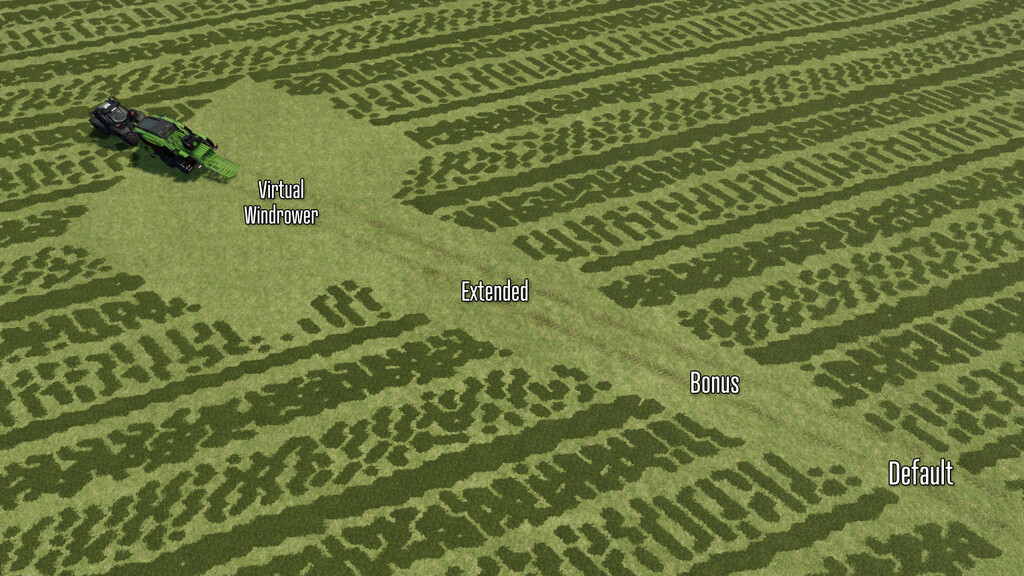
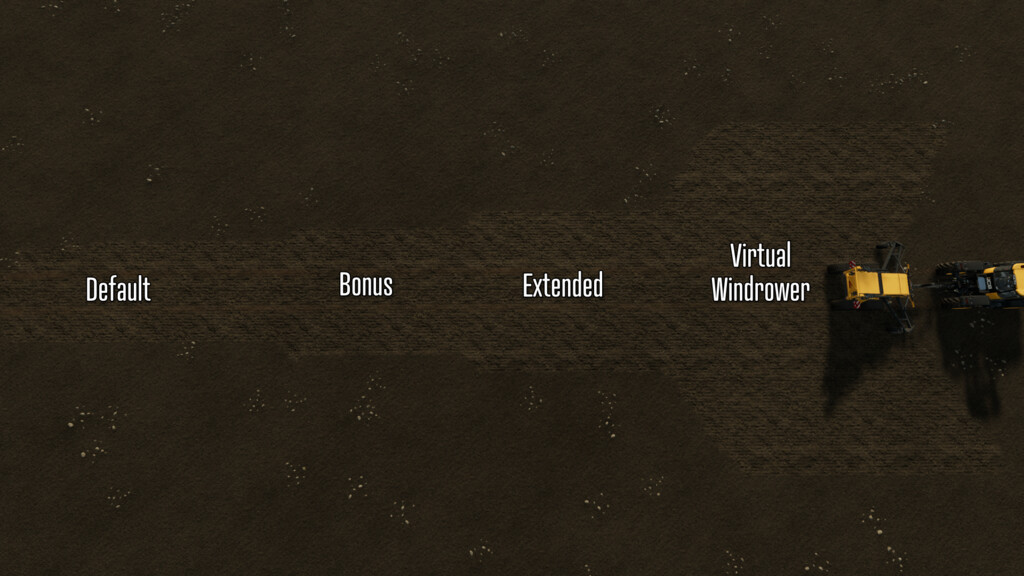
This mod adds a custom work mode to multiple types of basegame equipment that are designed to “pick up” something from the ground. Each tool has been updated to have a work mode that you can select while using the machine, allowing you to select from 4 different pickup widths:
– Default Pickup (default)
– Bonus Pickup (+2m)
– Extended Pickup (+4m)
– Virtual Windrower (20m)
Balers:
– Pöttinger Impress 125F Pro VPW
– Massey Ferguson 1840 VPW
– Claas Quadrant 5300 HD VPW
– Claas Rollant455 Uniwrap VPW
– CaseIh LB436 HD VPW
– Krone Big Pack 1290 HD VPW
Forage Wagons:
– Pöttinger Boss Alpine 251 VPW
– Pöttinger Faro 1050 D VPW
– Schuitemaker Rapide 580V VPW
– Pöttinger Jumbo 10020 Tridem VPW
– CLAAS CARGOS 9500 VPW
Pickup Headers:
– Kemper 3003 VPW
Stone Pickers:
– Elho Scorpio 550 VPW
Additionally, any VPW tool that also has a fill capacity will also have selectable capacity upgrades in the shop with relative discharge rates – but you’ll have to pay for that extra capacity!
Note: In rare cases when saving, leaving the game and coming back in with a VPW work mode selected – it will appear that the pickup area has not been adjusted correctly. To remedy this, just cycle through the work modes again to your selection, and continue on.
Each item costs $1 more than basegame, works a bit faster and has full color selection.
Credits:
GMNGjoy


