

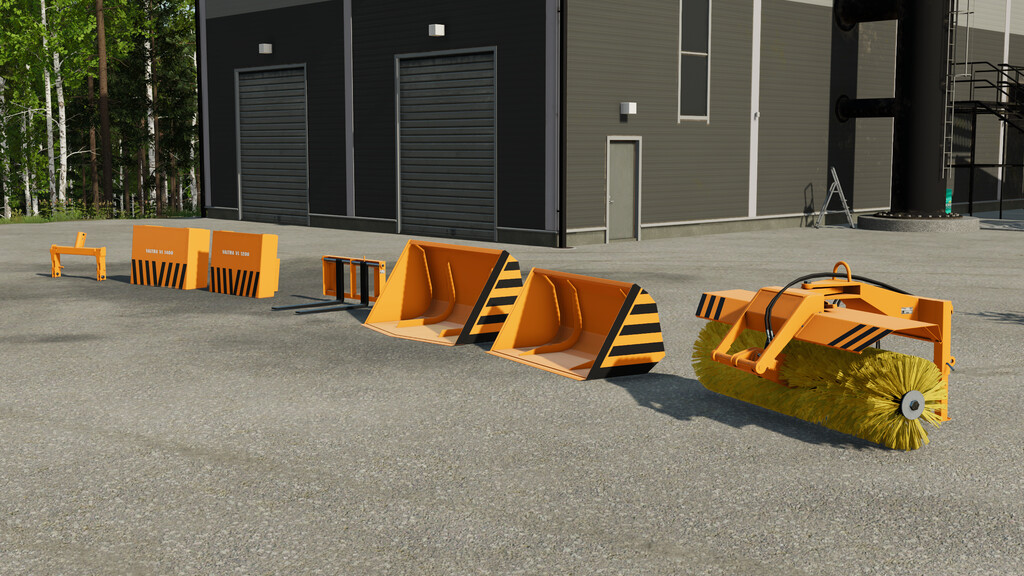
Valtra Frontloader Attachments v 1.0


Valmet had their own Valtra attachments line starting from around late 1960s. This package contains some of the most common attachments from 1980s used with Valmet tractors, such as shovels, pallet fork, sweeper brush and counter weights.
3-Point Hitch Adapter:
Price: 550 $
Shop category: Miscellanous
VL 900 Shovel:
Capacity: 900 l
Price: 1250 $
Shop category: Frontloader tools
VL 1500 Shovel:
Capacity: 1500 l
Price: 1750 $
Shop category: Frontloader tools
VL Pallet Fork:
Price: 1150 $
Shop category: Frontloader tools
VL 240 Sweeper Brush:
Price: 4500 $
Shop category: Frontloader tools
VL 1200 Counter weight:
Price: 1300 $
Mass: 1200 kg
Shop category: Weights
VL 1400 Counter weight:
Price: 1500 $
Mass: 1400 kg
Shop category: Weights
Attention: These attachments are designed to be used on frontloaders with a Valtra attacher. They can however be used with any other frontloader too by selecting the adapter configuration in shop (except for counter weights).
Credits:
AEN Design


