

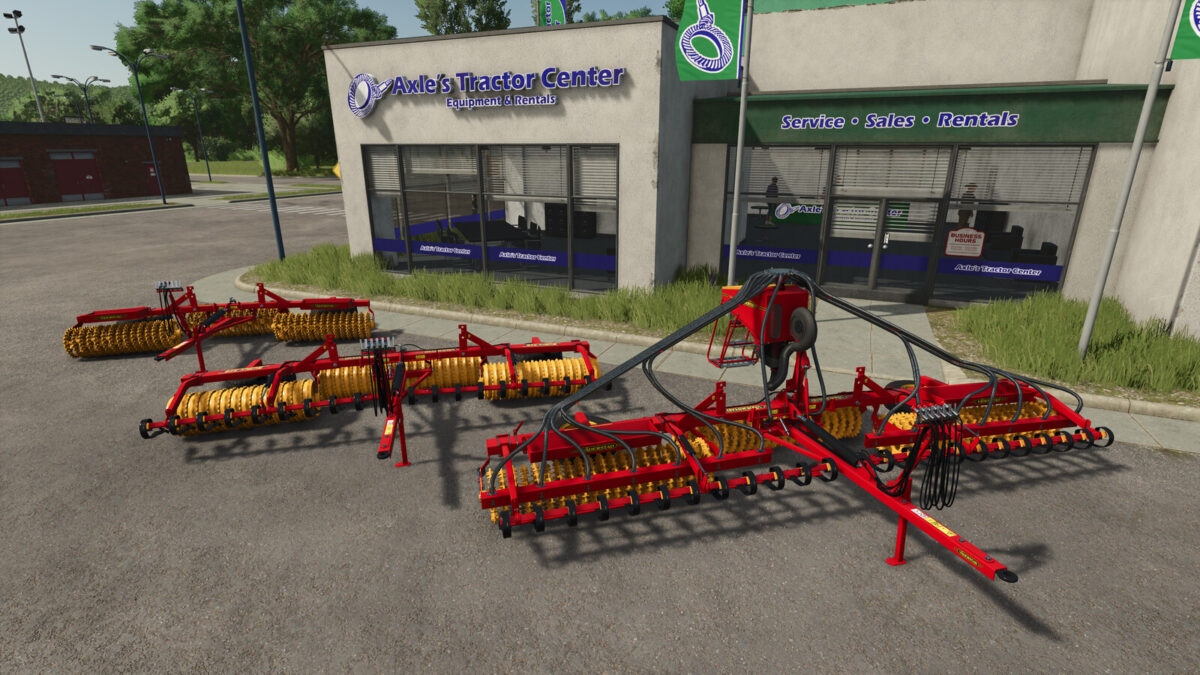
Vaederstad Rollex 450-620 v 1.0


Rollex 450-620 is a roller, available in 4.5, 5.1 or 6.2 meter working width. By combining many configuration options, high quality and productivity, Rollex has become a popular roller.
With the “BioDrill 360” mounting, the roller can be used for sowing small seeds (grass, canola, oilseed radish).
Configurations:
– BioDrill (semi-mountable seed drill for small seeds)
– Crossboard Heavy (pre-loosening):
– Double-Knife
– Single-Knife
– Rolls:
– Crosskill
– Cambridge
– Stone trays
Väderstad Rollex 620:
– Working width: 6,2m
– Price: 17.835 $
– Weight: 2.540 kg
Väderstad Rollex 510:
– Working width: 5,1m
– Price: 15.495 $
– Weight: 2.200 kg
Väderstad Rollex 450:
– Working width: 4,5m
– Price: 14.725 $
– Weight: 1.900 kg
Väderstad BioDrill 360:
– Mountable seed drill for small seeds
– Capacity: 360 l
– Price: 17.480 $
– Weight: 340 kg
Credits:
DR_Modding


