

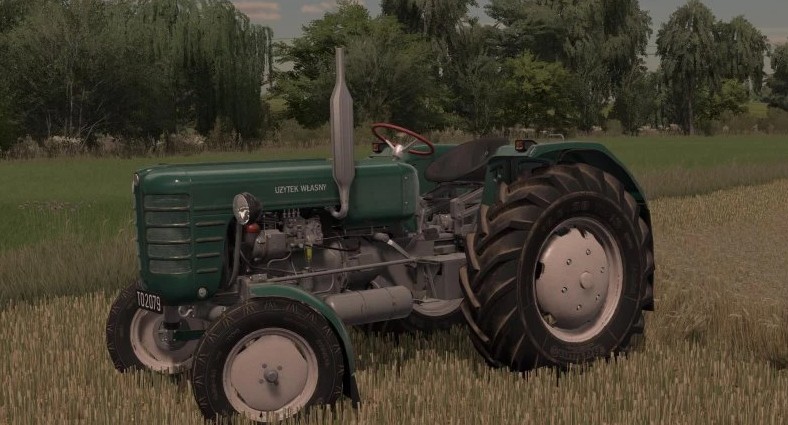
Ursus C4011 v 1.0.0.1


Selectable Configurations:
– Cabin Configuration: Without/Can
– Wheel Brand
– Wheel Settings
– Mudflaps: Rear/Front/Together + 4 types for the rear
– Steering Wheels: Black/Gray/Metal + for each Center in black, cream and without Center
– Seat: Metal/With cover + backrest for each
– Weights on the Bracket: 1/2/3 on both sides
– Extras: Triangle/Fender Reinforcement/Rear Light/All Together
– Inscriptions: Without/C-4011/C-4011 II/Own Use
– Helper Seat (Passenger): yes/no
– Charging: Alternator/Generator
– License Plates: Without/Both/Rear/Front
– Box on the Fender: yes/no
– Cabin Elements (Can): No/Both/Split Windows/Rear Window
– Pennant (Cabin): yes/no
– Warning Light (Rooster): yes/no
– Brake Fluid Reservoir: Round/Square
– Wheel Weights “back”: Without/Czech/Mounting/3-Bolt/6-Bolt
Selectable Color Configurations:
– Body Color
– Cabin Color
– Roof Color
– Base Color
– Rim Color
– Mesh Color
– Box Color (Rear Fender)
– Cover Color (Seat)
– Emblem Color (Front Hood)
– Wheel Weight Color
– Wheel Weight Bolt Color
– Wheel Weight Center Color
– Main Hub Color
– Hub Tip Color
– Hub Bolt Color
Credits:
Kamilr1, DawidLs


