
FS25 Ursus Tractors

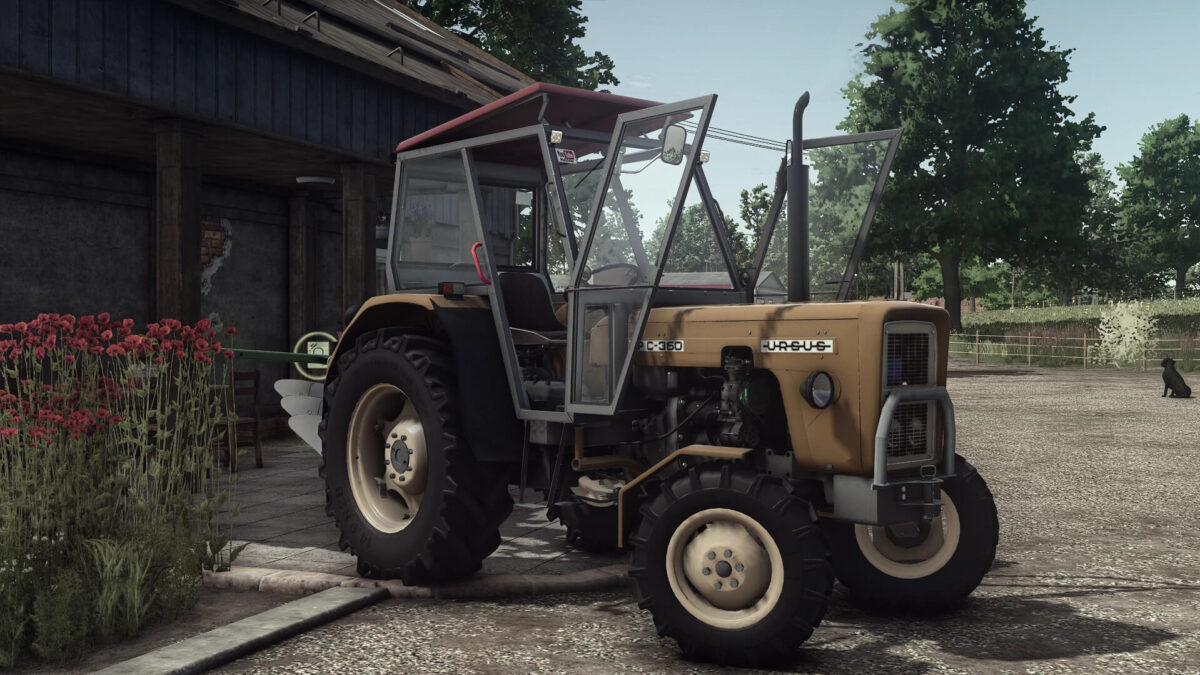
Ursus C355/C360 v 1.0

Ursus C355/C360 v 1.0

Price: 18,000
Power: 45-58(with Turbo)[Hp] Version: c355 [4×2/4×4], c355M [4×2/4×4], c360 [4×2/4×4], c360 3p [4×2/4×4] Category: small tractors
Real sounds

Configurations:
Engine
Wheels
Exhausts
Cabins
Lamps
Front fenders
Grills
Front axles
Rear wheel weights
Stickers
Warning lights
Addons
Grill plate
Addons lights
steering wheels
Seats
Box
Front weights
Loader consoles
Color: Sheet metal, body, cabin, roof, cabin doors, fenders, grill, weights, cabin stickers, rims;
License plate

Front loaders:
Tur T-261 V1
Tur T-261 V2
Bale forks
Pallet forks
Manure forks
Shovel
Rear weight

Credits:

Driver300, Gracjan26, Prezes, Orzech(habett34), ZlotowkaScammer, Miziuu

How to install FS25 Ursus Tractors?
Firstly find a mod which you like and want to download. Then download a mod to your PC. Mods are usually in .zip format file. But sometimes it can be in .rar. If a mod file is a .zip format no needed additional actions. If a file is in .rar, then you must unarchive mod with software like WinRar or Zip7. Windows 10 users no need to use software for archives, Win10 itself has a feature to unarchive files.
The next step is to find mods folder in your PC. Usually, it is in Documents/My Games/Farming Simulator 25/2025. Open the "mods" folder and put downloaded .zip archive or unarchived .rar file to this folder.
Last step. Enjoy of FS25 mods!

Leave a Reply

Your email address will not be published. Required fields are marked *