Ursus C-3120/3130 v1.0.1.0


Ursus C-3120 / C-3130
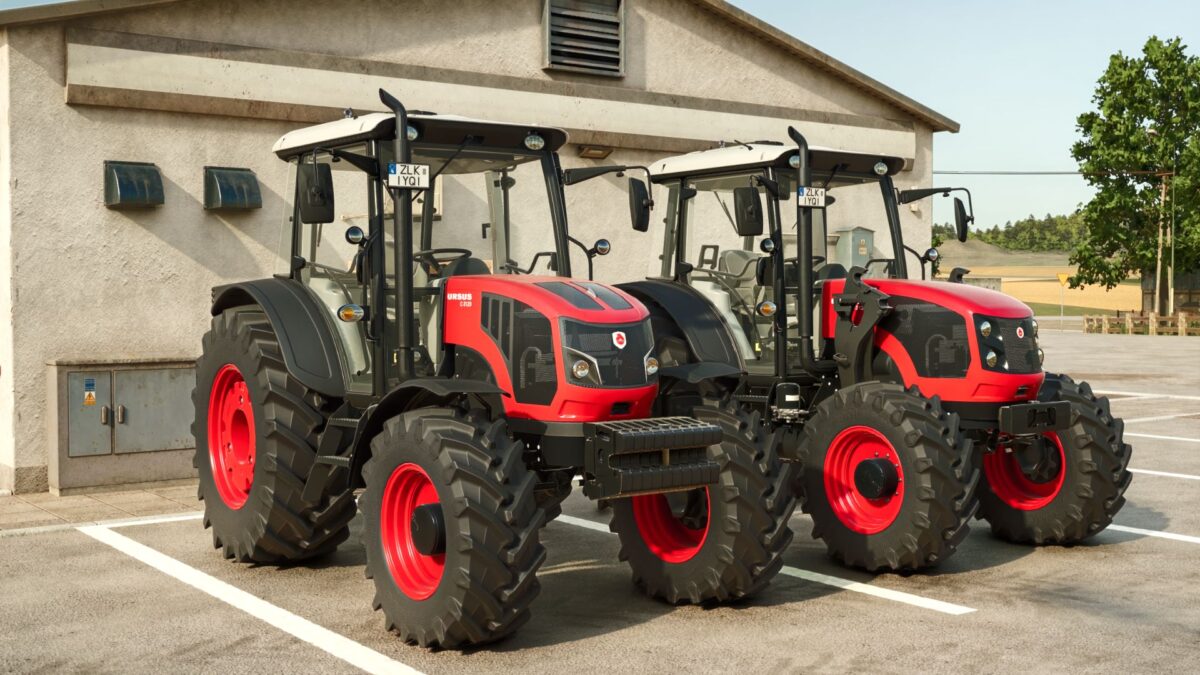
Polish utility tractor Ursus C-3120 with a 4-cylinder 115 hp engine (C-3130: 125 hp) and a 16/16 powershift transmission.
Price: 92,000 €
Power: 115 – 125 hp
Max. speed: 40 km/h
Fuel tank: 180 l
Features:
Engine: C-3120 (115 hp) or C-3130 (125 hp), with matching hood decals
Two engine hood versions: modern and classic, both with perforated grilles
Front weights: 250 kg block (standard) or 500 kg, with a front tow hitch in the weight
Tyres from 7 base game brands, including wide and dual wheels
6 rim colours, including aluminium
Removable front fenders
Front loader console
Crop sensor
GPS terminal and 40 km/h speed sign
Passenger seat
Original black Ursus rear fenders with rear lights
Working doors, rear window and wipers
Interactive Control support (optional, requires FS25_interactiveControl):
Open and close the doors from inside and outside, and open the rear window
Lights, front and rear work lights, beacon and hazard lights from the dashboard switches
External rear hitch (EHR) and rear PTO buttons on the rear fenders
V1.0.1.0
Fixed: steering wheel was lying flat while driving it now keeps its angle and faces the driver (perpendicular to the steering column)
Fixed: pedals removed static duplicate pedals from the cab model; pressed pedals no longer leave a second copy behind
Fixed: gear lever is now animated (4-gear H pattern, the driver’s hand moves to the lever when shifting)
Fixed: red “Failed to create Graphics Pipeline State” errors in the log (dashboard warning lights and gauge needles)
Fixed: engine sound inside the cab no longer disappears at idle
Changed: front weight options no weight and no front hitch, 250 kg block with front hitch, or 500 kg with front hitch
Required mods:
Interactive Control
Credits:
Siemanek