

Universal Offroad Suspension v 1.0


ALFA Universal Offroad Suspension – Prepare Your Vehicles for Off-Road!
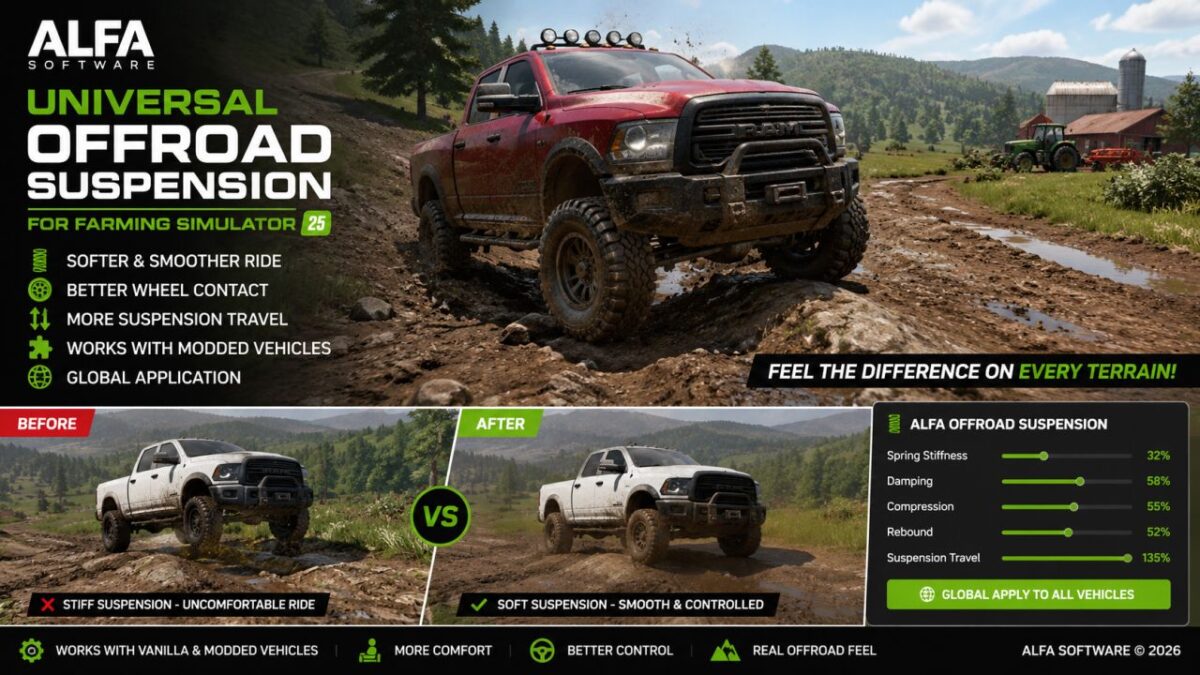
Make the suspension behavior of Farming Simulator 25 vehicles softer and off-road oriented.
ALFA Universal Offroad Suspension was developed to enable vehicles to move more naturally on rough and rugged terrains and for the wheels to follow the ground better.
Features
Soft off-road suspension tuning
Lower spring stiffness
Softer shock absorber response
Increased suspension travel
Designed to work with a wide range of vehicles
Supports compatible modded vehicles
No need to edit the XML files of the tools one by one
Developed by ALFA Software
Ideal for pickups, trucks, SUVs, tractors and other vehicles you want to use in difficult terrain.
It was developed for players who want a smoother and more enjoyable ride on rough terrain.
Credits:
AhmetASLAN


