

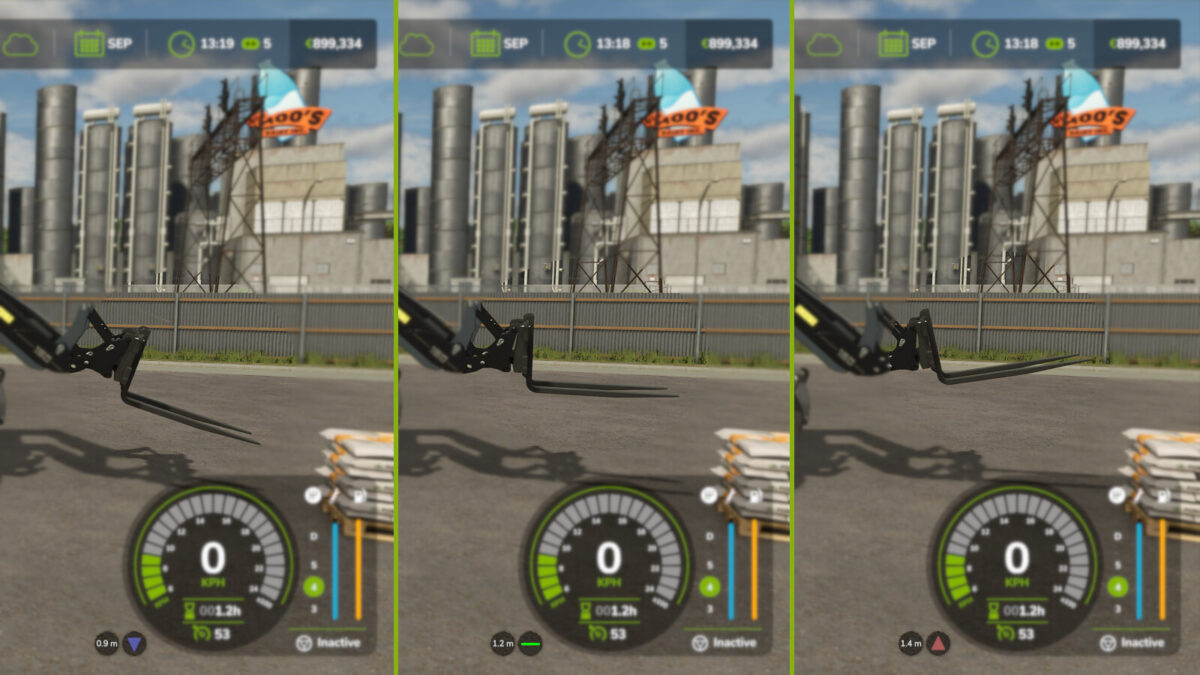
Tool Inclination Helper v 1.0.0.2


The Tool Inclination Helper mod is designed to provide valuable information about the orientation of your implements in Farming Simulator. It helps you determine whether your forks or other tools are level, indicating a horizontal position, which is crucial for efficient handling of materials like bales, pallets, or trailers.
Along with this functionality, the mod displays the distance from the tool to the ground or any objects below it, enhancing your ability to manage lifting and transporting tasks accurately. Flexible settings allow you to choose between displaying information in icons or degrees, and you can enable or disable color coding when using the degree measurement. The on-screen display can also be repositioned according to your preferences, ensuring that it does not obstruct your view while operating.
Compatibility extends to various base game tools, including front loaders, wheel loaders, telehandlers, skid steers, and forklifts. Keep in mind that the definition of “level” is determined by the design of the tool itself. Currently, there are no assigned hotkeys for this mod.
Version 1.0.0.2:
* Fixed an issue with saving settings
* Fixed an issue where the JCB teletruk was not detected properly
* Added possibility to set a reference orientation for the tool when unsatisfied with the default interpretation of 0m from ground and 0°
Credits:
Farmsim Tim (timmeey86)


