

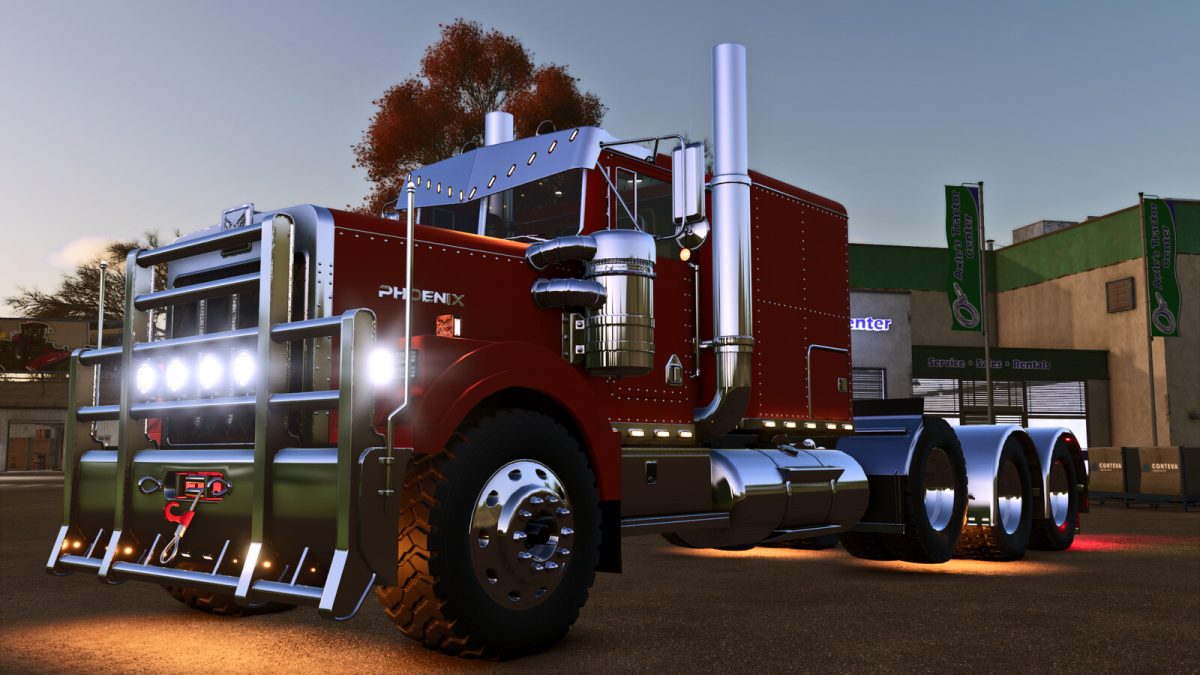
TLX Front Bumpers Pack v 1.0


The TLX division by LIZARDMOTORS changes the way to customize its vehicles by releasing packs of content for them.
The current pack contains a set of front bumpers to customize your semi, if you want. Ride it with the regular look until you decide it. Or build a LIZARDMOTORS TLX Dealership. The choice is yours
Included in the Pack:
TLX Aussie Bumper: An australian-inspired front bumper, heavy, durable featuring options like:
– Extra lights (4 combinations)
– Chickenlights or markers (yes/no)
Price: 3050$
TLX Heavy Duty Bumper: With its design influenced by the mining and forestry business, it provides an extra protection along with a very different look to your rig. It is the one with most options:
– Extra lights (4 combinations)
– Chickenlights or markers (yes/no)
– Bullbar (yes/no)
– Rubber pusher (yes/no)
– Modguards (yes/no)
– Widemarkers (yes/no)
Price: 4182$
TLX Bullhauler Bumper: Directly brought into the game by the industry of hauling stock, a beautiful bumper featuring options like:
– Extra lights (4 combinations)
– Chickenlights or markers (yes/no)
– Winch (yes/no)
– Widemarkers (yes/no)
Price: 3050$
Credits:
82Studio


