

TLX 3500 Series v 1.4


TLX 3500 Series pick-up
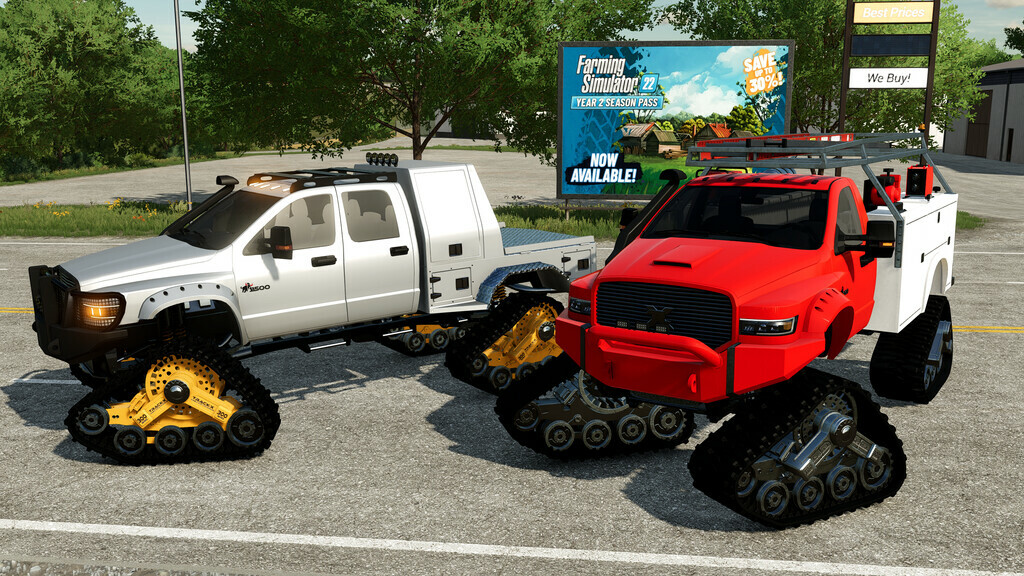
The Big Brother is here!!!! The TLX2020 set a standart in versatility, the TLX3500 elevates that concept exponentialy.
Totally new design, options, combinations and lots of fun!
Versions included:
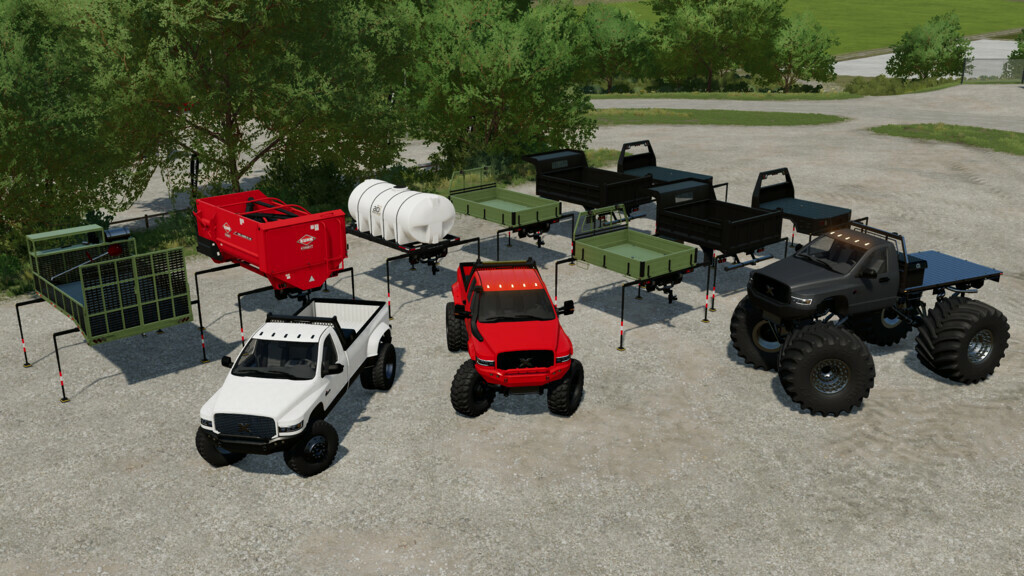
– Crew Cab
– Single Cab
– eXTReMe Version
Attachments/Beds Included
– Crew Cab: Pickup bed; Flatbed; Tipper; Prospector
– Single Cab: Pickup bed XL; Flatbed XL; Prospector XL
Options available:
– Special Editions: Stock, Metalized, Black Belle, Copperhead & Silver Bullet
– Mirrors: Stock, Wide
– Extras: Stock, Sidesteps, Snorkle, Roofrack & combinations of them
– Bumpers: Choose between 7 options
– Lighting: Stock, Spotlights or LED Lights
– Headlights: Choose between Multiple colors
– Wheels: Choose between 30+ options
– Attachers: Stock or Plow Mount
– Engines: 7.3L Diesel or 6.2L Supercharged
Base price: 28000 $
Version 1.4:
* Fixed/Changed:
– Steering wheel in single Cab
– Horn
– XL version with wrong exhaust smoke
Credits:
82Studio


