

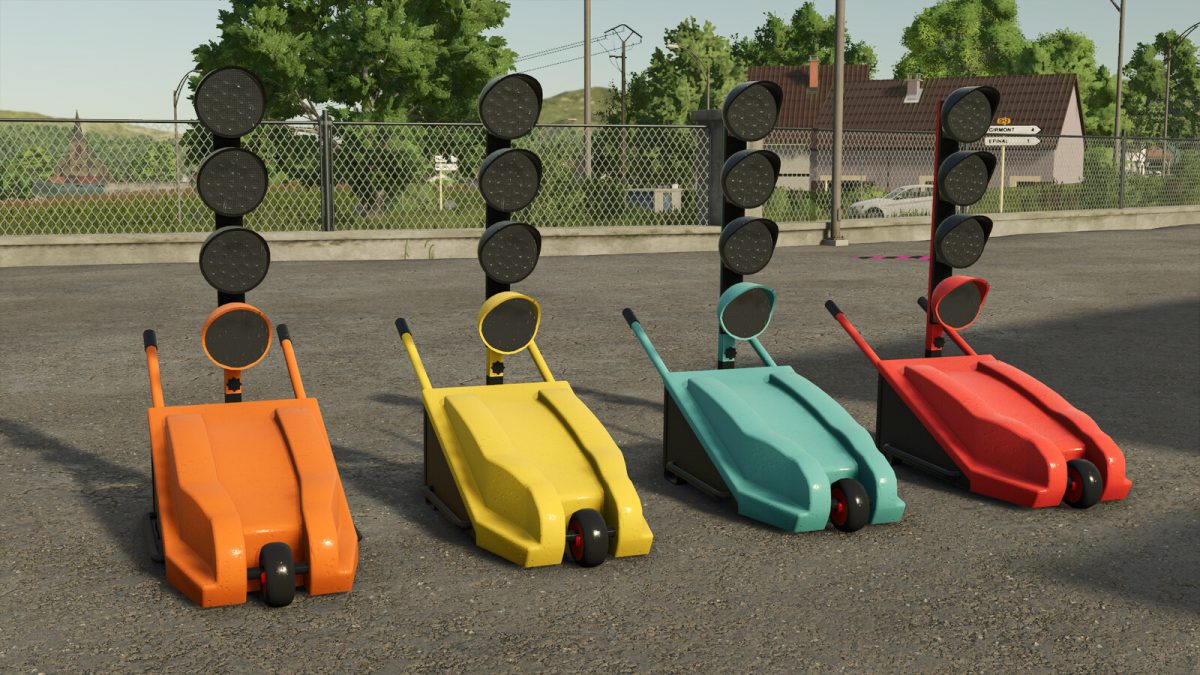
Temporary Worksite Signal v 1.0


Construction Site Traffic Light is a temporary signaling device used to safely regulate traffic, just like in real life where it is used on roadworks to organize alternating traffic and protect workers and road users.
In the game, it is available in the Misc category of the shop or as a placeable in miscellaneous tools. It can be moved by hand and is strappable for easy transport.
Specifications:
– Price: 2,455$
– Weight: 110 kg
– Maximum speed: 7 kph
– Realistic color configuration
Operation:
The light must be unfolded to turn on. If folded, activation has no effect.
It only works if the engine remains on. If the engine is turned off, the cycle automatically pauses and must be reactivated after restarting.
The cycle is automatic and infinite: 1 minute of red light with timer, followed by 1 minute of flashing amber without timer, then repetition. AI vehicles stop at the red light.
To turn it off, simply fold it.
Practical and realistic, this light provides authentic traffic management for your work zones.
Credits:
Kaymara, NrA


