

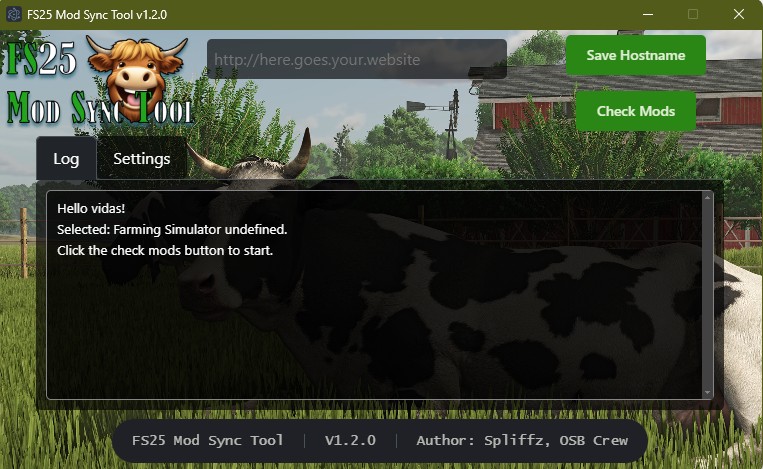
Sync Tool v 1.1.4


This isn’t an automatic tool that makes this possible for every server. To have this working you have to set up your own server to use it with.
Features:
- Easy to use interface with a one-click solution.
- It accounts for the use of OneDrive.
- Auto updates to a new version on release.
- A smiling cow.
- My everlasting gratitude for using my software!
How it works:
- It simply compares your mods folder (Located in My Documents/My Games/Farmingsimulator2025/mods) with the mods on the server running FS25-Mod-Sync-Server.
- If it finds new or updated mods it will automatically download them and overwrite the old ones.
- Mods will never be deleted. This is by design so single player savegames won’t get corrupted.
Requirements:
- Farming Simulator 25.
- Currently only supports Windows.
- FS25-Mod-Sync-Server.
Installation:
- Download the last mod version
- Install it, it should launch after installation.
- Enter your server hostname.
- Click “Check Mods” and grab a coffee.
Credits:
Spliffz


