Storage Overhaul: Pallet Degradation System v 1.2


Give yourself a new reason to use all of the incredible shed mods on the ModHub!
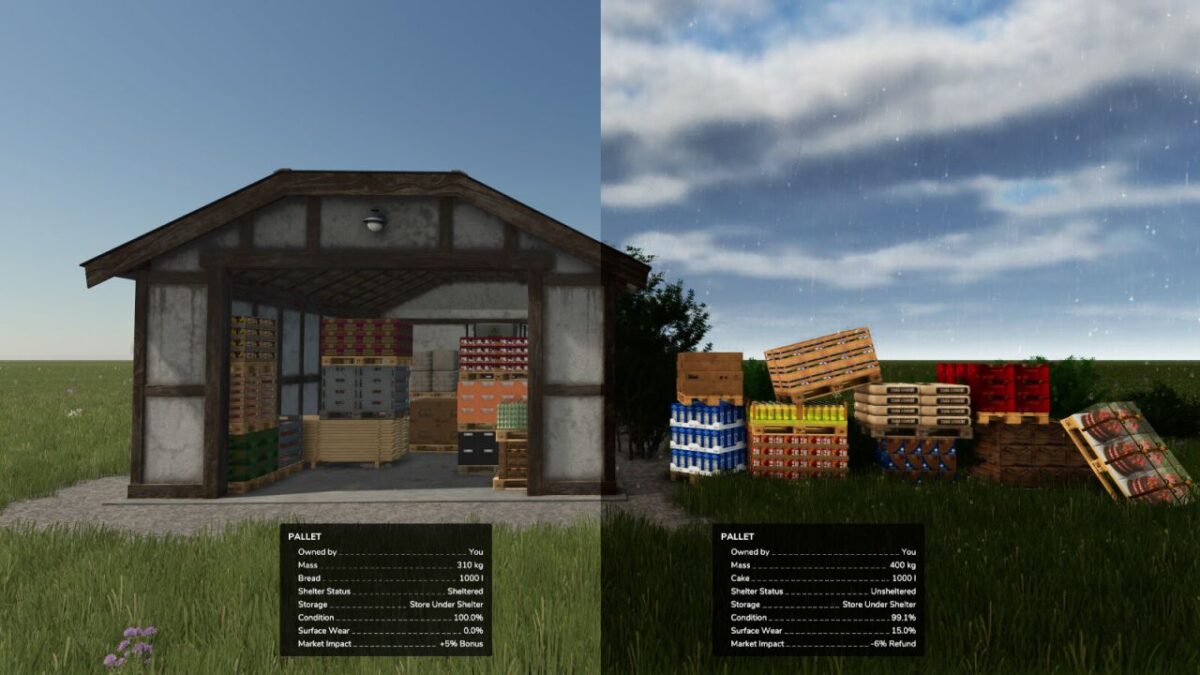
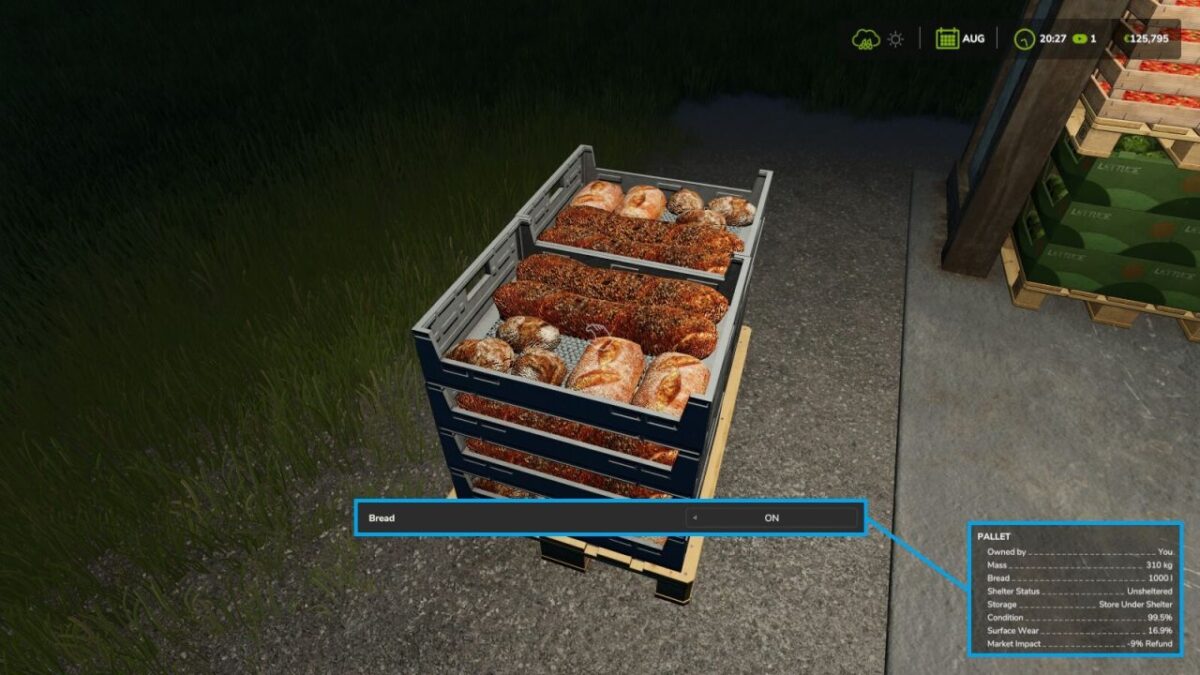
This Pallet Degradation System attempts to simulate the realistic physical toll that outdoor storage takes on your goods. The old tactic of leaving produce exposed to the elements for months while waiting for the best market prices will now result in both temporary and permanent damage with in-game financial consequences.
KEY MECHANICS:
– Exposure is calculated every 30 in-game minutes for paletted goods.
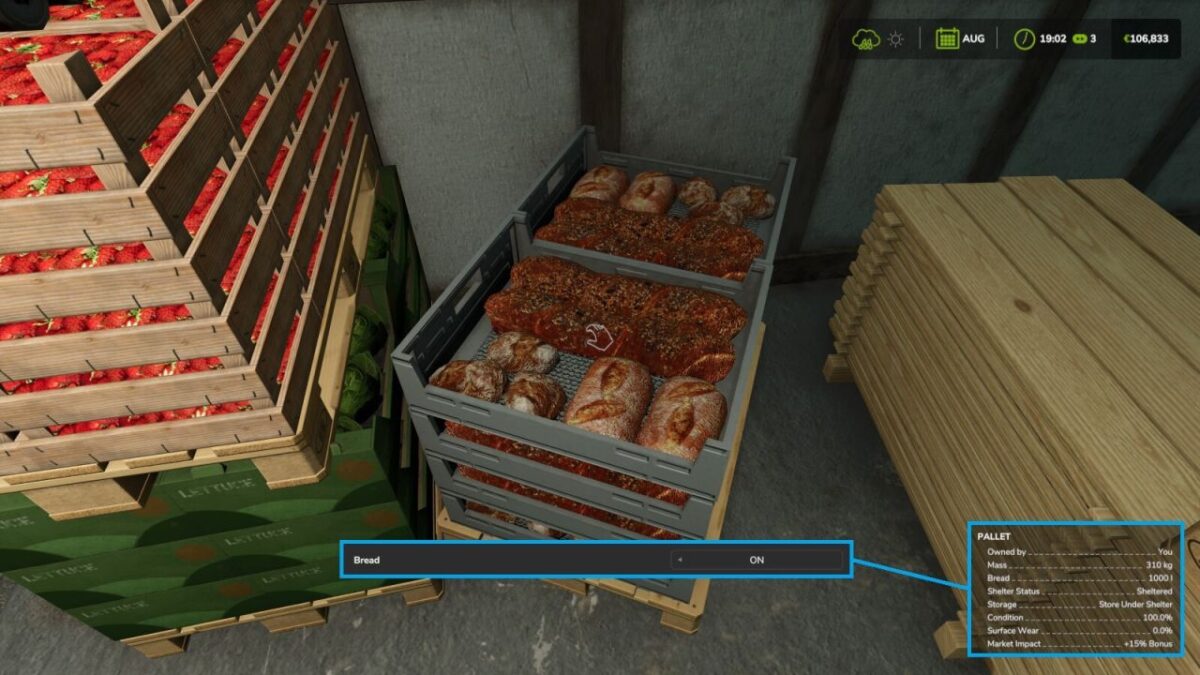
– Status is visible in the info GUI (Sheltered vs. Exposed).
– A financial bonus/deduction is applied, based upon the condition on sale.
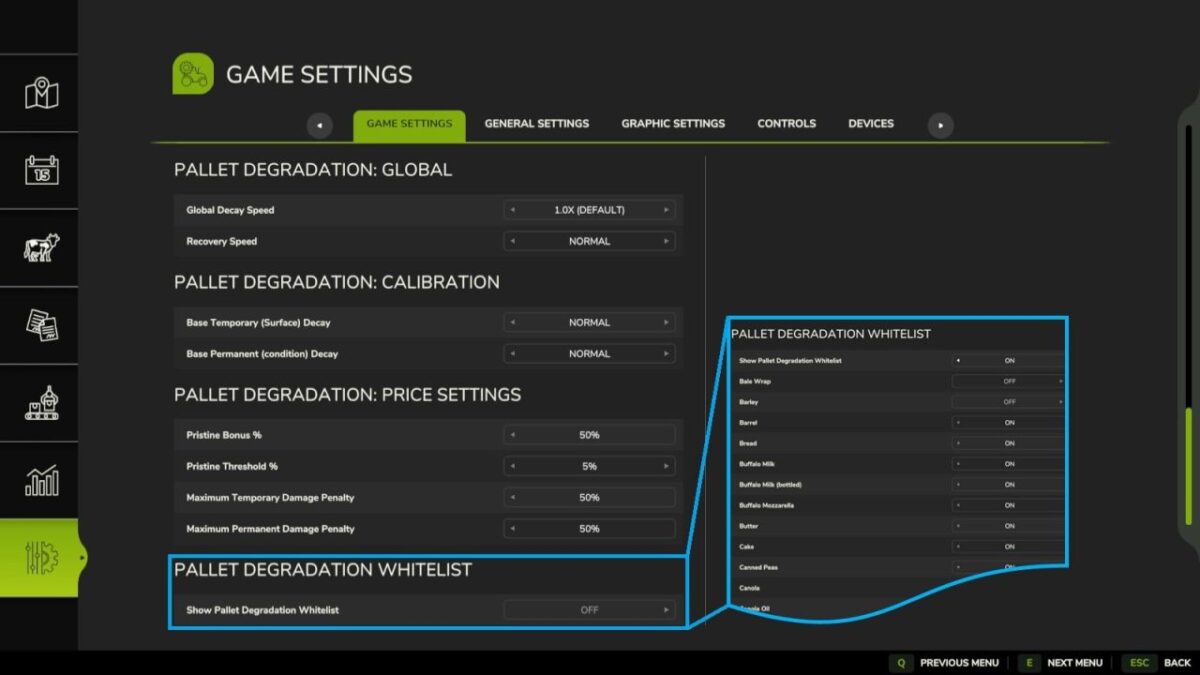
– Configurable whitelist of products affected by exposure (via in-game settings).
– All vanilla game filltypes have individual decay rates – bread decays faster than beetroot.
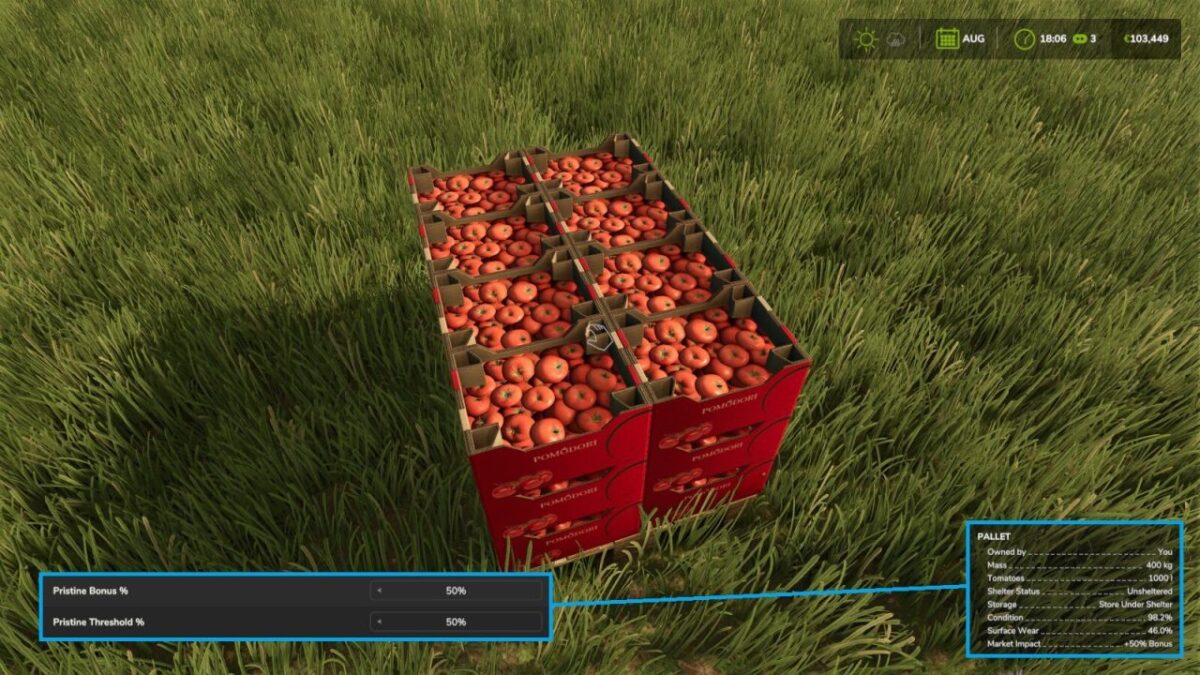
– Configurable decay speed, recovery rate & financial impact (via in-game settings).
SURFACE WEAR (Temporary Damage)
Represents external dirt and moisture on the packaging.
– Accumulates quickly when exposed to weather.
– Naturally “cleans and dries” over time when stored under shelter.
– Reduces sale value if sold while dirty/wet.
Condition (Permanent Damage)
Represents the decay of the actual goods.
– Accumulates much more slowly but is more financially punishing.
– Irreversible: Once damage is done, moving it indoors will not fix it.
FINANCIAL IMPACT:
– PRISTINE BONUS: Sell high-quality, sheltered goods for a profit bonus.
– MARKET REFUND: If you sell damaged or weather-worn goods, the buyer will demand a refund!
Protect your profit—keep your pallets under a roof!
Version 1.2:
* Added multiplayer compatibility with host side functionality
Credits:
TommyNookah