

Separate Driving Controls v 1.0


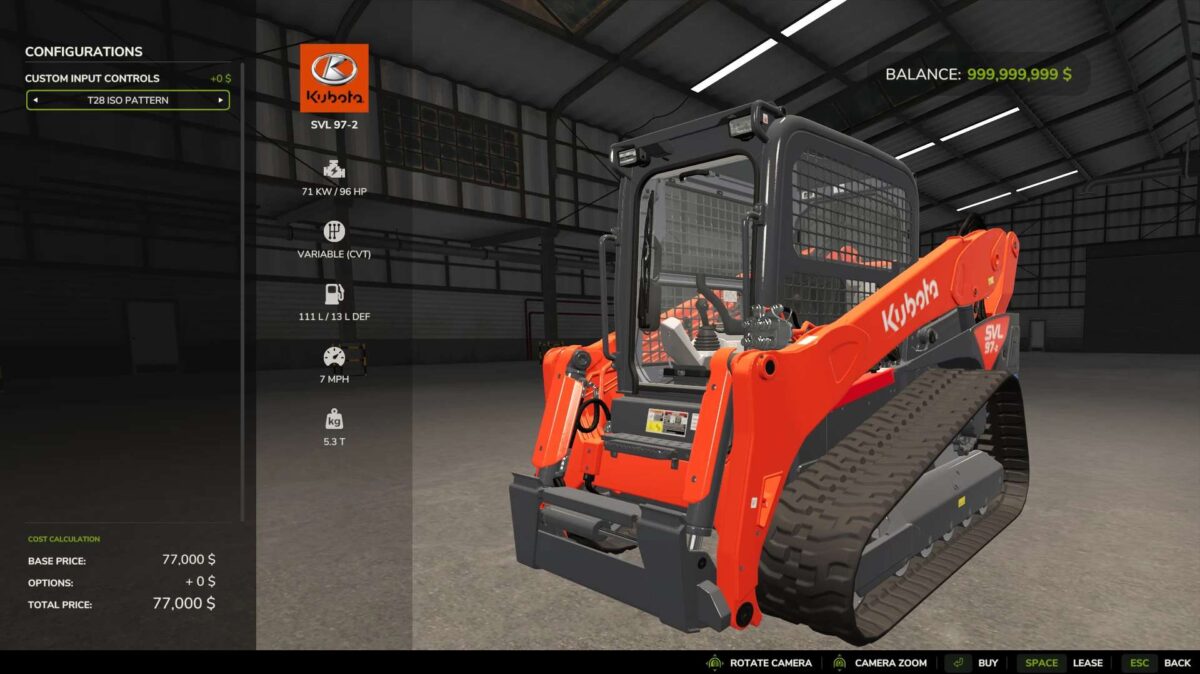
Custom Input Controls adds selectable control profiles to drivable vehicles in Farming Simulator 25. Choose between the standard game controls, a H Pattern, or a ISO Pattern directly from the vehicle configuration menu. Each purchased vehicle can use its own control setup, allowing identical machines to have different control layouts.
This is useful when running dual joysticks, you can run a skid steer on left stick, then seamlessly enter an excavator/crane controls vehicle, and have left joystick run that and not the driving axis.
The mod provides custom driving, steering, boom, and bucket input routing designed for equipment such as skid steers and loaders. ISO controls can include preset keyboard and Xbox controller bindings, while all custom inputs can still be changed through the normal FS25 Controls menu.
You will need to setup your bindings in control settings for this to work.
Features include:
Standard, H Pattern, and ISO control profiles
Per-vehicle control configuration
Independent left/right drive controls for H Pattern
ISO forward/reverse and left/right steering
Boom raise/lower controls
Bucket curl/dump controls
Keyboard, Xbox controller, and joystick-compatible input actions
Works with base-game and modded drivable vehicles
Does not alter vehicles when Standard Controls are selected
This is a standalone mod that add functionality to all drivable vehicles, selected by a menu option in the shop.
Tested on keyboard/mouse, Thrustmaster T16000M, and Xbox One controller.
Credits:
Taco28


