
FS25 Telehandlers

Sennebogen 340G v 1.0

Sennebogen 340G v 1.0

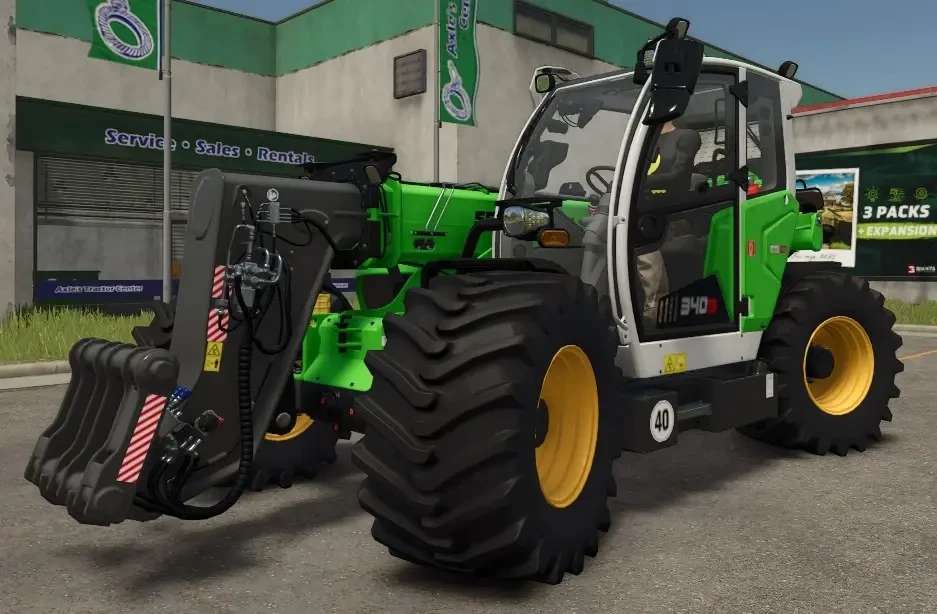
The Sennebogen 340G in Farming Simulator 25 is a versatile material handler, equipped with wide tires for enhanced stability and grip on rough terrain.
This model offers customizable options for rim and chassis colors, allowing players to personalize their equipment.
Ideal for loading, stacking, and moving heavy materials, the Sennebogen 340G combines functionality with a sleek, customizable design, making it a valuable asset on any farm.

Credits:

Flitscheee

How to install FS25 Telehandlers?
Firstly find a mod which you like and want to download. Then download a mod to your PC. Mods are usually in .zip format file. But sometimes it can be in .rar. If a mod file is a .zip format no needed additional actions. If a file is in .rar, then you must unarchive mod with software like WinRar or Zip7. Windows 10 users no need to use software for archives, Win10 itself has a feature to unarchive files.
The next step is to find mods folder in your PC. Usually, it is in Documents/My Games/Farming Simulator 25/2025. Open the "mods" folder and put downloaded .zip archive or unarchived .rar file to this folder.
Last step. Enjoy of FS25 mods!

Leave a Reply

Your email address will not be published. Required fields are marked *