

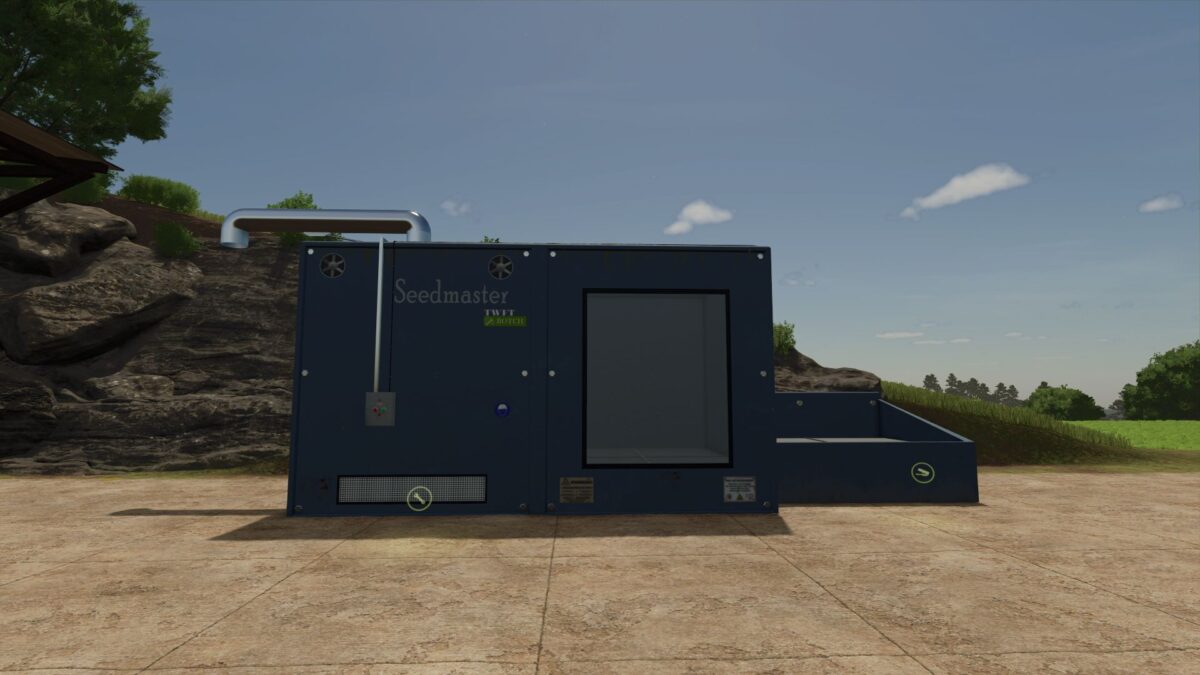
Seed and Compost Production v 1.0


Add Compost from grass, straw and drygrass.
Seed from maize and Grain (like base mod).
Fertilizer from liquidmanure, manure, digestate and compost.
The production facility also accepts bales.
Seeds Production
Grain → Seeds
Input: Grain (10l)
Output: Seeds (8l)
Cycles per Hour: 50
Costs per Hour: $1
Maize → Seeds
Input: Maize (10l)
Output: Seeds (8l)
Cycles per Hour: 50
Costs per Hour: $1
Fertilizer Production
Liquid Manure → Fertilizer
Input: Liquid Manure (100l)
Output: Fertilizer (50l)
Cycles per Hour: 10
Costs per Hour: $5
Manure → Fertilizer
Input: Manure (100l)
Output: Fertilizer (60l)
Cycles per Hour: 10
Costs per Hour: $5
Digestate → Fertilizer
Input: Digestate (100l)
Output: Fertilizer (50l)
Cycles per Hour: 10
Costs per Hour: $5
Compost → Fertilizer
Input: Compost (100l)
Output: Fertilizer (50l)
Cycles per Hour: 10
Costs per Hour: $5
Compost and Methane Production
Grass Windrow → Compost and Methane
Input: Grass Windrow (600l)
Output: Compost (100l) + Methane (2l, sold directly)
Cycles per Hour: 50
Costs per Hour: $5
Dry Grass Windrow → Compost and Methane
Input: Dry Grass Windrow (400l)
Output: Compost (100l) + Methane (2l, sold directly)
Cycles per Hour: 50
Costs per Hour: $5
Straw → Compost and Methane
Input: Straw (600l)
Output: Compost (100l) + Methane (2l, sold directly)
Cycles per Hour: 50
Costs per Hour: $5
Mixed Inputs → Compost and Methane
Input: Grass Windrow (300l) + Dry Grass Windrow (200l) + Straw (300l)
Output: Compost (200l) + Methane (4l, sold directly)
Cycles per Hour: 50
Costs per Hour: $5
Credits:
IzanagiCZ, The Walking Farmers Team (HaHner)


