

Seasonal Prices v 1.0


Just as the weather changes with the seasons, so does the supply and demand of various products. Keep an eye on the market to catch the best prices during the year. It might be worth the time and money to invest in seeds or lime well in advance before the planting season starts.
# FEATURES #
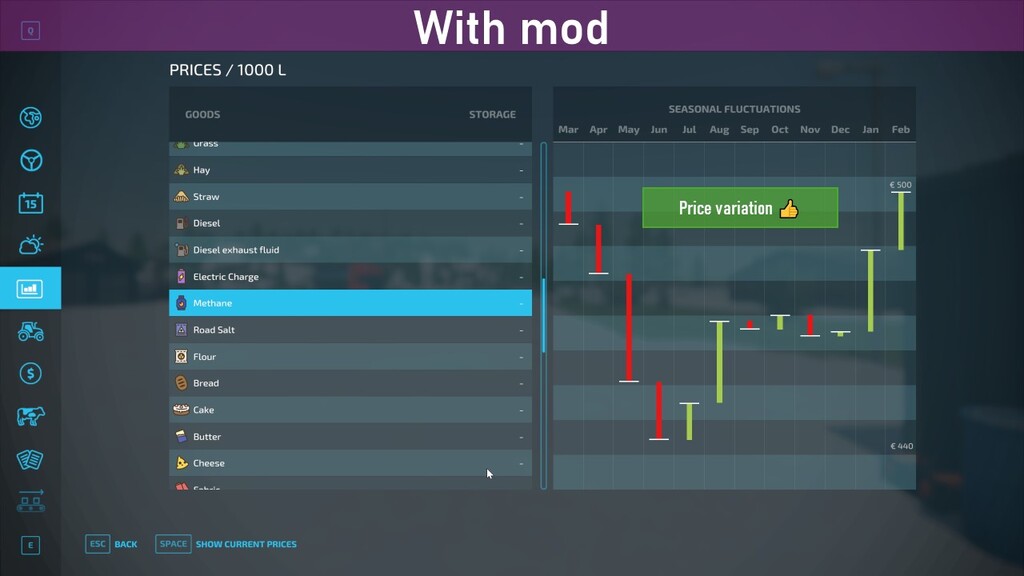
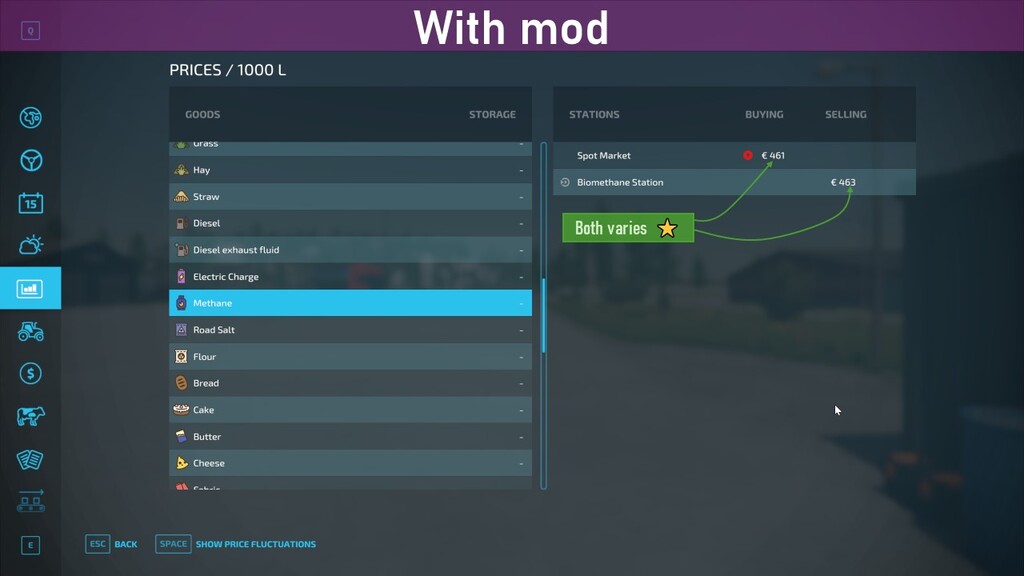
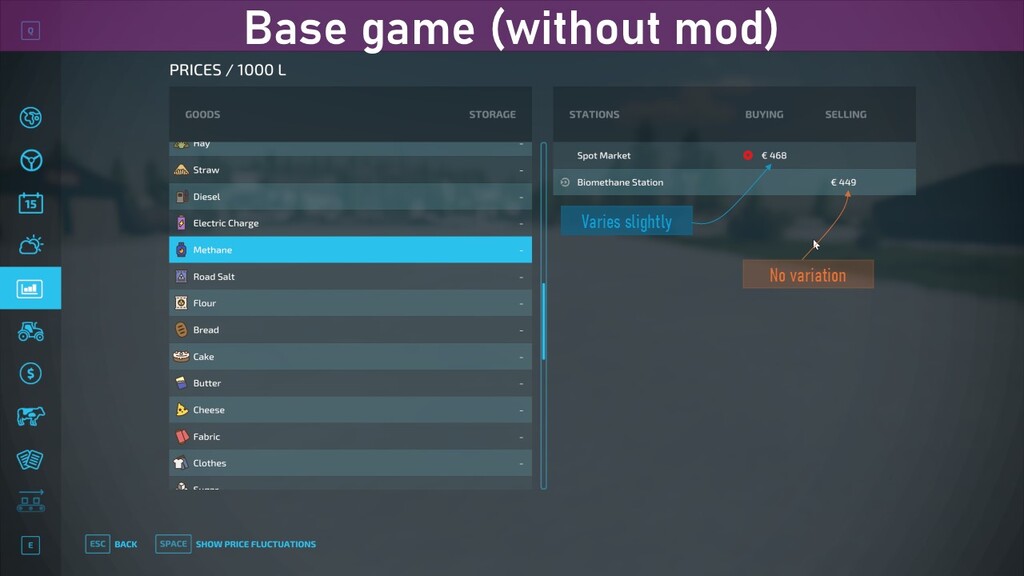
A) Seasonal variation on prices now also when buying (not only when selling as in base game)
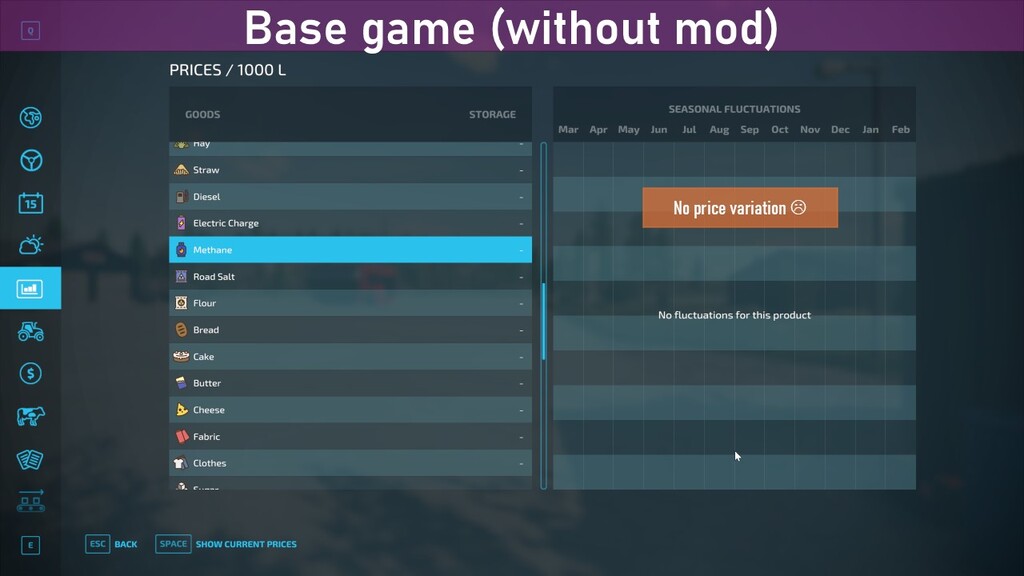
B) Seasonal variation added for additional filltypes (applies to both selling and buying)
C) [DISABLED] Random price variation per buying station
# GAMEPLAY #
A) In addition to the default behaviour where the sell price (i.e. when you sell your harvest) varies over the year with the seasons, the buy price (e.g. when buying seeds or refueling a vehicle) will now also vary over the year. This means that products/crops that support seasonal variation when selling will now also have seasonal variation when buying.
B) Additional products like seeds, fuel and herbicide that normally have fixed prices (true for base game maps and most modded maps) will now get support for seasonal variation, both when selling and buying.
C) Base prices are not changed, whatever base price is set by the map and other mods is maintained
D) [DISABLED] Each buying station will have a slight variation in their prices (in addition to the seasonal variation) to reflect local competition between different companies.
# SUPPORTED FILLTYPES #
On most maps (incl. base game maps) the majority of the filltypes for harvestable crops (e.g. wheat and corn) and production output (e.g. fabric and sugar) already support seasonal variation. However, many of the products that you typically buy (i.e. fuel, seeds, lime etc) have fixed prices. This mod adds seasonal variation to the following filltypes:
– FORAGE, PIGFOOD, DIESEL, ELECTRICCHARGE, METHANE, SEEDS, FERTILIZER, LIQUIDFERTILIZER, HERBICIDE
# CUSTOM SEASONAL VARIATION #
If your map doesn’t support seasonal variation on certain filltypes, you can create a copy of this mod and edit the “xml/maps_fillTypes.xml” with your custom filltype settings.
* The randomization of prices at buying stations is temporarily disabled due to multiplayer issues *
Credits:
ZYX, w33zl


