FS25 Forage Trailers

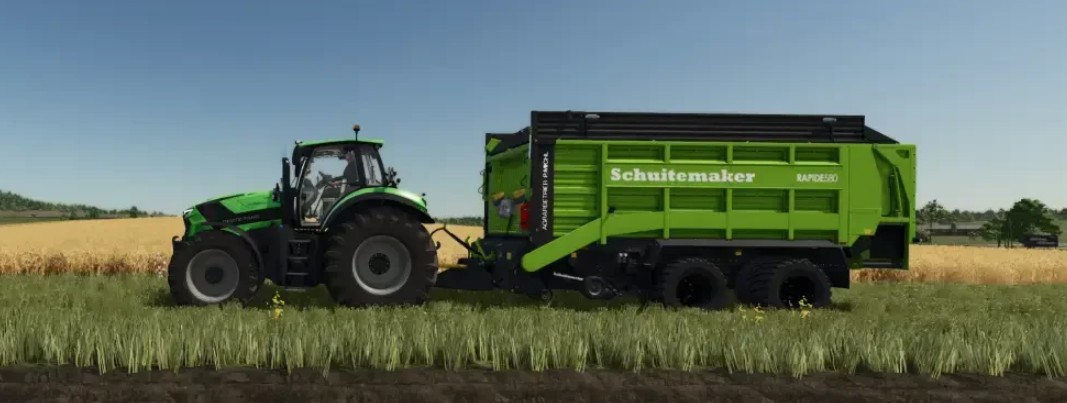
Schuitemaker Rapide 580V v 1.0.0.1

Schuitemaker Rapide 580V v 1.0.0.1

Selectable Capacity (with and without silage tank):
– Standard: 35000 liters
– Increased capacity: 45000 liters
– Unrealistic: 65000 liters

Color selection. Special colors and metallic colors added for:
– Main color (container)
– Design color
– Chassis color
– Rim color

Decals:
– Own decals “AGRARBETRIEB|P.MICHL” can be shown or hidden

Fire Extinguisher:
– Fire extinguisher can be mounted
– PickUp – Working width slightly widened (approx. 25cm per side) to make tight curves easier to master
– Price reduction of around 15% (room for negotiation)

Version 1.0.0.1:
* Fixed loading and unloading animation

Credits:

PM-Design

How to install FS25 Forage Trailers?
Firstly find a mod which you like and want to download. Then download a mod to your PC. Mods are usually in .zip format file. But sometimes it can be in .rar. If a mod file is a .zip format no needed additional actions. If a file is in .rar, then you must unarchive mod with software like WinRar or Zip7. Windows 10 users no need to use software for archives, Win10 itself has a feature to unarchive files.
The next step is to find mods folder in your PC. Usually, it is in Documents/My Games/Farming Simulator 25/2025. Open the "mods" folder and put downloaded .zip archive or unarchived .rar file to this folder.
Last step. Enjoy of FS25 mods!

Leave a Reply

Your email address will not be published. Required fields are marked *