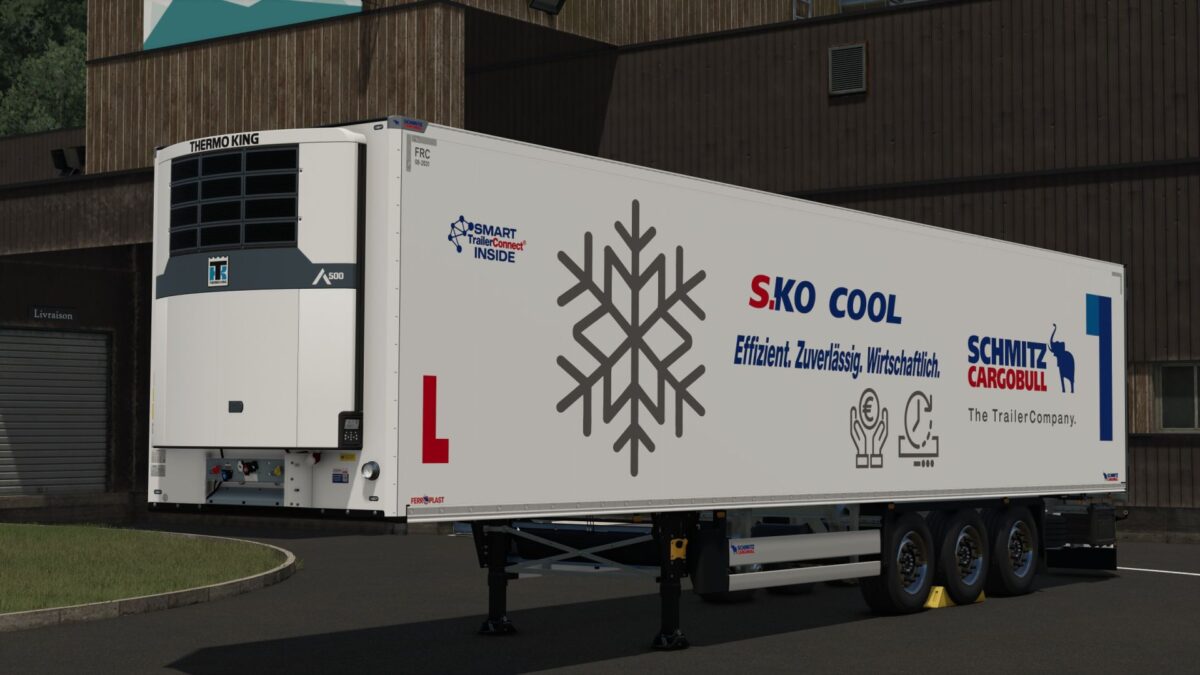
Schmitz Cargobull S.KO COOL v1.0


The SCHMITZ S.KO COOL is the ideal addition to your fleet.
With its distinctive refrigerated body and numerous individual design options, you can configure the refrigerated trailer entirely according to your specifications.
Whether chassis, body, rims or accessories – design your S.KO COOL entirely according to your wishes.
Purchase price
Price: from €49,500
Functions & Features
Individual color configuration: Customize the chassis, refrigerated body and other components to your liking.
Rim configuration: Rim color scheme.
Stickers: Individual design of the front, side and rear stickers.
Side marker lights: With realistic turn signal function.
Additional rubber buffers: For further details on the trailer.
Reflectors: Individually configurable side and rear reflectors in various colors. (White, orange, yellow and red)
Work lights: Can be activated via button 6 or automatically when reversing.
Additional lighting: outline lights and reversing lights.
Recommended Mods
AdditionalCurrencies – for displaying your own national currency.
Universal Autoload – for the automatic loading of pallets.
Vehicle Years – for displaying the year of manufacture.
Interactive Control – for additional interactive operating options.
Required mods:
Interactive Control
Additional Currencies
Universal Autoload
Credits:
MR Modding