

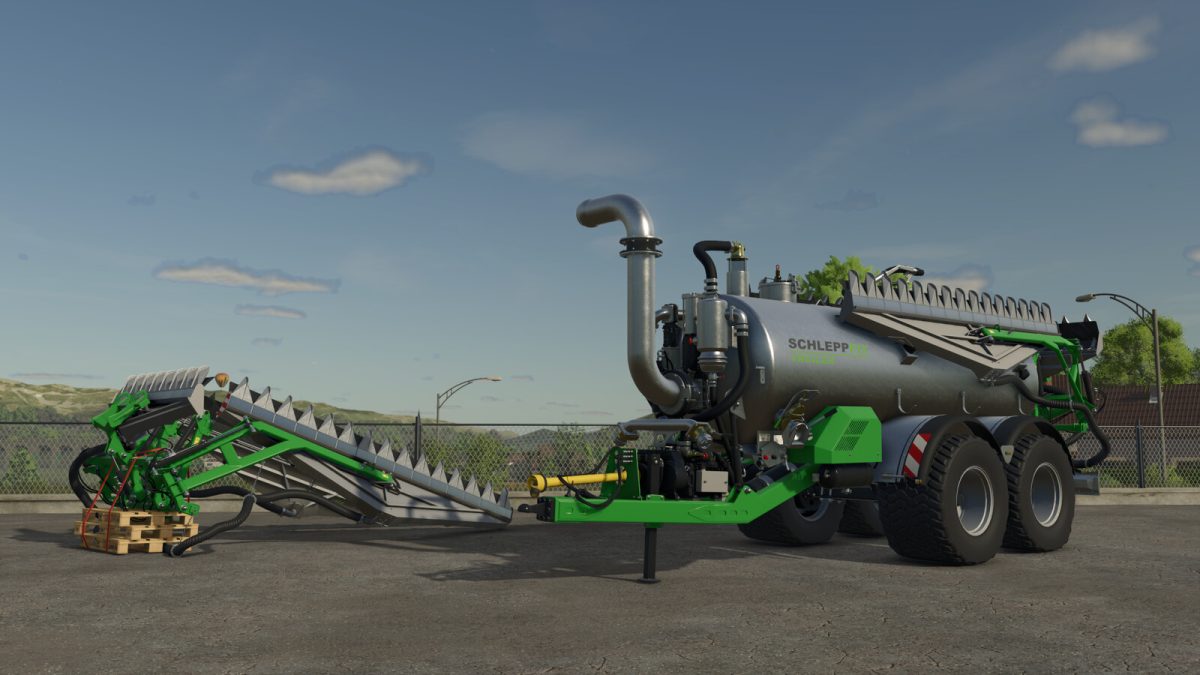
Schleppfix Slurry Equipment Pack v 1.0


Schleppfix is a modern slurry spreading system developed by Brunner Spezialwerkstatt AG in Switzerland.
The design aims to provide efficient, even, and ground-level slurry application – all with minimal maintenance effort.
Unlike conventional systems, Schleppfix completely eliminates the need for rotating distribution heads and long outlet hoses. Instead, the system uses a patented distribution disc that reliably directs the slurry to individual application points.
Its robust construction, made from stainless chrome steel, ensures long service life and high durability – even under demanding operating conditions.
Thanks to its low weight and compact design, the Schleppfix can be easily retrofitted to a wide range of slurry tanks. The technology is available in various working widths and is suitable for both small and large farming operations.
Consisting of:
– Schleppfix SFA 12 T (Slurry distributor)
– Schleppfix SFT 11 (Slurry tanker)
Schleppfix SFA 12 T
– Category: Slurry Tools
– Price: 44,500 $
– Weight: 980 kg
– Working speed: 16 kph
– Working width: 11.5 m
Schleppfix SFT 11
– Category: Slurry Tankers
– Price: 105,600 $
– Weight: 8,500 kg
– Capacity: 11,000 l
– Needed Power: 140 hp
– Max. working speed: 16 km/h
– Working width (Wide-spread nozzle): 50 m
Configurations:
– Tires
– Working lights
– Design color (Galvanized or fire galvanized)
Attention: When using the AI assistant, you must switch between the individual distributors via the operating mode. However, this only works when the wide-spread nozzle is in the unfolded position.
Credits:
Agrar Design Austria


