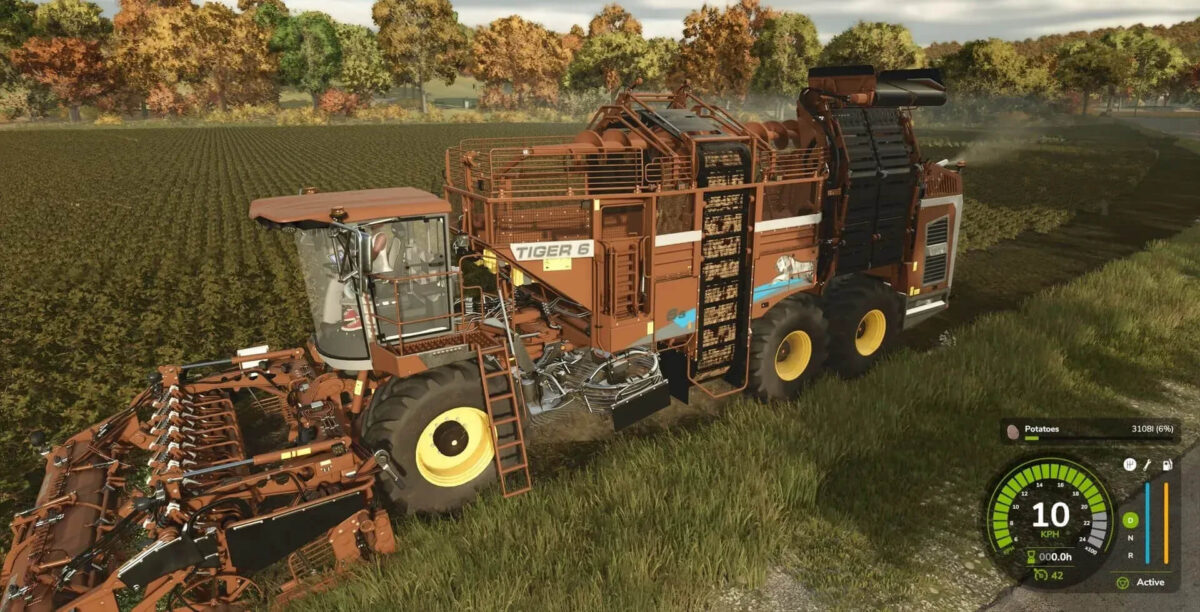
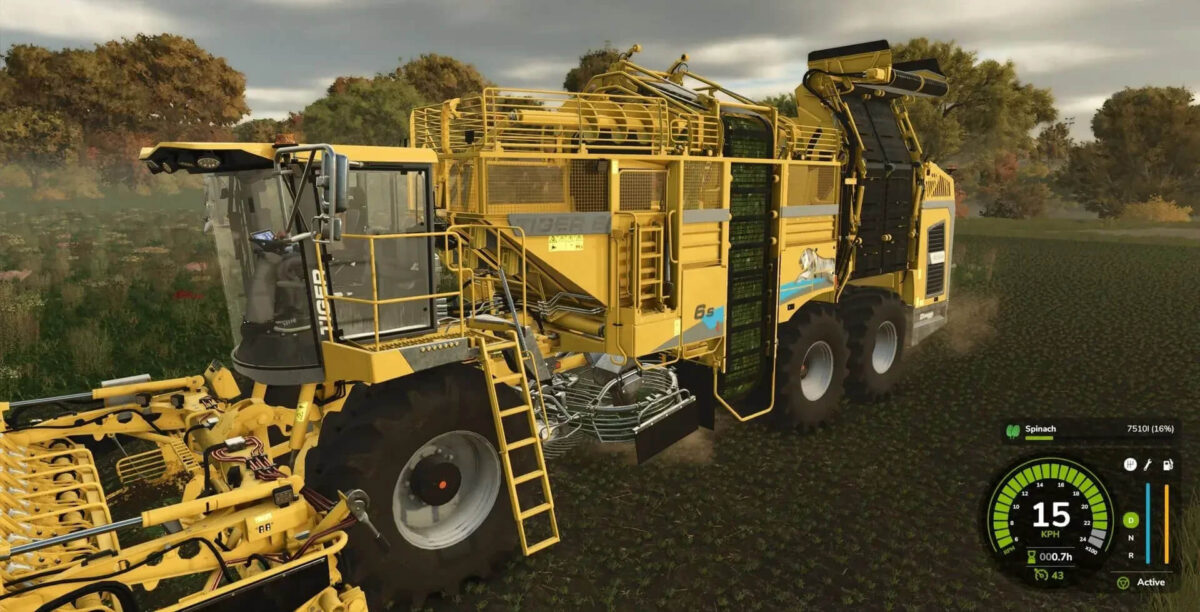
Ropa Tiger 6S and Ropa Maus Pack v 1.0


This pack contains the Ropa Tiger 6S with the associated cutting units and the cutting unit trolley for the Ropa rrXL9x45 cutting unit. And the Ropa Maus 5.
The Ropa Tiger 6S and the cutting units can harvest sugar beets, potatoes, beetroot, carrots, parsnips, spinach, French beans and peas.
There are three cutting units, the shop categories are under Technical Specifications.
The fruit icon (on the white box on the cutting unit) is attached to each cutting unit.
The Ropa Maus 5 is included in two variations. One is Multifruit, this mouse can take all bulk goods, and one is Mouse 5 Beet Chips, this can make the aforementioned sugar beet chips from sugar beets.
The mod is suitable for multiplayer.
Technical specifications:
Ropa Tiger 6S
– Shop category: Vehicles –> Root crops –> Beet harvesting technology
– Price: €699,000
– Power: 585 KW / 796 HP
– Speed: 40 km/h
– Capacity: 45 m³ / 90 m³
– Weight: 33.6 t
– Working speed: 10 km/h
– Choice of body and rim color
Ropa rrXL9x45 cutting units
– Shop category: Vehicles –> Root crops –> Beet harvester attachments
– Shop category: Vehicles –> Root crops –> Potato technology
– Shop category: Vehicles –> Vegetables –> Vegetable harvesting technology
– Price: €79,000
– Weight: 2.5 t
– Working width: 4 m
– Working speed: 10 km/h
– Choice of body and rim color
Ropa rrXL9x45 cutting unit trailer
– Shop category: Vehicles –> Root crops –> Beet harvester attachments
– Price: €9,000
– Weight: 2.7 t
– Choice of body and rim color
Ropa Maus 5 multi-fruit and sugar beet pulp
– Shop category: Vehicles –> Root crops –> Beet loading
– Price: €369,000
– Power: 263 KW / 354 HP
– Speed: 40 km/h
– Weight: 30.7 t
– Working width: 10.2 m
– Choice of body and rim color
Credits:
Mod Micha