Road Master v 1.1.0.1


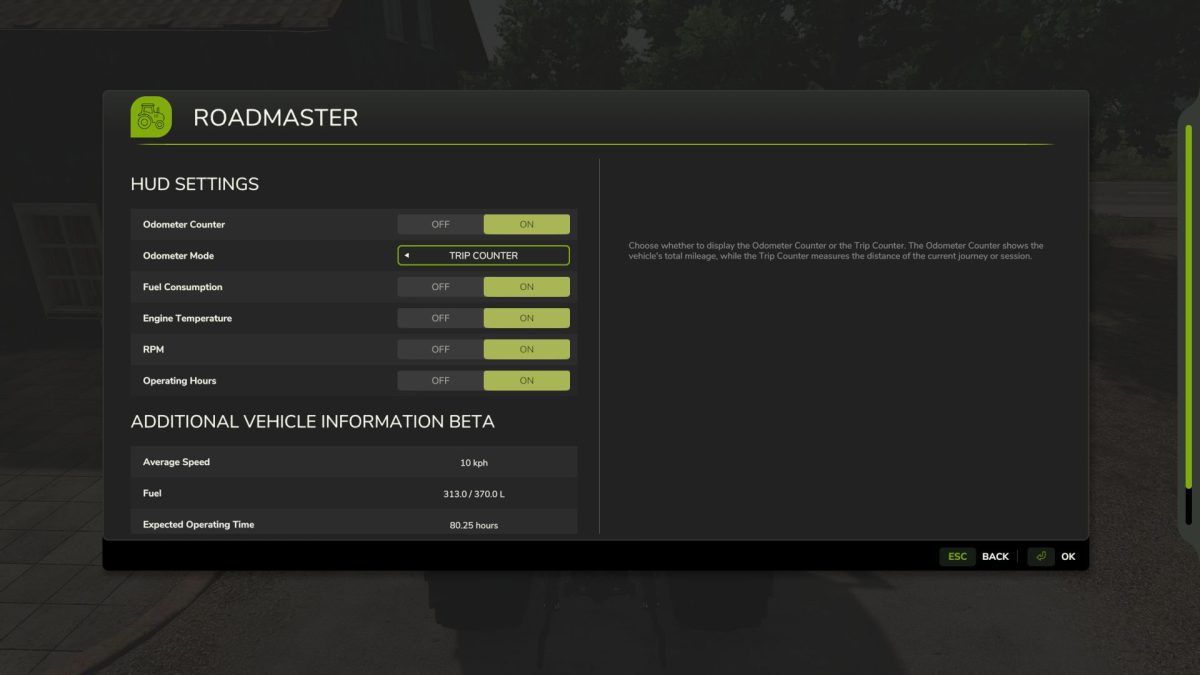
The RoadMaster mod is an extremely useful addition to FS25, offering a range of valuable data and options for monitoring vehicle operation.
Information such as the odometer, fuel consumption, engine temperature, RPM, average speed, and range all enhance the player’s experience while providing opportunities for more efficient vehicle management and operation.
All features and settings are easily accessible in the game, allowing everyone to customize the information display to suit their preferences during gameplay.
Open RoadMaster (RM) – “Left Ctrl + n” key combination (default)
Reset Trip Counter – “Left Ctrl + m” key combination (default)
Version 1.1.0.1:
* Github issues#5 fixed
* LastDieselFuelUsage – fixed
* RPM now increase gradually
* DescVersion increased
Credits:
MathiasHun