

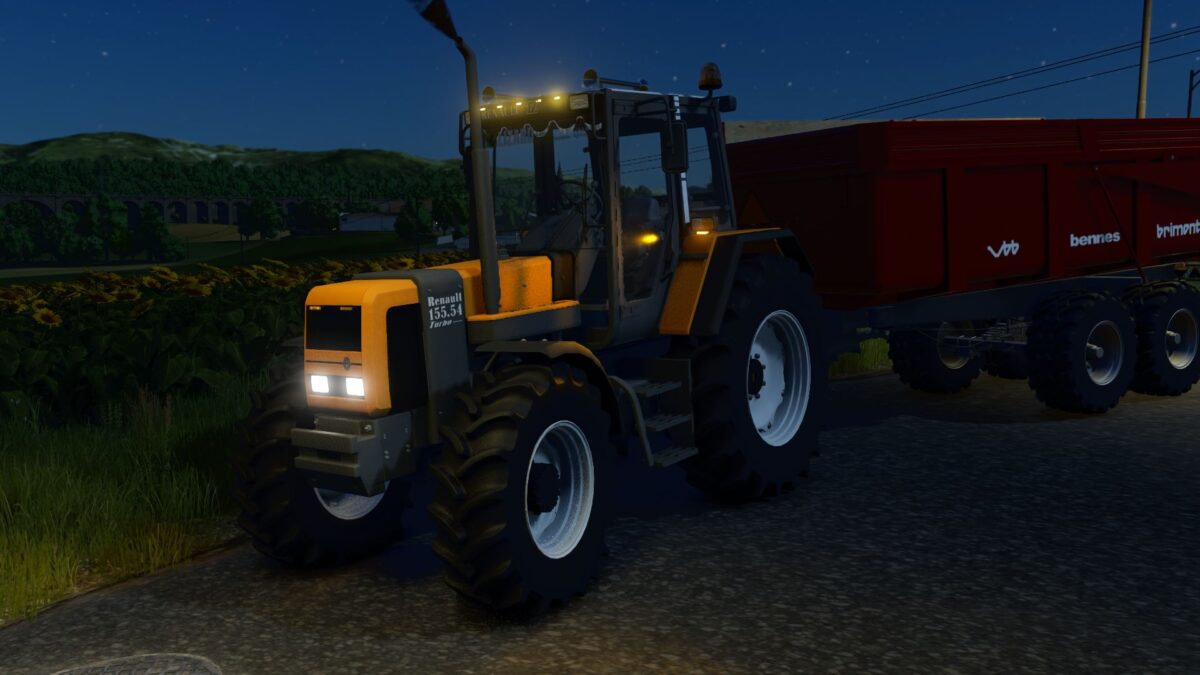
Renault TZ v 1.4


The Renault TZ v 1.4 mod brings the Renault 54 TZ Series to Farming Simulator 25, offering players a detailed and functional tractor option. Converted from FS22, approximately 80% of the model has been rebuilt to enhance its fidelity and performance within the game. This tractor variant is designed for versatility, featuring a power range between 100 to 145 horsepower, making it suitable for various farming tasks.
Players can choose between a mechanical 16×16 transmission or a mechanical transmission with powershift, providing a total of 24 gears for optimal performance. The TZ version includes numerous configurations, allowing customization based on individual preferences or farming needs. Additionally, the mod includes useful features such as EHR TCE technology, Tractoradar, and ACET for increased functionality.
The animated cabin suspension adds a layer of realism, allowing players to experience a more immersive driving experience. Real sounds further contribute to capturing the essence of operating a Renault tractor in-game, enhancing the overall atmosphere for players.
– Power range: 100 – 145 HP
– Transmission options: mechanical 16×16 or 24×8 Tractonic
– Multiple versions available: TZ
– Optional features: EHR TCE, Tractoradar, ACET
Version 1.4:
* Fixed few errors
* Added tuning: top lights, flashers, horns, cooler, curtain
Credits:
Jootu0, BartekKosmos


