

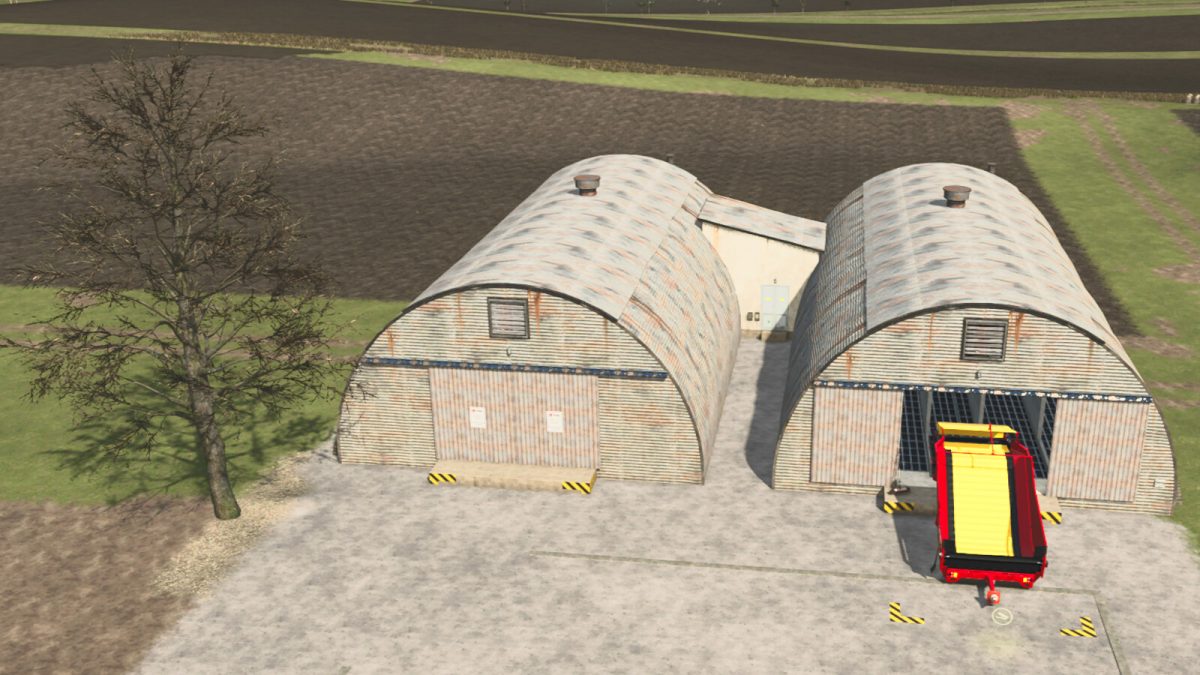
Reinforced Quonset Sheds for Rootcrops & Woodchips v 1.0


These “silos” are a couple of repurposed Quonset Sheds based on the “Nissen Hut” converted to store rootcrops and woodchips, they are retrofitted with reinforced
roof and innerwalls made with heavy corrigated commercial grade steel for better stability and weather proofing that protects from leaks and withstands
hurricanes, strong winds, hail, heavy snow, earthquakes and with proper ventilation. They have a partially underground storage for bigger capacity on both sheds.
These sheds require minimal upkeep and are very cost effective storages that doesn’t require you to haul in or out your crops with loader-buckets thanks to our automated
and bolted-in Grimme conveyorbelt-system, the underground storage pumpsystem will distribute the load through both sheds.
Unloading is done from the back of the extension shed. The products heap is animated and will eventually rise/lower when the storage is filled/emptied.
BRAND: LIZARD STORAGE
Shop Category: Placeable/ Buildings/ Silos
Price: $248000
Daily Upkeep Cost: $7/day
Storage 1: POTATO, SUGARBEET, CARROT, PARSNIP, BEETROOT
Total Capacity Main Storage: 2500000L
Total Capacity Extension Storage: 2500000L
Capacity for each crop: 1000000L
Storage 2: WOODCHIPS
Total Capacity Main Storage: 200000L
Total Capacity Extension Storage: 200000L
Functions:
– Night lights
– Automated Conveyorbelt
– Turn ON/OFF Warning Stripes
IMPORTANT NOTE: Please level the area in the construction meny before placing the storage Hut for best result.
Credits:
ScandinavianVikingsModRebuildsTeam


