

Realistic Worker Costs v 1.0.9.2


Realistic Worker Costs Mod for Farming Simulator 25
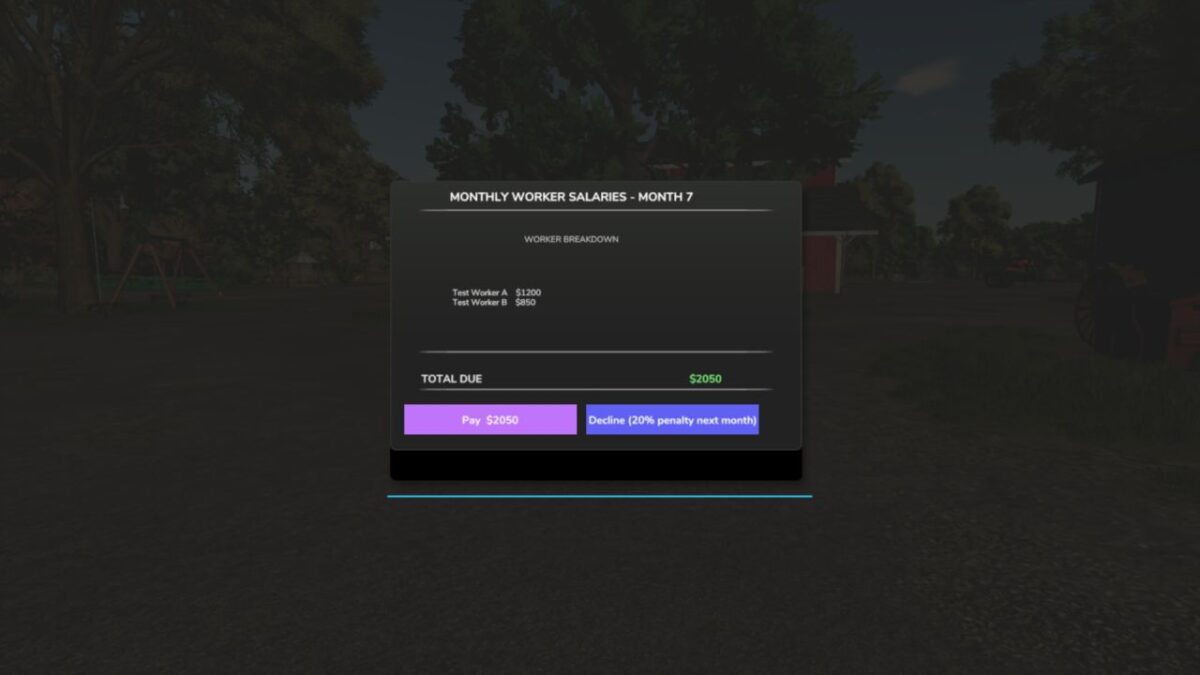
Adds realistic ongoing wage costs for hired workers, making farm management more challenging and strategic.
MAIN FEATURES:
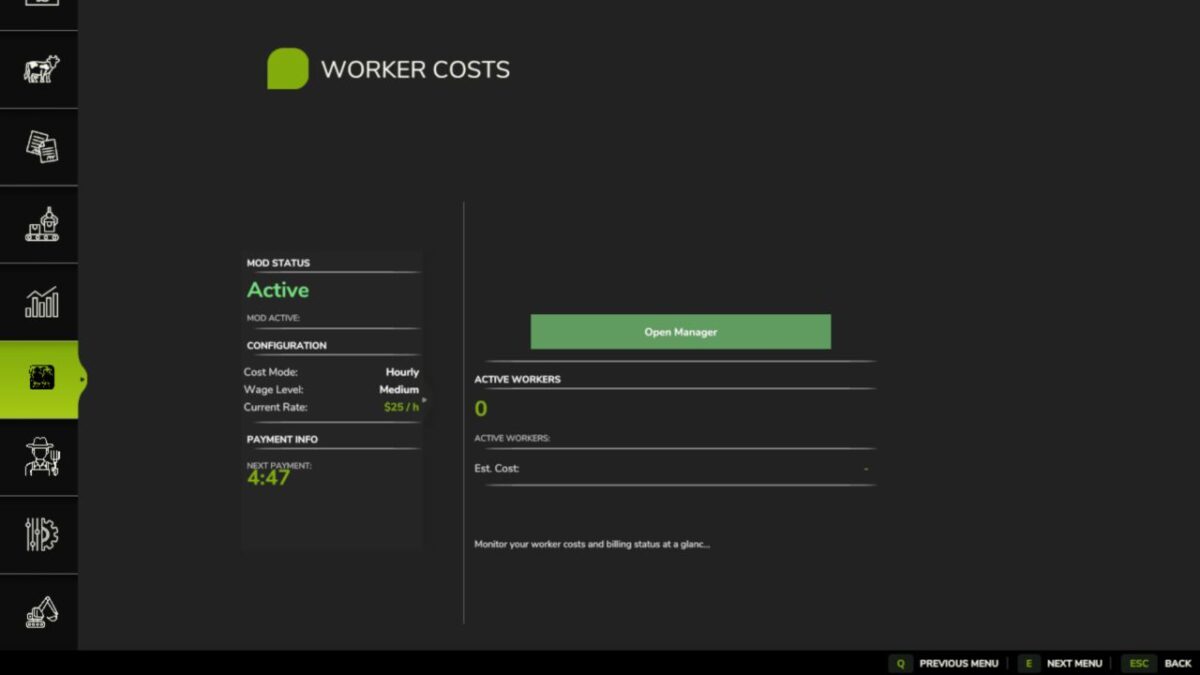
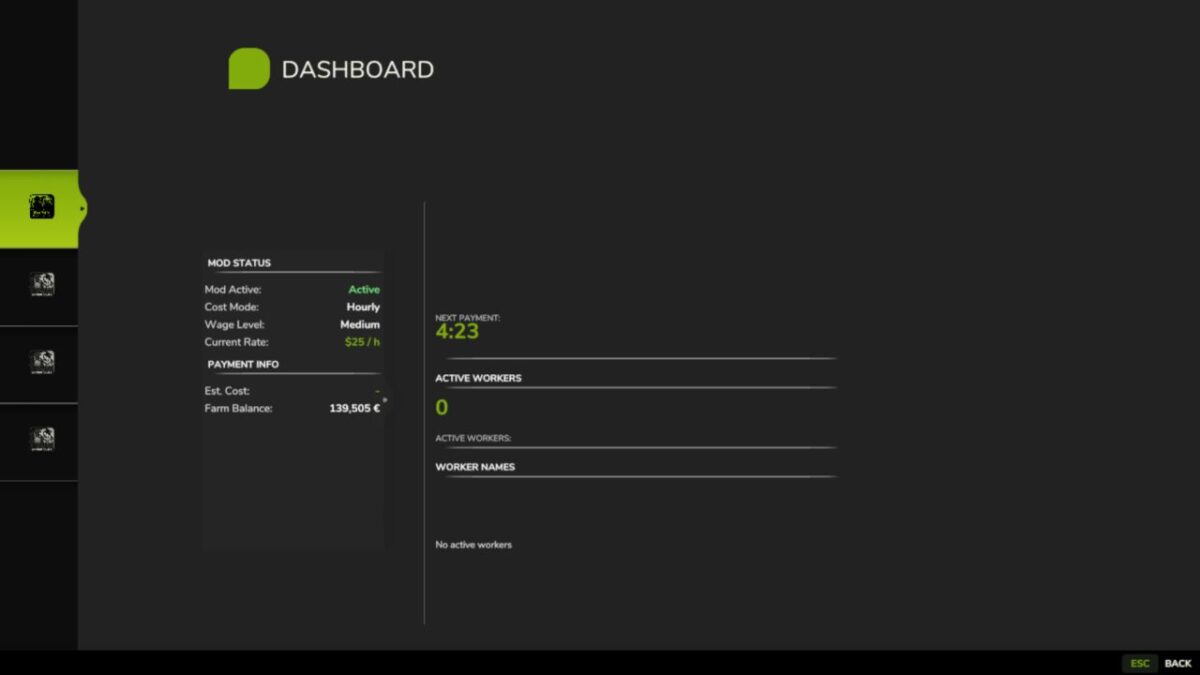
– Configurable wage system: Choose hourly or per-hectare payment
– Three wage levels: Low ($15/h), Medium ($25/h), High ($40/h)
– Skill-based pricing: Workers with higher skills earn higher wages
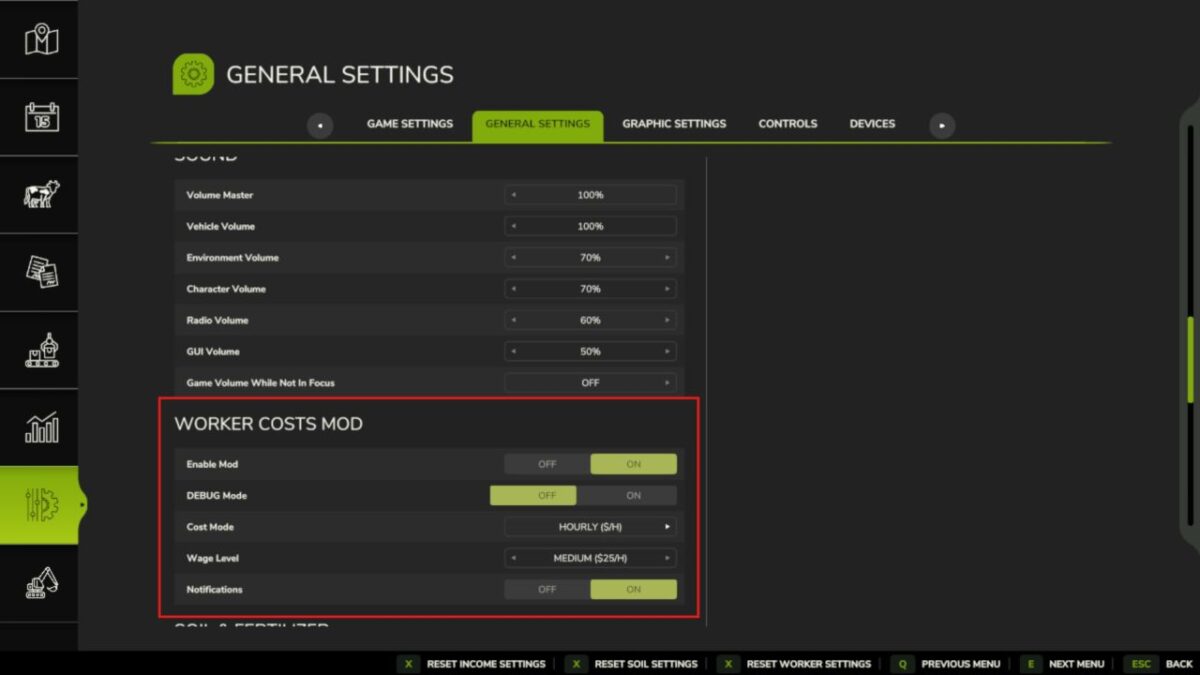
– Full in-game settings integration
– Console commands for complete control
– Multiplayer compatible
– 10 language support
– Save game compatible
HOW IT WORKS:
Workers now cost money while they’re active! The mod automatically calculates and deducts wages based on:
1. Time worked (hourly mode) OR hectares worked (per hectare mode)
2. Worker skill level (80%-120% multiplier)
3. Your chosen wage level or custom rate
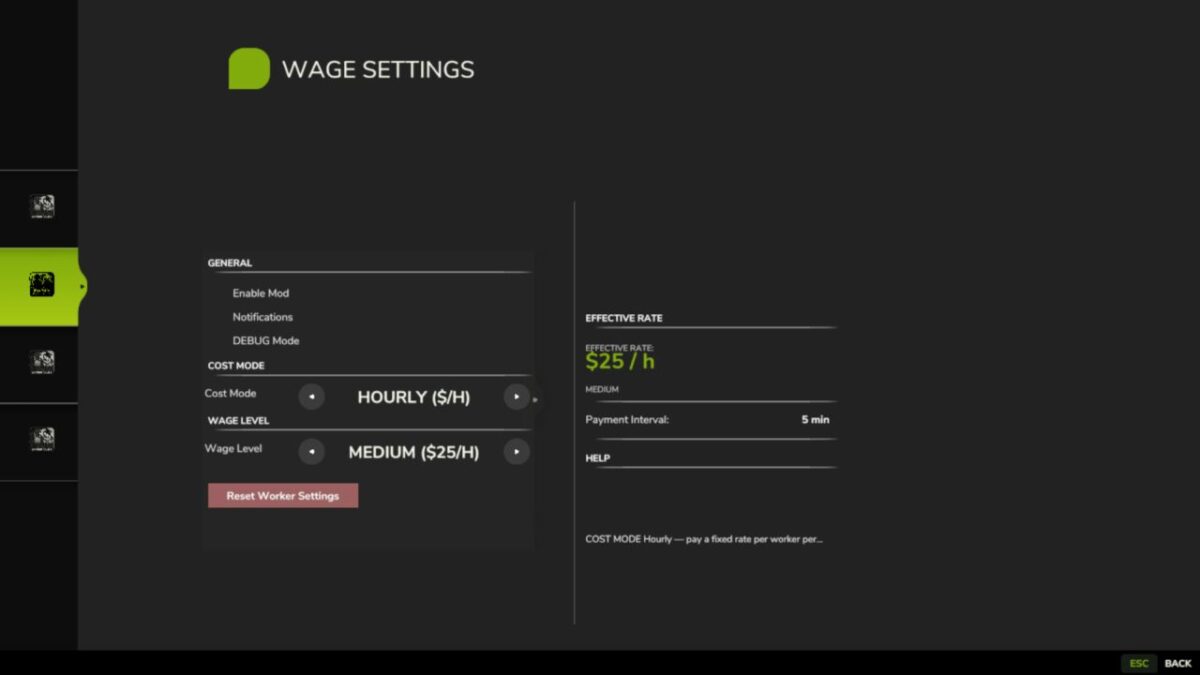
SETTINGS OPTIONS:
– Enable/Disable: Toggle the mod on/off
– Cost Mode: Hourly or Per Hectare
– Wage Level: Low, Medium, or High base rates
– Custom Rate: Set your own wage rate
– Notifications: Toggle payment alerts
– Debug Mode: Extra logging
CONSOLE COMMANDS:
Type ‘workerCosts’ in console for full list, including:
– WorkerCostsEnable/Disable
– WorkerCostsSetWageLevel 1|2|3
– WorkerCostsSetCostMode 1|2
– WorkerCostsSetCustomRate
– WorkerCostsTestPayment
– WorkerCostsShowSettings
– WorkerCostsResetSettings
INSTALLATION:
1. Extract to your FS25 mods folder
2. Enable in mod menu
3. Configure settings in-game or via console
COMPATIBILITY:
– Works with FS25 (all versions)
– Multiplayer supported
– Compatible with most other mods
– Safe to add/remove from existing saves
This mod adds a new layer of financial management to your farming operation. Now you need to consider not just equipment costs, but also labor expenses when planning your farm’s profitability. Makes the game more realistic and challenging!
Perfect for players who want more economic depth and realism in their farming experience.
Note: All rights reserved. Do not redistribute or claim as your own work.
Version 1.0.9.2:
* Payment interval changed from 5 → 30 real-world minutes: job completion notification shows total cost charged when a worker is dismissed
* About page: version number now displays correctly; panel height expanded to prevent text cutoff
* Renamed “Worker Breakdown” section to “Labor Cost Breakdown”
* Renamed “Help” tab to “Cost Structure”: fixed toggle row overlap and text overflow in settings
Credits:
tisonK


