


Realistic Harvesting v 1.4.1.0


What does this mod do?
This mod completely overhauls the harvesting mechanics in Farming Simulator 25! Your combine will no longer be able to unrealistically harvest at full speed in dense crops without consequences. The harvesting speed and efficiency are now dynamically tied to the thresher load and your machine’s calibration.
Key Features:
Realistic Load Calculation: The denser the crop and the wider the header, the slower the combine moves. Overload the engine, and you will begin to physically lose yield!
Interactive Combine Calibration (NEW): Press `RShift + K` to open the Combine Settings menu! You must calibrate your Fan, Rotor, Sieves, and Feeder for each specific crop type. Poor settings will result in additional crop loss!
Global Crop Profiles (NEW): Save your perfectly tuned calibration profiles globally. Switch combines or rejoin the server, and your favorite settings for Wheat, Corn, or Soybeans are instantly applied.
Dynamic Yield & Info HUD: A customizable, draggable display showing real-time Engine Load, Productivity (T/h), Crop Loss %, and Yield (t/ha or bu/ac).
Physical Crop Loss System: Pushing the combine past 95% engine load or using suboptimal threshing settings will physically reduce the volume of grain entering your bunker. Drive smart, not fast!
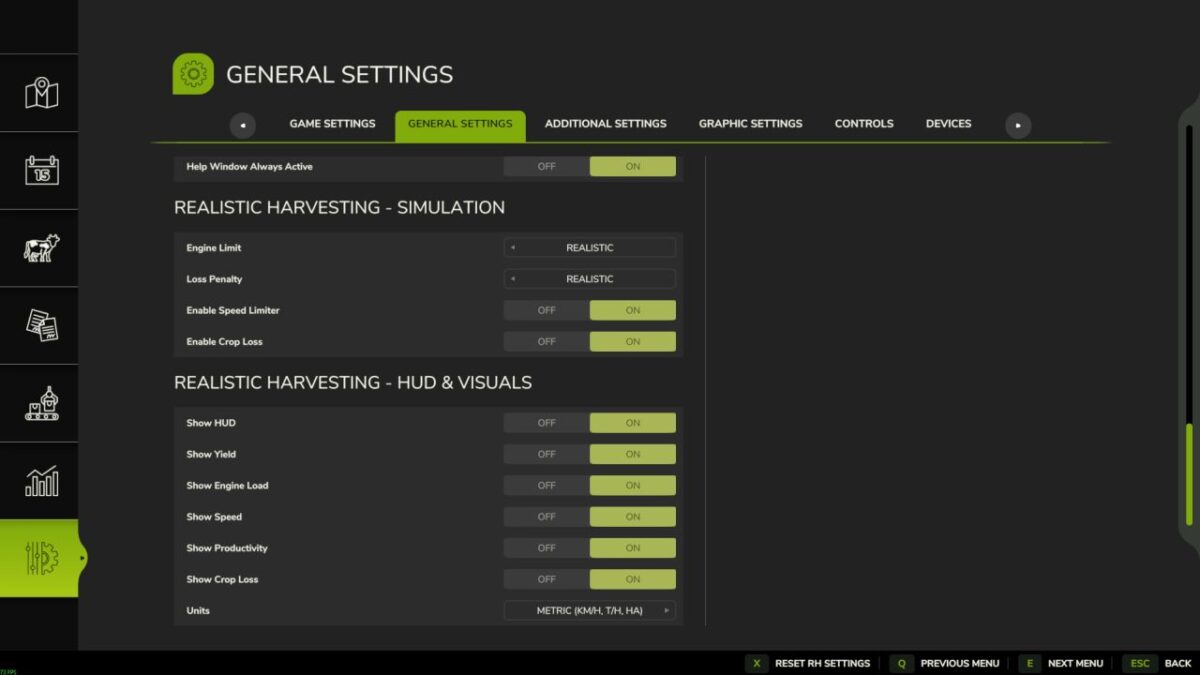
Difficulty Modes: Choose your playstyle in the game settings (ESC -> settings tab):
– Arcade: Minimal speed restrictions. For relaxed gameplay.
– Normal: Balanced experience. You will feel the weight of heavy crops like corn or wheat, with forgiving loss penalties.
– Realistic: For simulation fans. Speed and crop loss are strictly tied to the combine’s physical capacity and your manual calibration settings.
Version 1.4.1.0:
* FIXED: Game crash (“attempt to call missing method ‘getIsControlled’”) when using equipment from DLC packs (e.g. Highland DLC NH 8040 with Holaras tools). Added safe nil check for the method.
* FIXED: Courseplay second combine getting stuck at 10 km/h. Removed incorrect movingDirection check from getSpeedLimit() and added guard so Courseplay speed limit only applies when cutter is actually working.
* FIXED: AUTO mode settings resetting to 50 on dedicated servers. AUTO mode now registers as pending if crop not yet detected and applies automatically on first harvest.
* FIXED: Combine Settings menu (RShift+K) not opening and closing immediately when using NEXAT modular system.
* FIXED: Potential game crash with missing ‘getAIFieldWorkerIsTurning’ method on custom vehicles.
Credits:
exekx


